 Pizyn
How the test ran
On November 10, 2026 we ran one text-to-image generation per model in this studio, all at 1:1, all from the same prompt, and published the first output of each — the good and the flawed. Settings match what the studio charges: the resolution and quality tier in each caption is the one the credit price buys. Nothing here is a press image or a vendor sample; every picture on this page was generated for this article, and the prices are the live studio prices from our pricing page.
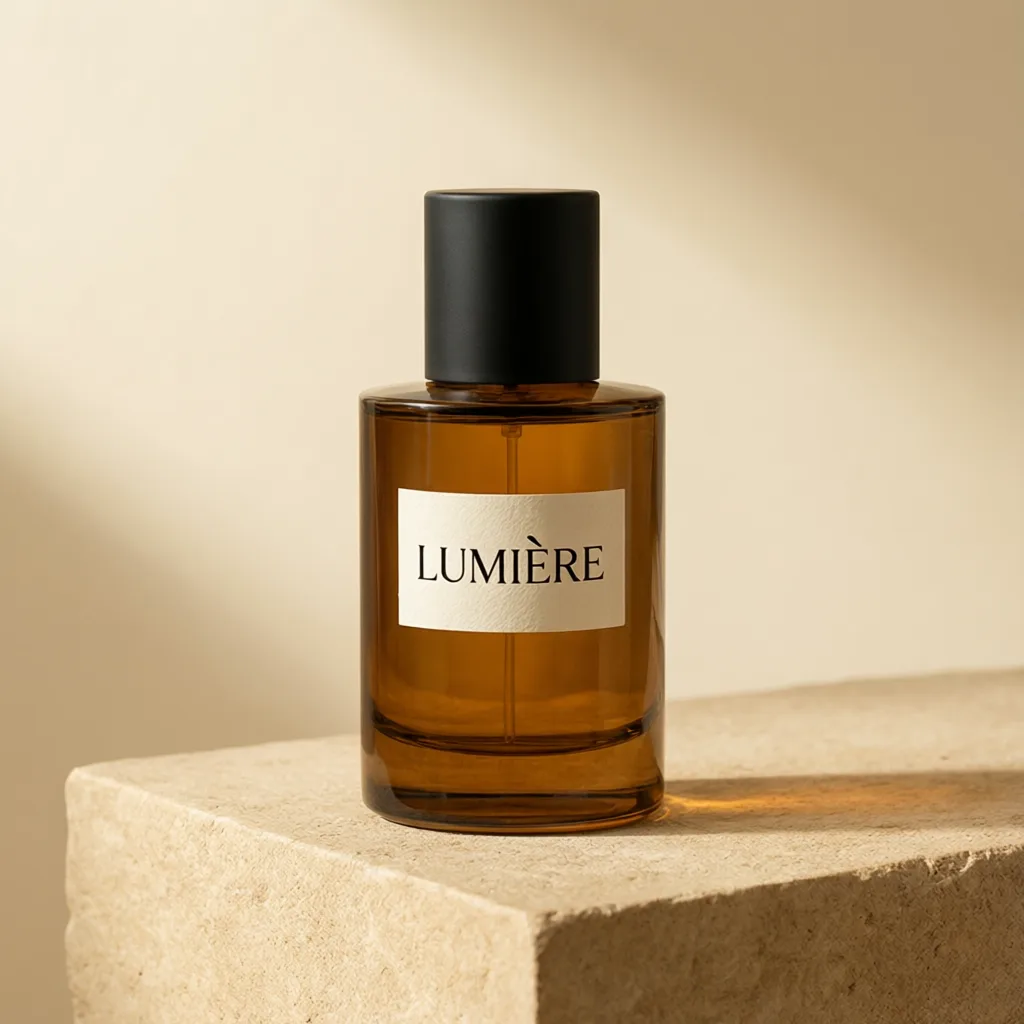
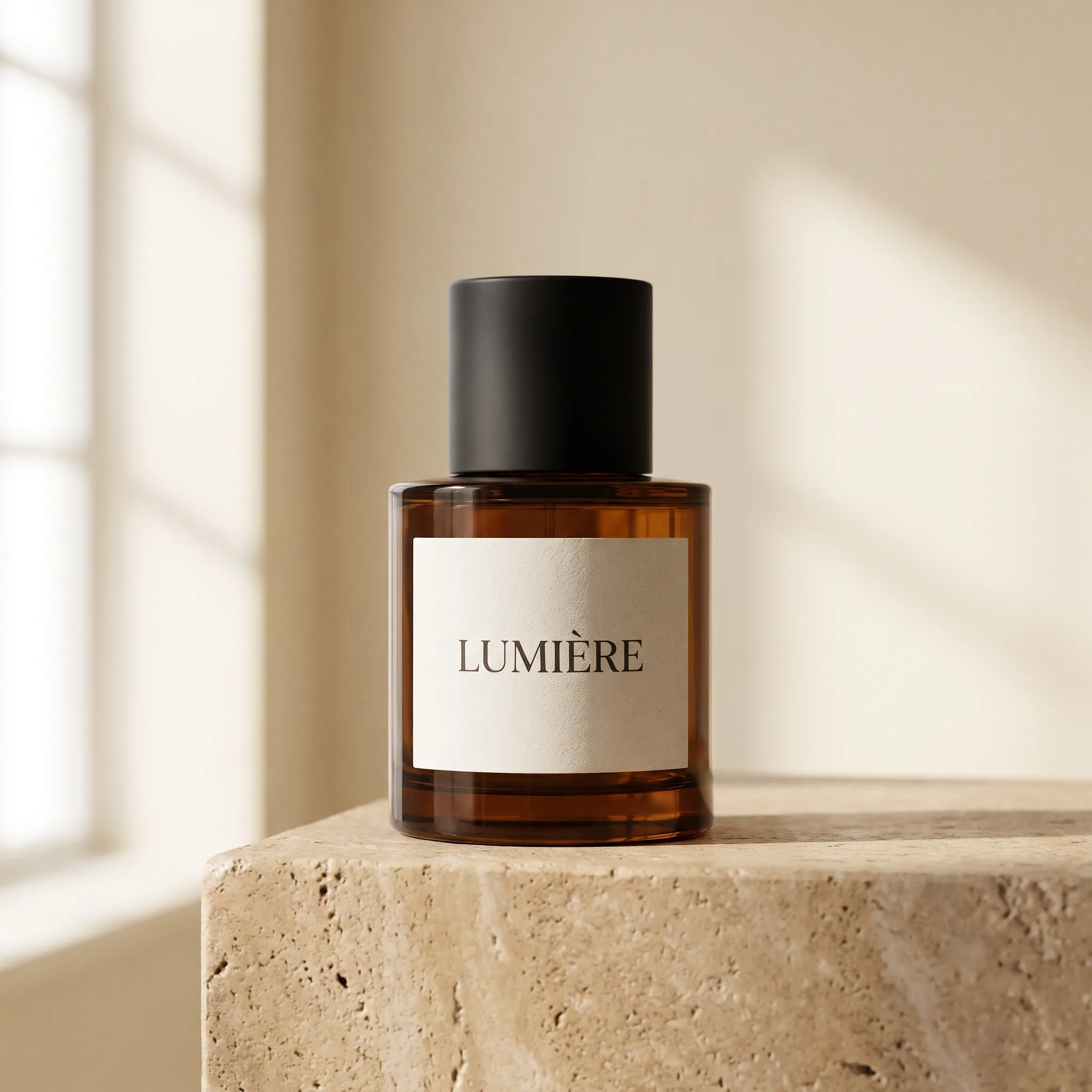
"Studio product photograph of a minimalist amber glass perfume bottle with a matte black cap, label reading 'LUMIÈRE' in elegant serif letters, standing on a warm beige stone pedestal, soft diffused window light, gentle shadow, warm cream background, photorealistic, high-end commercial photography"
Why a perfume bottle? It compresses four failure modes into one frame: transparent material, small text with an accented capital (È), a reflective surface, and a pedestal the model has to keep physically plausible. If a model can shoot this, it can shoot most e-commerce listings. Our model guide compares all fourteen models by job; this is the product-photography chapter, run for real.
The shootout: six models, one prompt
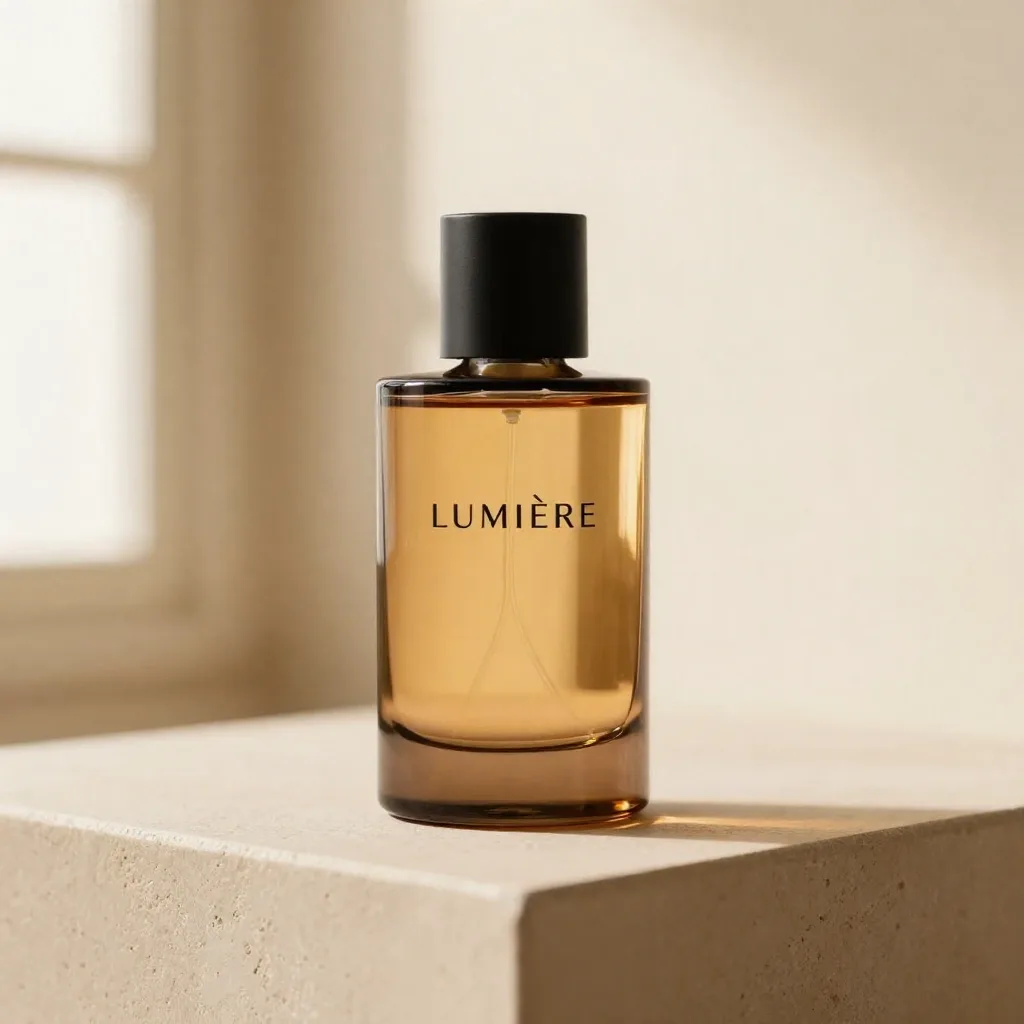
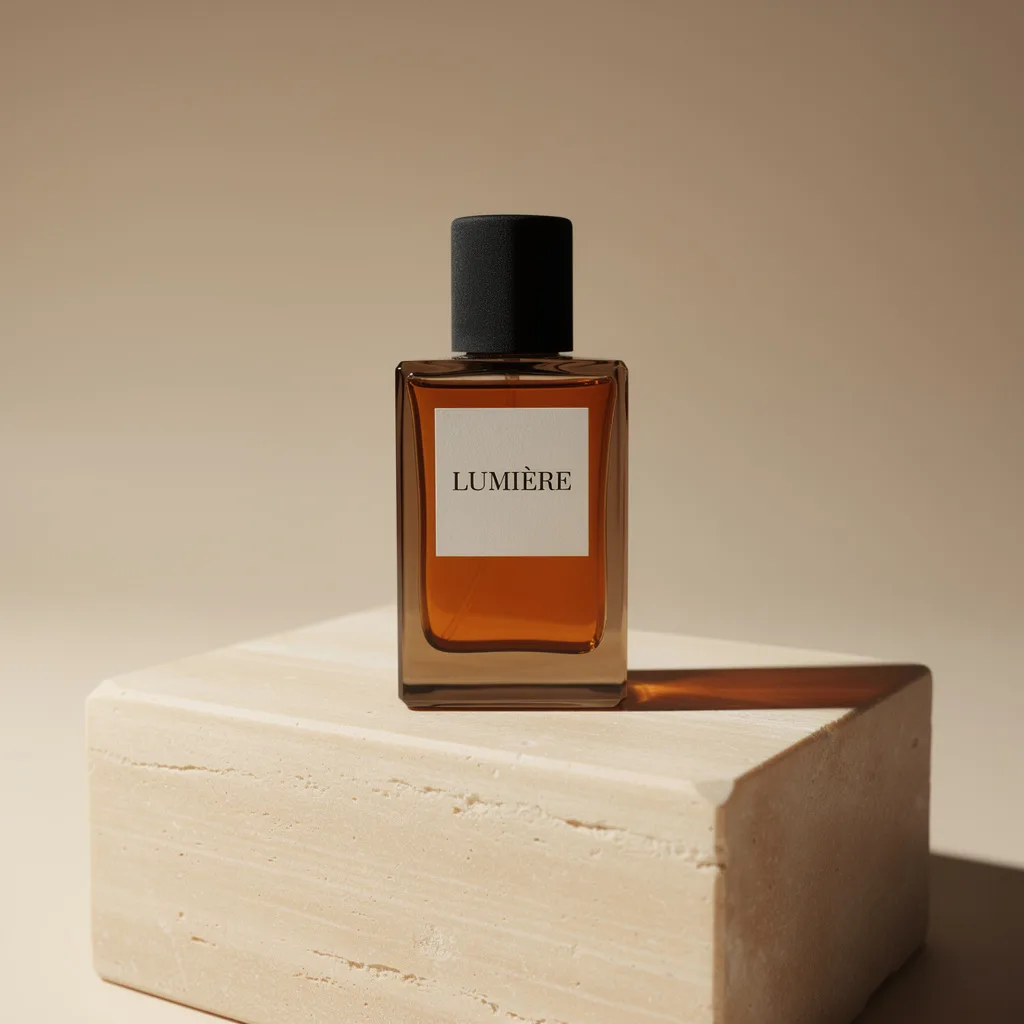
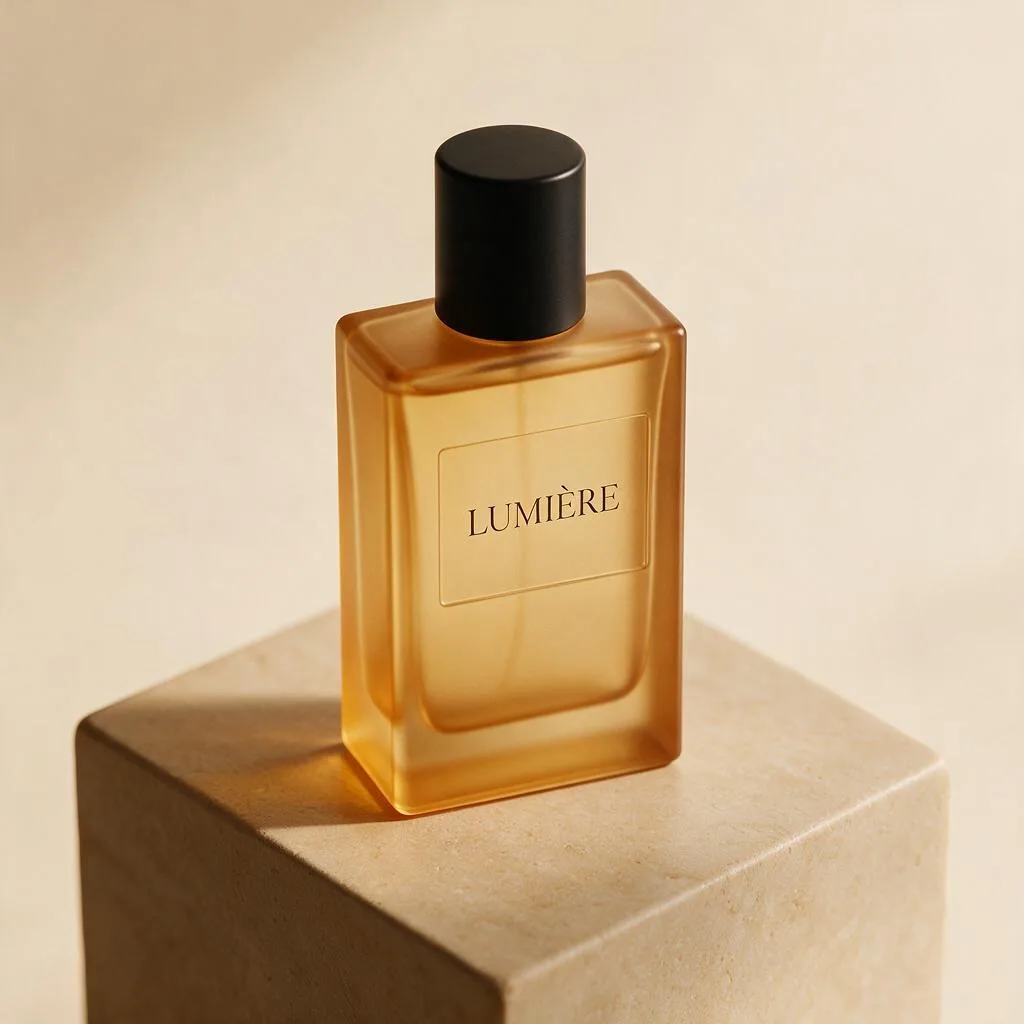
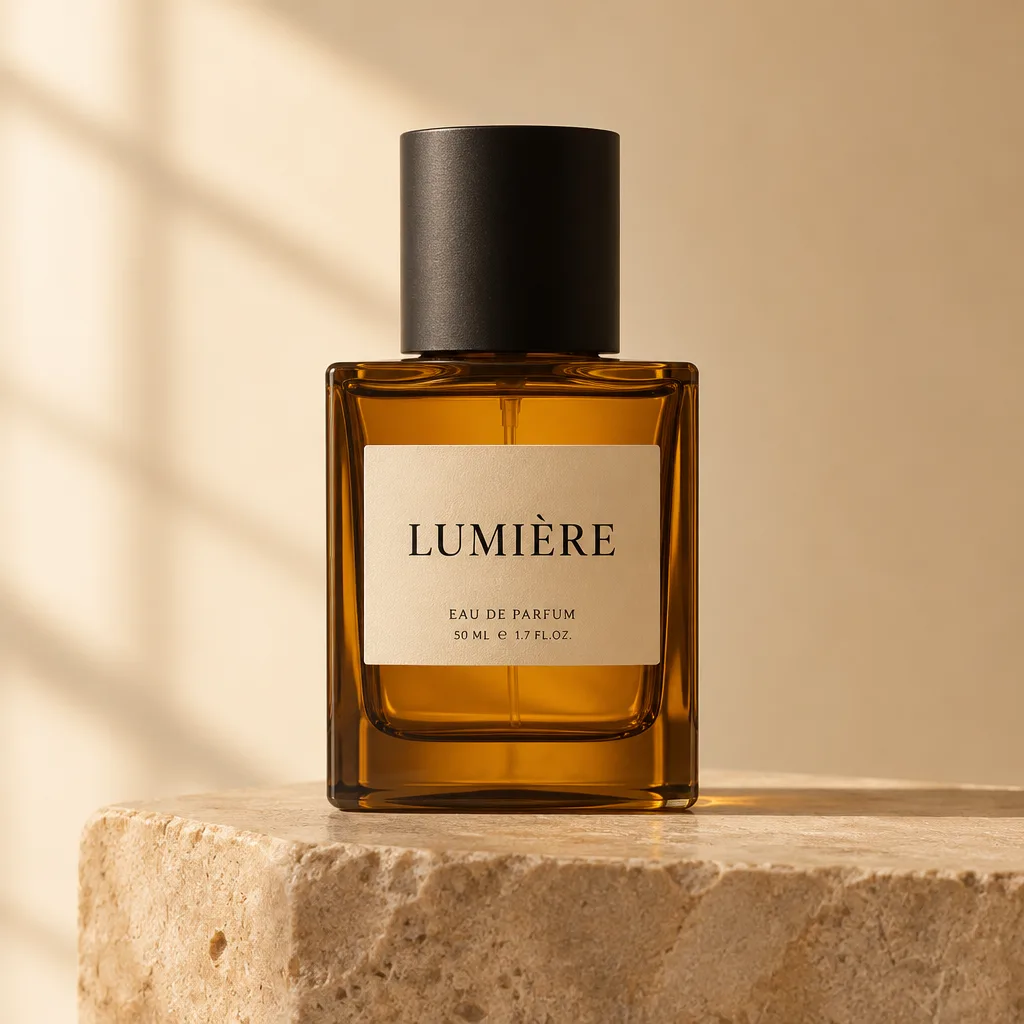
What it cost
The six shots plus the edit below cost $0.317 in provider fees — 55 studio credits in total, about $0.55 at pack prices. The spread is the story: the 1-credit draft and the 5-credit FLUX shot together cost less than a third of the 24-credit Nano Banana Pro frame, and for a listing thumbnail nobody would know which was which without the caption.
- Z-Image Turbo — 1 credit ($0.005). Drafts, composition tests, twenty variations of an idea. Our Z-Image Turbo page has the details.
- FLUX 2 Pro — 5 credits ($0.03). The value pick for final product shots. See FLUX 2 Pro.
- GPT Image 2.6 — 5 credits at Low ($0.03). The label-design pick, with the invented-copy caveat. See GPT Image 2.6.
- Qwen Image 3.0 Pro — 7 credits at 1K ($0.04). The restrained, high-fidelity pick. See Qwen Image 3.0 Pro.
- Seedream 5 Pro — 8 credits at 1K ($0.045). The soft-light pick. See Seedream 5 Pro.
- Nano Banana Pro — 24 credits at 2K ($0.14). The resolution pick — and the one to watch for shape drift. See Nano Banana Pro.
What the results actually say
Label spelling is no longer the gamble it was. All six models spelled "LUMIÈRE" correctly, accent included, on the first try. A year ago that sentence would have been the whole article. The remaining text risk is not spelling but invention: GPT Image 2.6 added plausible label copy nobody asked for. For a fictional brand that is a gift; for a real product, where the label is a legal document, every extra line is a liability. Check text at full zoom before anything ships.
Shape is the new failure mode. Five models drew the same rectangular bottle; Nano Banana Pro drew a cylinder. Nothing in the prompt specified the silhouette, so every model guessed — and they guessed differently. If the product already exists, do not generate it from text alone: upload a photo of the real bottle and edit the scene around it instead. Our editing guide covers reference-based workflows, and the models take up to 16 references in the studio.
Light is a style choice, not a quality score. FLUX went hard and warm, Seedream went soft and even, Qwen Pro went restrained. All three are defensible product photography; which one fits depends on the brand. The prompt asked for "soft diffused window light" and every model obeyed it differently — prompt words set a direction, the model picks the weather.
From shoot to listing: the 5-credit background swap
A shoot is rarely one image. Listings need the same product on a cream background, a sage background, a seasonal background — and re-shooting the bottle six times is how budgets die. So we took the FLUX winner and asked Seedream 5 Flash to change only the scene: sage green backdrop, light grey marble pedestal, bottle untouched. One edit, 5 credits, same price as a generation — Flash charges the same in both modes, references included.
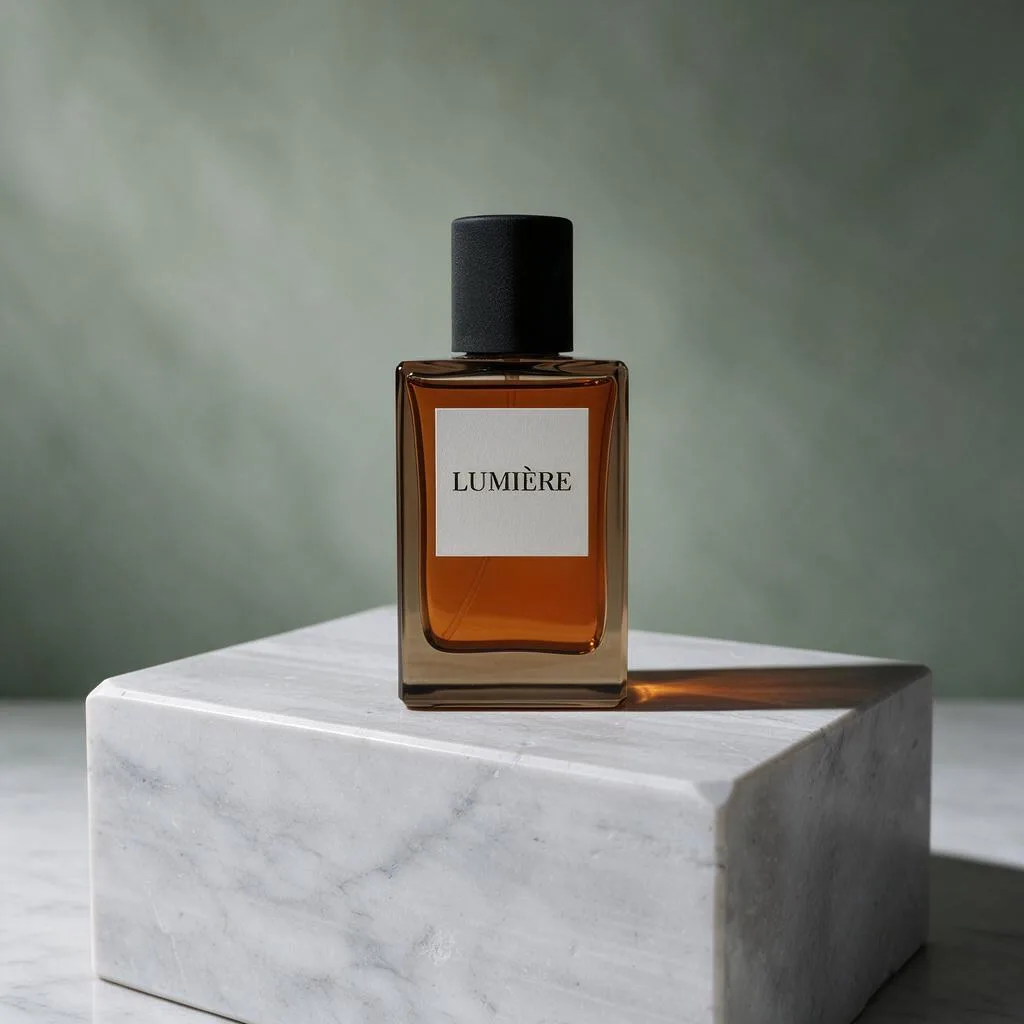
The edit prompt was explicit about what not to change — "keep the perfume bottle, its label and the lighting exactly the same" — and that is the whole technique. Editing prompts should spend most of their words on what stays put. Note the pricing asymmetry this exposes: GPT Image 2.6 edits start at 8 credits and add 3 per extra reference, and Qwen edits start at 6 — so for background swaps, a flat-rate editor like Flash is the cheap seat. Our editing guide lists every model's edit price.
The workflow we would actually use
Draft on Z-Image Turbo. At 1 credit, run ten variations of the composition — pedestal height, bottle angle, light direction — and pick a direction before spending anything real. This is the same draft-cheap, finish-expensive workflow from our prompt guide, and product work is where it pays off fastest.
Finish on FLUX 2 Pro or Qwen Image 3.0 Pro. FLUX for the warm catalog look at 5 credits; Qwen Pro for restrained, high-fidelity listings at 7. Reach for Nano Banana Pro only when you need the 2K or 4K file — and check the bottle shape against the real product before paying 24 credits for it.
Variant on Seedream 5 Flash. One winning frame, edited into every background your store needs, at 5 credits a variant. A six-background listing set costs 30 credits of edits on top of the one hero shot — cheaper than six fresh generations on any flagship.
Writing the prompt: the anatomy that worked
The shootout prompt is built in the order models seem to weight most: subject first, then material, then text, then staging, then light, then medium. "Minimalist amber glass perfume bottle with a matte black cap" fixes the object; "label reading 'LUMIÈRE' in elegant serif letters" puts the exact text in quotes, which our prompt guide recommends for anything that must be spelled right; "standing on a warm beige stone pedestal" stages it; "soft diffused window light, gentle shadow, warm cream background" lights it; "photorealistic, high-end commercial photography" sets the register. What it does not do is specify the bottle's silhouette — and that omission is exactly why five bottles are rectangular and one is cylindrical. For a real SKU, add the shape ("rectangular bottle, flat shoulders") or, better, upload the product photo and edit around it.
The short version
- Best value product shot: FLUX 2 Pro, 5 credits — catalog-ready light and a correct label.
- Best draft: Z-Image Turbo, 1 credit — correct spelling, real window light, nearly free.
- Best label design: GPT Image 2.6 Low, 5 credits — but audit every line it invents.
- Best restrained listing: Qwen Image 3.0 Pro, 7 credits at 1K.
- Best background variants: Seedream 5 Flash edits, 5 credits flat, bottle preserved.
- Watch out for: shape drift on text-to-image product shots — generate from a reference photo when the product already exists.
Every price above is the live studio price, and credits work across all fourteen models — see pricing for the packs. New accounts start with 20 free credits, which is enough to run this whole shootout yourself: six shots and a background swap cost 55 credits, and the draft round costs one.