 Pizyn
MiniMax · Image model
MiniMax H3 AI Image Generator
MiniMax's cinema-grade image model: photoreal film stills, portraits and key art with real light, real weather and skin that looks lit, not rendered — most frames land in about ten seconds. 4 credits at 1K, 7 credits at 1.5K, 10 credits at 2K.
Your generation will appear here.
Try one of these:
Session history
01 · Overview
What is MiniMax H3?
MiniMax H3 is MiniMax's image model, tuned for cinema-grade photorealism: directed light, believable weather, honest skin and fabric, and compositions that read like frames from a film. It covers the widest framing range in the studio — fifteen aspect ratios, from 1:3 skyscraper banners to 21:9 key art — and it is fast: most images finish in about ten seconds.
Output is priced by resolution tier — 4 credits at 1K, 7 credits at 1.5K, 10 credits at 2K — and edits take up to nine reference images, priced per input image.
Specs & capabilities
| Inputs | Text to image · Image editing · Multi-reference (up to 9 in the studio) |
| Resolution | 1K, 1.5K or 2K — priced per tier (4 / 7 / 10 credits) |
| Aspect ratios | 15 ratios in the studio, from 1:3 skyscraper to 21:9 ultrawide |
| Output formats | JPEG, PNG or WebP — your pick, at the same price |
| Pricing shape | Generation $0.02 at 1K, $0.04 at 1.5K, $0.06 at 2K. Edits are $0.03 / $0.06 / $0.09 with the first reference included, plus $0.005 per extra reference — priced here as 5, 10 or 15 credits for the first reference, +1 per extra. |
Good to know: H3 is a stills camera, not a typesetter — for posters built around exact headline text, Qwen Image 3.0 Pro or Seedream 5 Pro render type more reliably. For one-credit throwaway drafts, Z-Image Turbo is the cheapest seat in the studio.
02 · Features
Why creators pick MiniMax H3
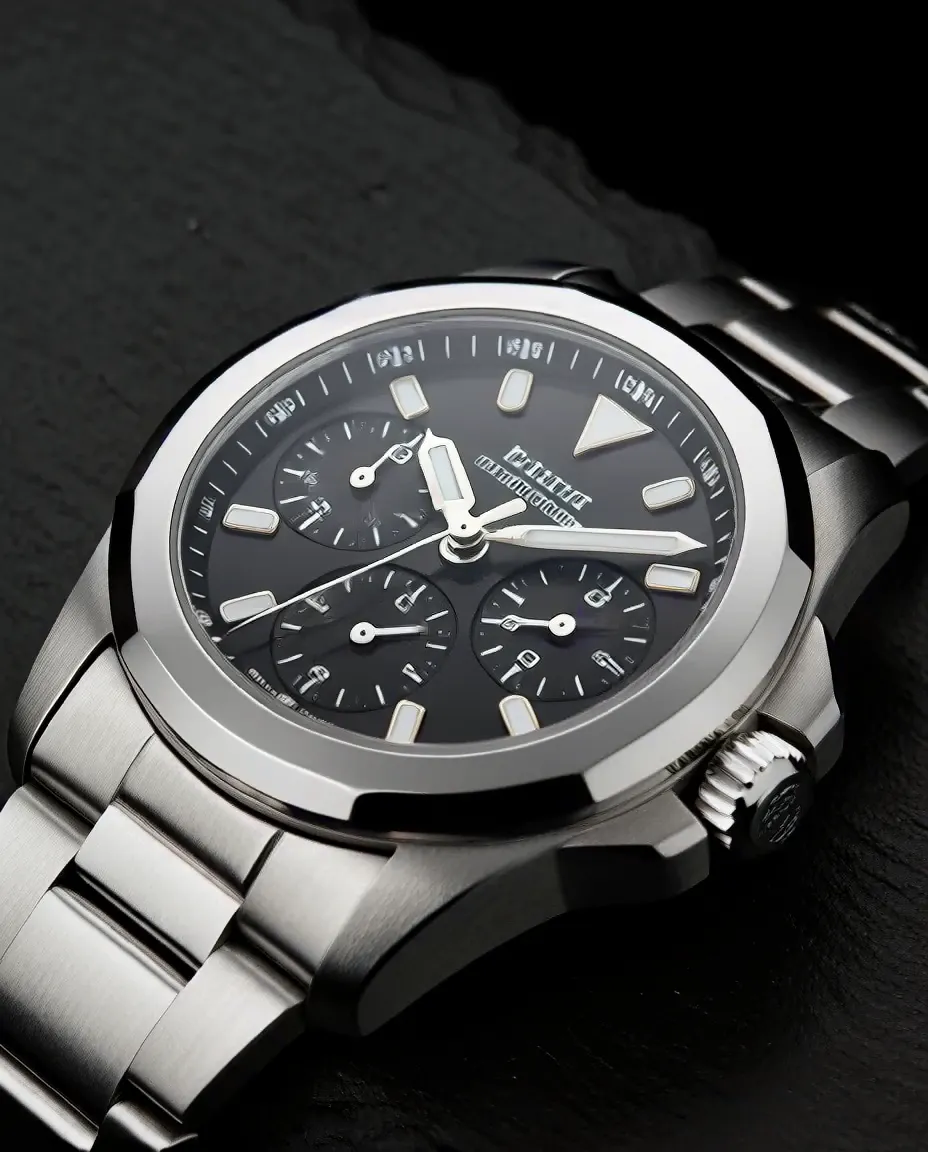
Studio light, product truth
Brushed steel, glass and shadow behave like a real product shoot: one hard light, deep falloff, macro detail on the dial. H3's photoreal tuning shows most on hard surfaces and reflections — watches, bottles, hardware.
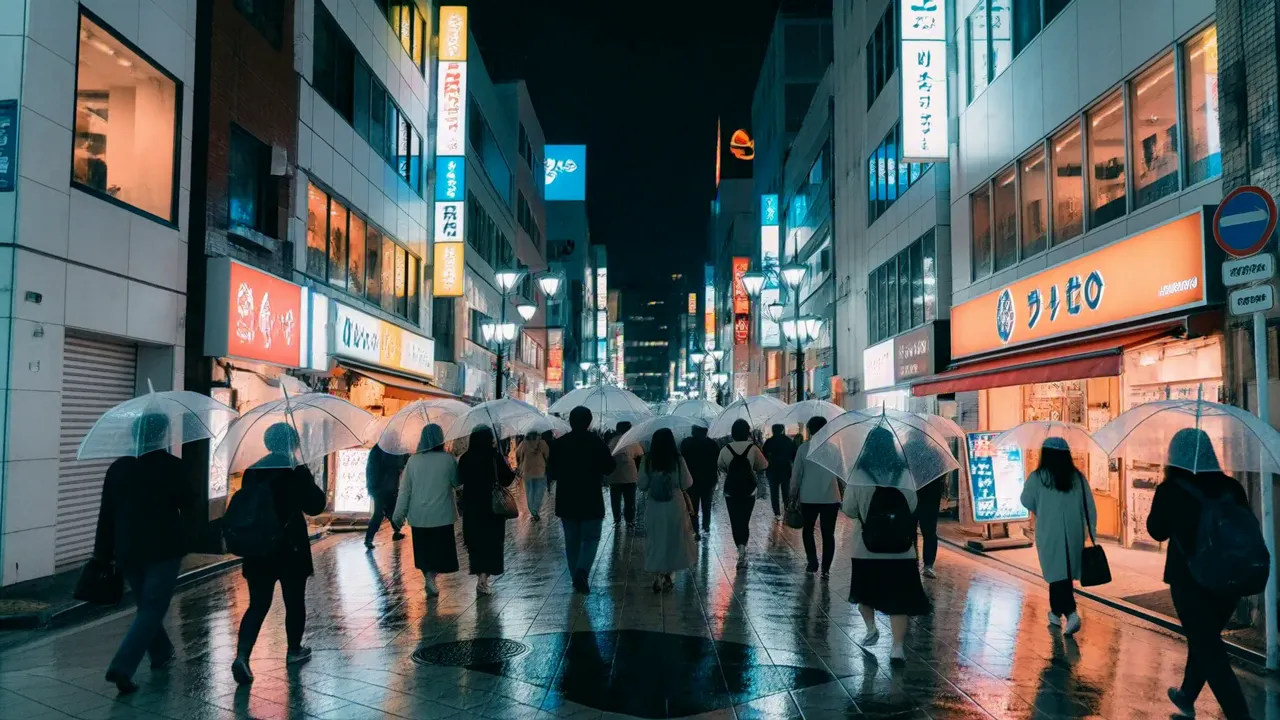
Cinema light, real weather
Rain, neon and wet asphalt at 16:9 — the frame a location scout would bring back. Atmosphere is where H3 earns its keep: haze, reflections and mixed colour temperatures stay coherent across a wide shot.
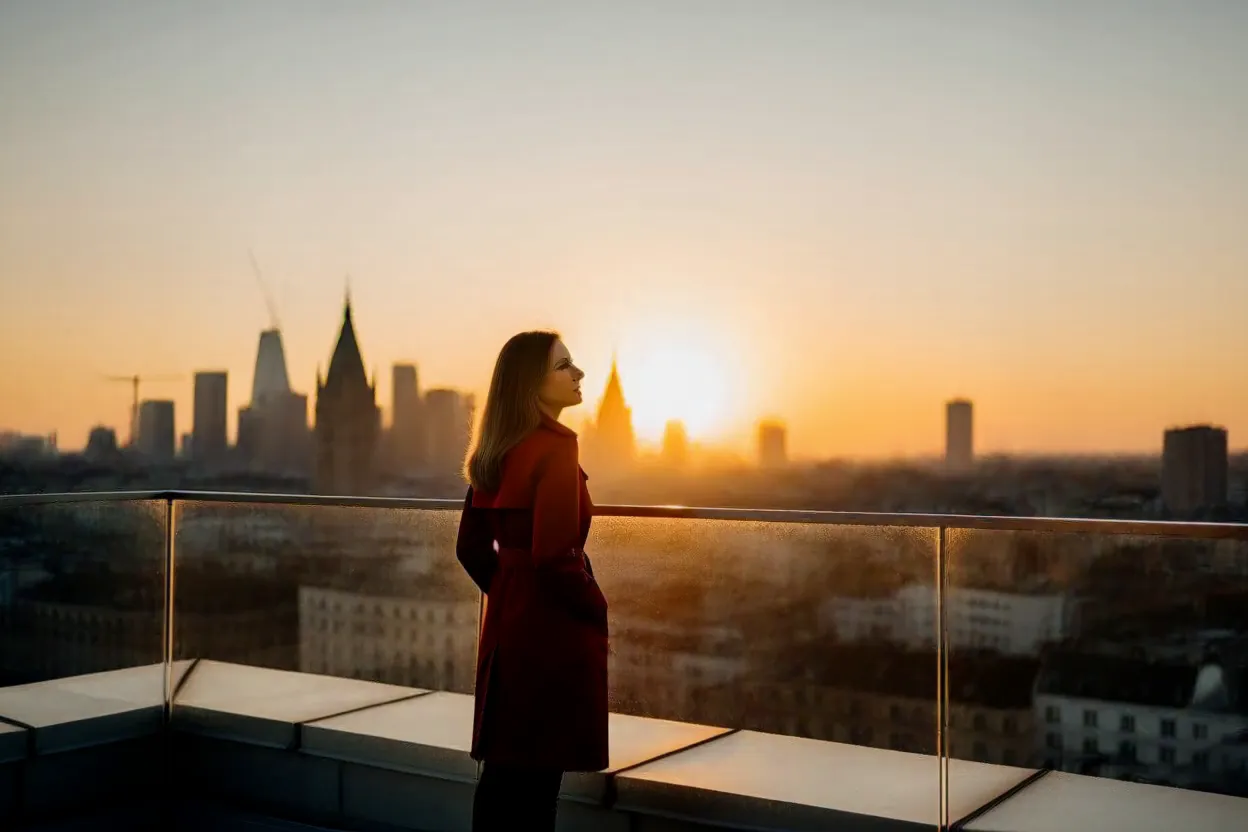
Edits that keep the subject
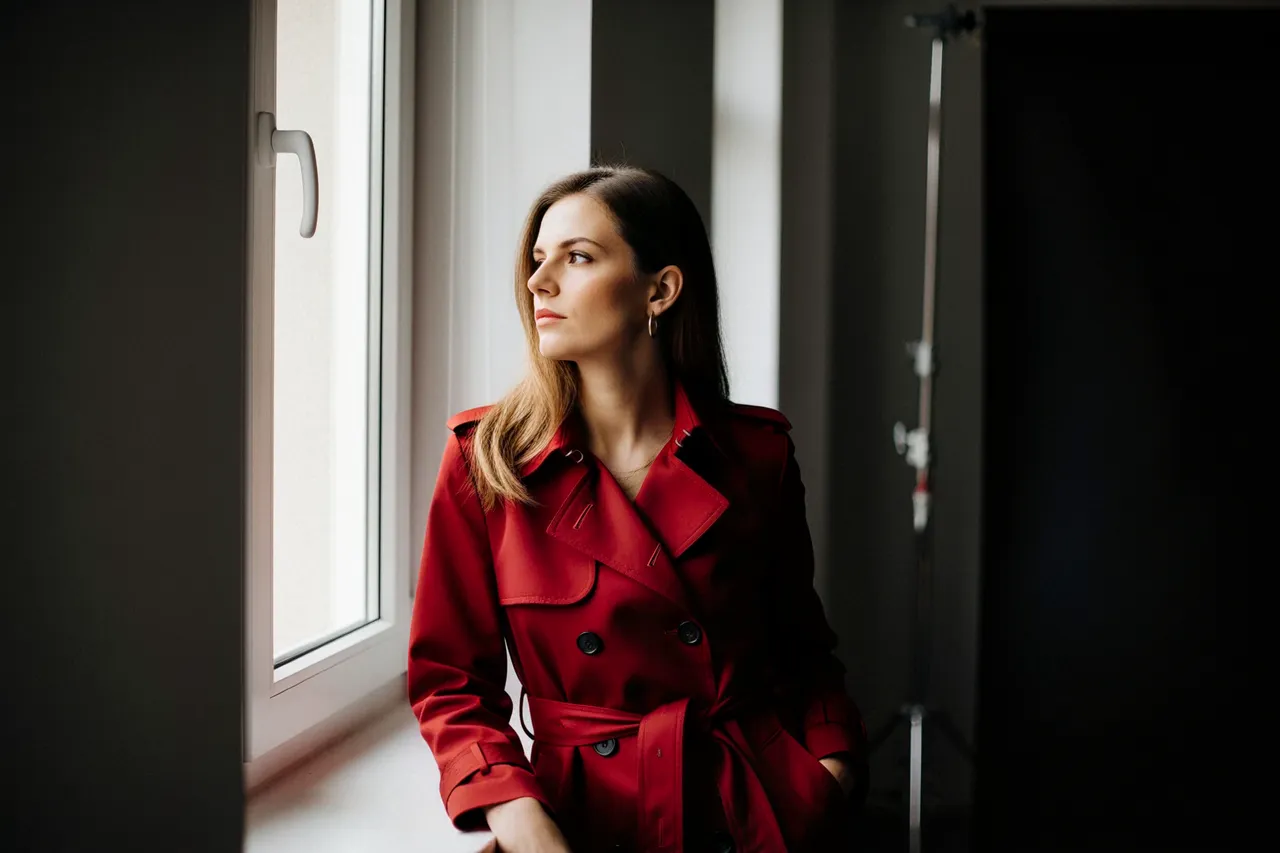
This rooftop frame started as the studio portrait at the top of this page — same woman, same crimson coat, new world around her. Edits take up to nine references: the first is included in the edit price (5 credits at 1K, 10 at 1.5K, 15 at 2K), +1 credit for each extra.
03 · Create
What you can create with MiniMax H3
Real outputs from this studio, with the exact prompts that made them. Load one into the tool and make it yours.
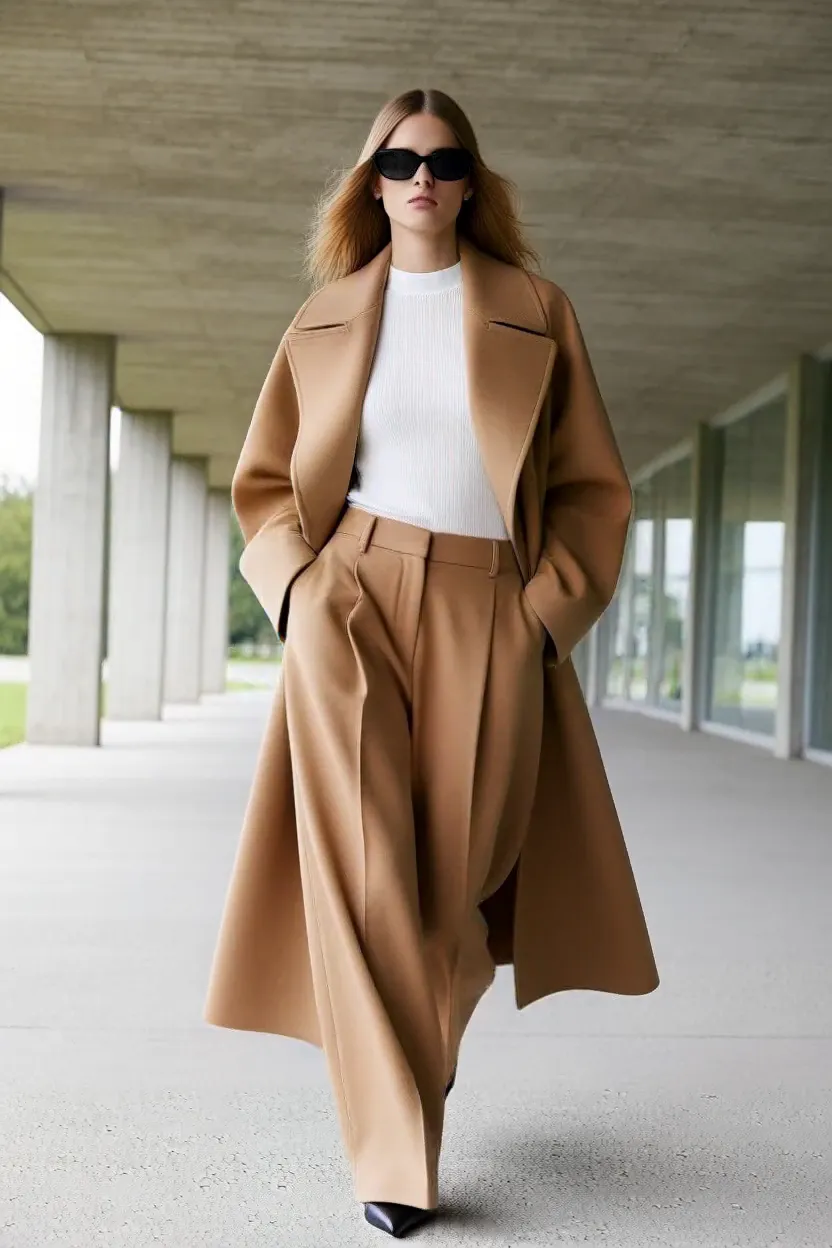
Fashion editorials
“Full-length fashion editorial photograph of a model in an oversized camel coat and wide-leg trousers walking through a brutalist concrete arcade, soft overcast light, high fashion magazine style, photorealistic”
Full-length frames with the garment reading clearly — drape, proportion and setting all resolved in one 2:3 shot.
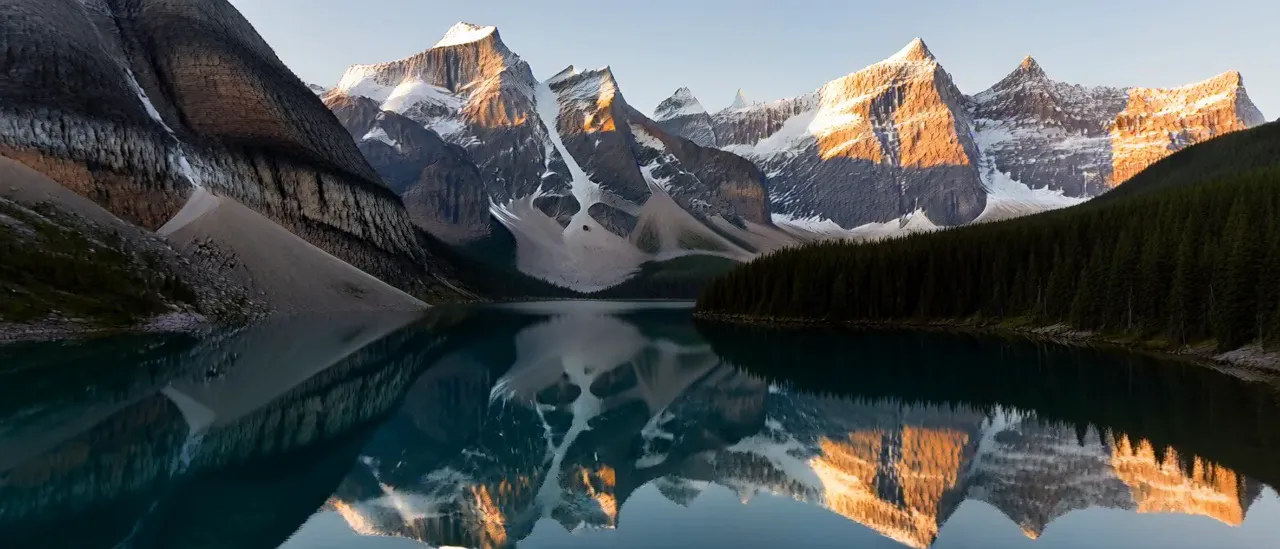
Key art and panoramas
“Alpine lake panorama at dawn, mirror reflection of snow-capped peaks in still water, pine forest shoreline, golden first light, ultra-wide landscape photography, photorealistic”
The 21:9 frame is native, not a crop — banner key art and hero backdrops composed wide from the start.
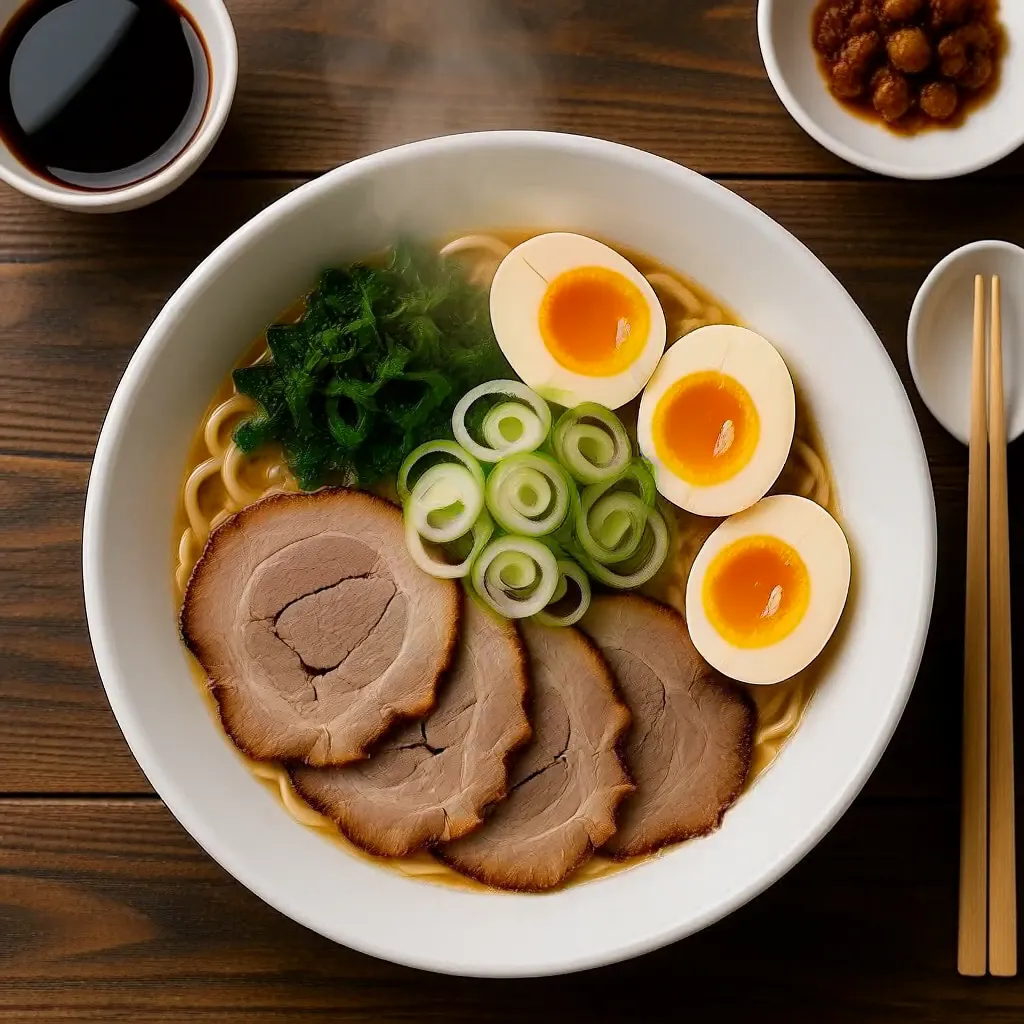
Food and lifestyle
“Top-down flat lay photograph taken directly overhead at a 90-degree angle looking straight down at a bowl of tonkotsu ramen centered on a dark wooden table, chashu pork slices, halved soft egg, spring onions arranged in the bowl, steam rising, restaurant menu photography, photorealistic”
Steam, gloss and appetite appeal in a single 1K frame — menu and delivery-app shots at 4 credits each.
04 · Guide
How to use MiniMax H3
1
Direct the shot
Write like a cinematographer: subject, light, lens and mood. “Shot on 35mm, soft window light” beats a bare subject list.
2
Pick frame and finish
Choose from fifteen aspect ratios and three tiers — 1K (4 credits) for drafts, 2K (10 credits) for finals and key art.
3
Generate & download
Credits are held when you submit and charged only on success — most frames land in about ten seconds. Edits add up to nine references (5, 10 or 15 credits for the first, +1 each extra).
Prompt guide
- Direct like a cinematographer: name the shot (“wide shot”, “macro still”), the light (“golden hour”, “hard side light”) and the medium (“shot on 35mm film”) — H3 follows camera language closely.
- Use the extreme ratios deliberately: 21:9 for key art and banners, 9:21 and 1:3 for tall placements, 1:1 for product and food.
- Draft at 1K, finish at 2K: composition reads the same at 4 credits; spend 10 only on the frame you keep.
- For edits, say what changes and what stays: “same woman, same coat, move her to a rooftop at sunset” — H3 holds the subject while it rebuilds the scene.
- Use a seed to lock a frame: found the shot? Set its seed in Advanced and iterate on details without losing the composition.
05 · Pricing
MiniMax H3 pricing
Generation is 4 credits ($0.04) at 1K, 7 credits ($0.07) at 1.5K and 10 credits ($0.10) at 2K. Edits are 5 credits (1K), 10 credits (1.5K) or 15 credits (2K) with one reference, +1 per extra reference (up to 9). One-time credit packs, no subscription, credits never expire.
Mini pack
Best for a first top-up
$5
One-time · ≈ $0.01 per credit
≈ 83 Seedream images
≈ 100 GPT Image 2.6 drafts
- Full ownership & commercial rights
- Credits never expire
- Charged only on success
Most popular
Pro pack
Best for regular creative work
$20
One-time · ≈ $0.01 per credit
≈ 333 Seedream images
≈ 83 Nano Banana Pro 2K finals
- Full ownership & commercial rights
- Credits never expire
- Charged only on success
Studio pack
Best for high-volume projects
$50
One-time · ≈ $0.01 per credit
≈ 866 Seedream images
≈ 1,040 GPT Image 2.6 drafts
- Full ownership & commercial rights
- Credits never expire
- Charged only on success
Max pack
Best for the heaviest workloads
$100
One-time · ≈ $0.01 per credit
≈ 1,800 Seedream images
≈ 450 Nano Banana Pro 2K finals
- Full ownership & commercial rights
- Credits never expire
- Charged only on success
06 · FAQ
MiniMax H3 FAQ
How much does MiniMax H3 cost?
Generation is 4 credits ($0.04 at the standard credit rate) at 1K, 7 credits ($0.07) at 1.5K and 10 credits ($0.10) at 2K. Edits cost 5 credits (1K), 10 credits (1.5K) or 15 credits (2K) with one reference image, plus 1 credit for each extra reference (up to nine). New accounts start with 20 free credits.
How fast is MiniMax H3?
Fast — most text-to-image generations finish in about ten seconds, and edits take only a few seconds longer. Your credits are held when you submit and only charged when the image succeeds.
What is MiniMax H3 best at?
Cinema-grade photorealism: film stills, portraits, fashion editorials, product stills and wide key art, across fifteen aspect ratios up to 21:9. For pages built around exact headline text, a typography specialist like Qwen Image 3.0 Pro is the safer pick.
How do edits and reference images work?
Switch to Image to Image and add up to nine reference images, then describe the change in the prompt. The first reference is included in the edit price — 5, 10 or 15 credits by resolution — and each extra reference adds 1 credit, because the provider charges a small fee per extra input image.
Which output formats can I choose?
JPEG, PNG or WebP, picked in the studio before you generate — the price is the same in every format, and the file is saved to your account history either way.
Related tools
AI Poster MakerQwen Image 3.0 Pro — pro fidelity and typographyZ-Image Turbo — the one-credit draftAll models