 Pizyn
How this test ran
Every frame below was generated on November 11, 2026 through the MiniMax H3 page in this studio, first outputs kept, prompts quoted verbatim. Seven text-to-image generations and one edit cost $0.23 in provider fees in total — including one honest retake we will get to. This is the open-weights edition of H3, served by WaveSpeed; MiniMax's own material describes the family as a cinema-grade generator, and the stills endpoint inherits that brief: photorealistic frames at 1K, 1.5K or 2K, in fifteen aspect ratios that run to 21:9.
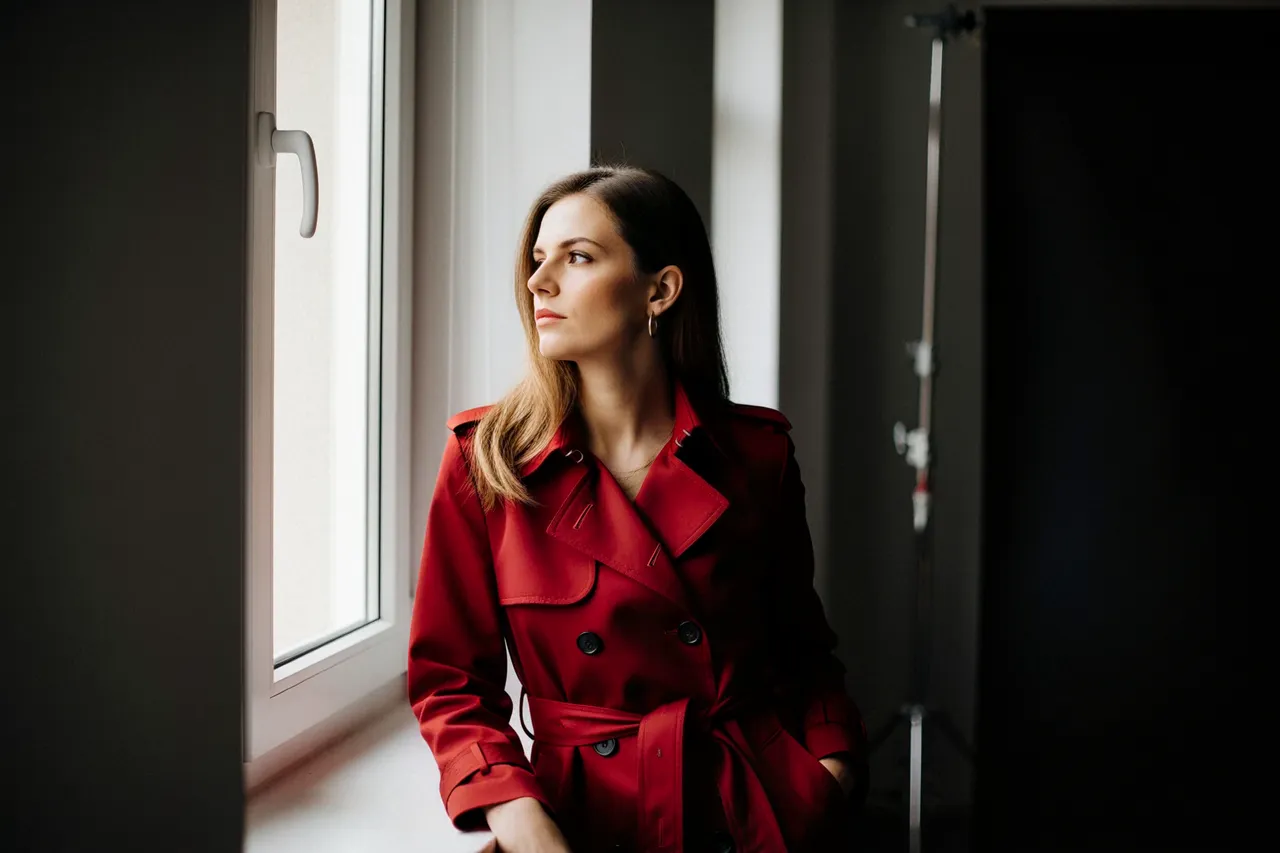
The hero frame is the 2K portrait (10 credits):
"Cinematic editorial portrait of a confident woman in a crimson trench coat, standing in soft window light against a dark studio backdrop, film still, shallow depth of field, shot on 35mm film, moody colour grade, photorealistic"
Everything the prompt asked a cinematographer for, it got: the coat's wool takes the window light like fabric, not plastic; the depth of field falls off like a lens, not a blur filter; and the skin keeps pores and asymmetry instead of the airbrushed mean. This is the model's home turf — a frame that could sit inside a film and wait for the camera to move.
The wide frames: Tokyo rain and a 21:9 lake
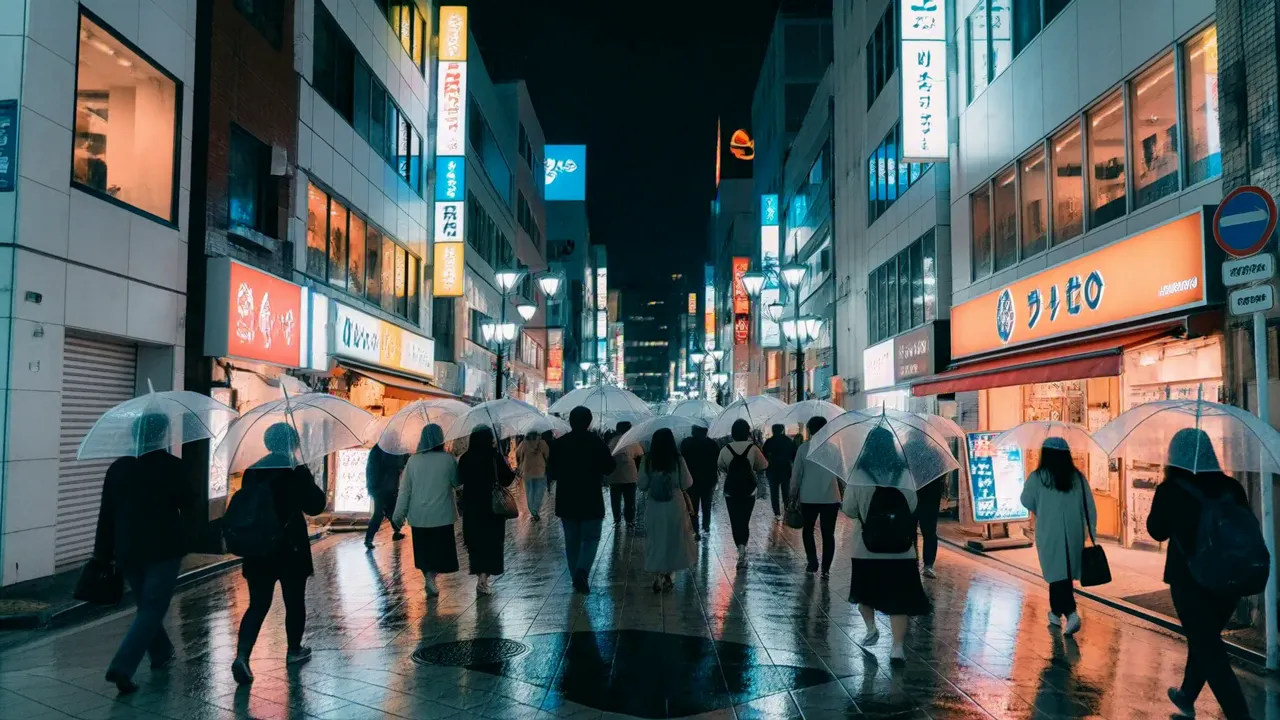
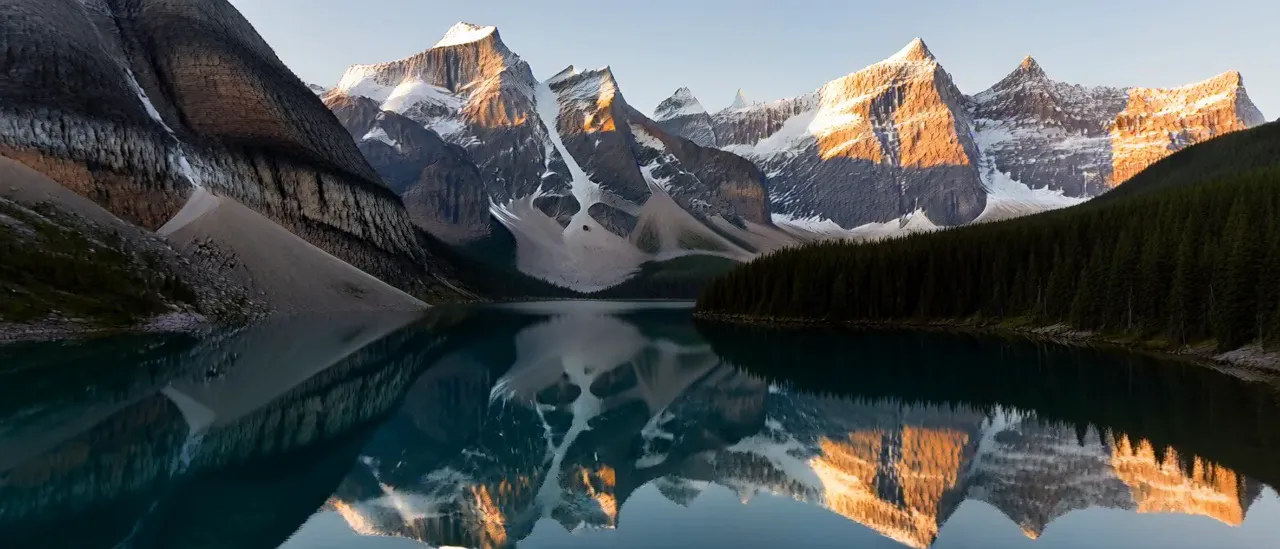
The Tokyo frame is the best advertisement and the clearest warning in this review, in the same image. As a photograph it is superb — wet pavement doubling the neon, umbrellas catching the glow, a crowd that stays a crowd instead of melting into extras. Then look at the shop signs. They are shaped exactly like signage and spelled like nothing on Earth: confident, well-typeset gibberish. H3 renders the idea of text with total conviction. We score its text rendering 3 out of 5 in our model guide, and this frame is why: atmosphere, yes; a readable poster, never. The 21:9 lake shows the other side of the ratio list — a true cinematic panorama at the 4-credit tier, composed for the wide frame rather than cropped into it.
Product and fashion: the still-life eye
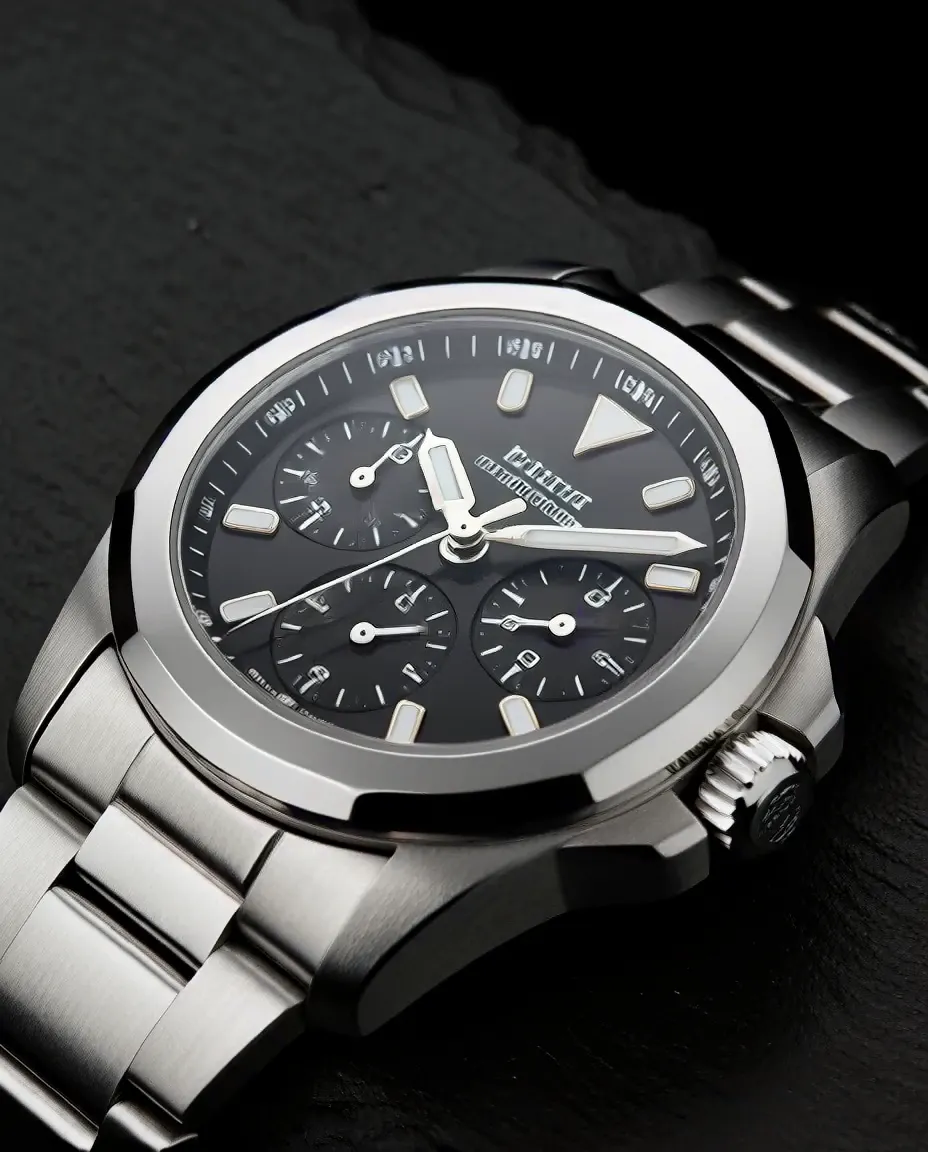
Chronograph on slate · 1K · 4 credits. Prompt: "Luxury mechanical watch product still life on dark slate, dramatic side lighting, macro detail on the dial and brushed steel case, deep shadows, advertising photography, photorealistic"
The watch shot (1K, 4 credits) is macro work: brushed steel that reads as metal grain, dial detail that survives a zoom, side light doing exactly what "dramatic" was supposed to mean. The fashion frame below is the same eye at full length — an oversized camel coat in a brutalist arcade, overcast light, magazine posture. Note what both have in common with the portrait: H3 thinks in materials. Wool, steel, wet stone, skin — its training is a video model's, and video models live or die on whether surfaces move believably. In stills, that shows up as texture you can trust.
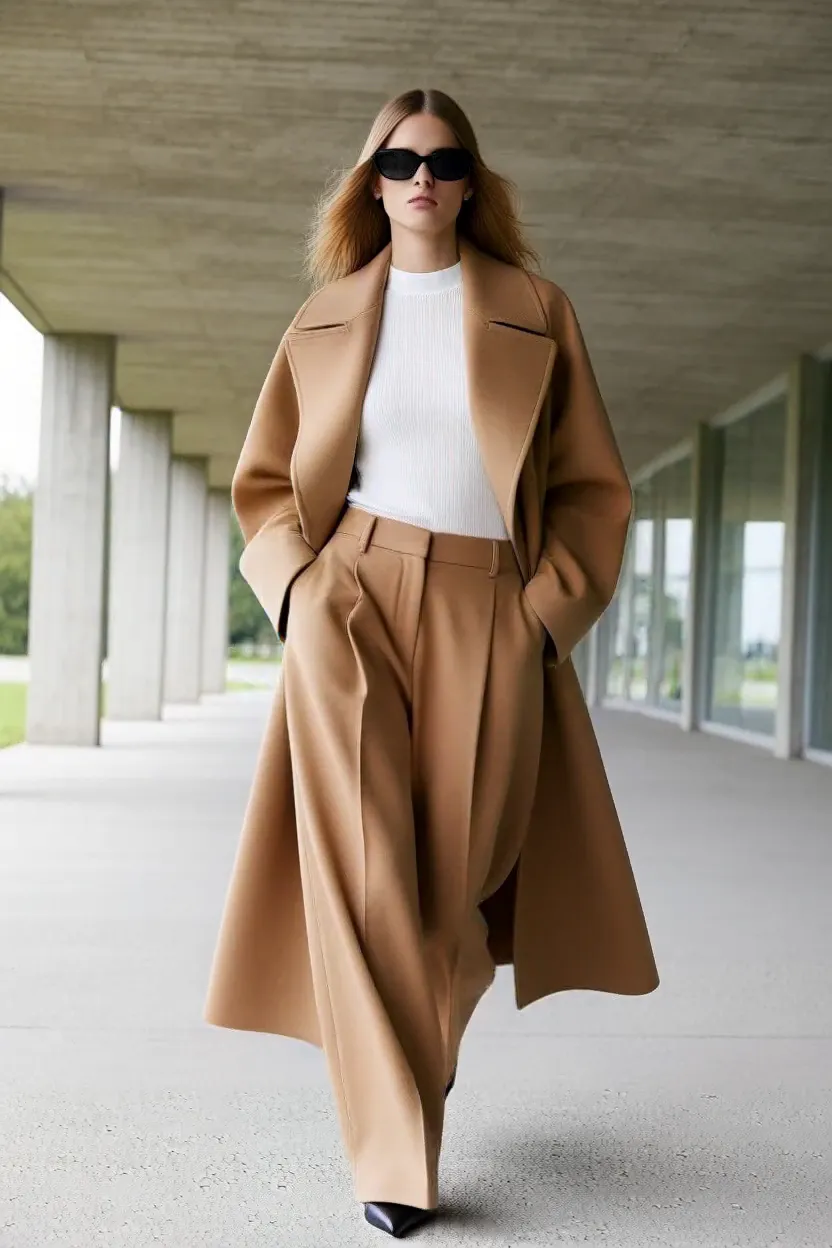
Arcade editorial · 1K · 4 credits. Prompt: "Full-length fashion editorial photograph of a model in an oversized camel coat and wide-leg trousers walking through a brutalist concrete arcade, soft overcast light, high fashion magazine style, photorealistic"
The ramen test: "overhead" is not overhead
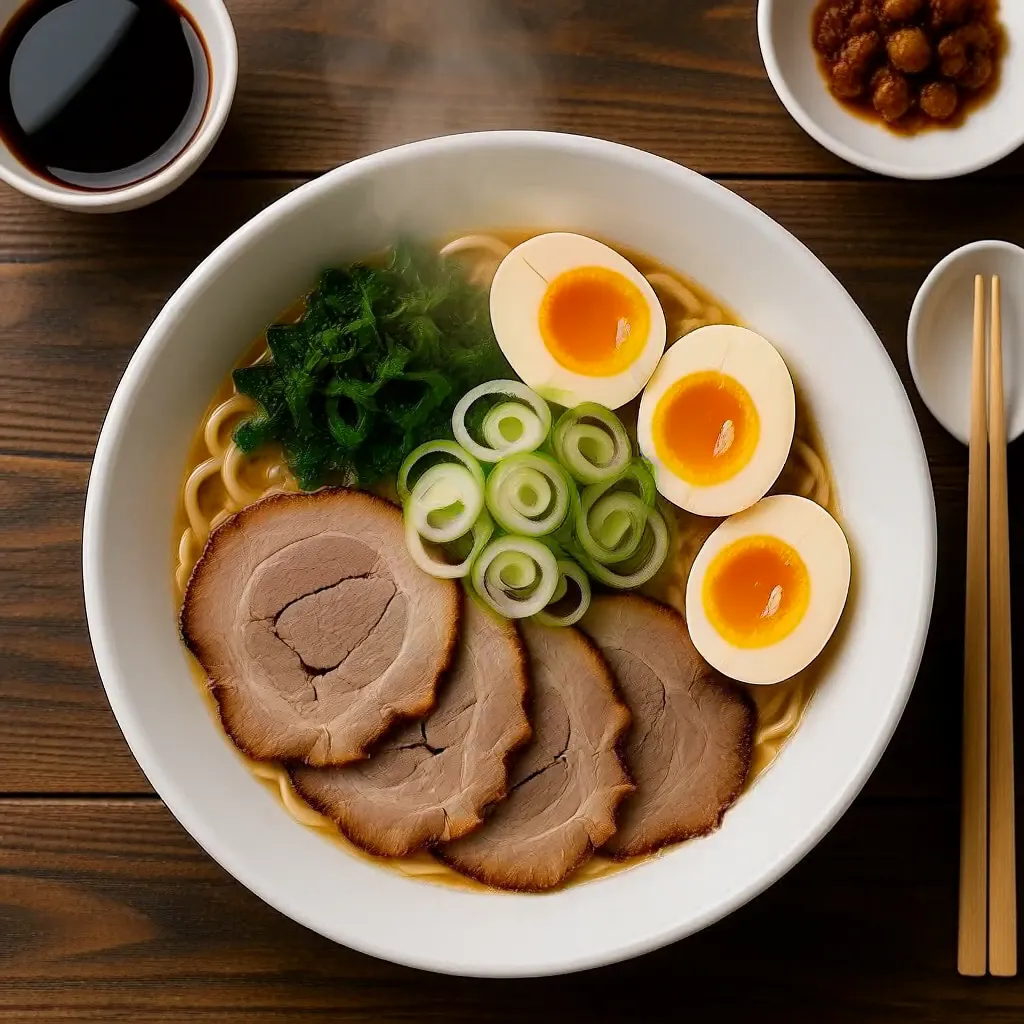
Our one retake is the most useful finding in the set. The first food prompt asked for "overhead food photography of a steaming bowl of tonkotsu ramen…" — and H3 returned a handsome shot taken at roughly 45 degrees. The model heard the genre words and ignored the geometry. The fix was to stop describing the genre and start describing the camera:
"Top-down flat lay photograph taken directly overhead at a 90-degree angle looking straight down at a bowl of tonkotsu ramen centered on a dark wooden table, chashu pork slices, halved soft egg, spring onions arranged in the bowl, steam rising, restaurant menu photography, photorealistic"
Edits re-render — they do not preserve
H3's edit mode takes up to 9 references and re-renders the subject into a new scene. We fed it the hero portrait and asked for the same woman, same coat, on a rooftop at golden hour:
"Re-render <Picture 1> as a golden-hour rooftop scene: the same woman in the same crimson trench coat, now standing on a city rooftop terrace at sunset, warm golden light, skyline behind her, cinematic film still, photorealistic"
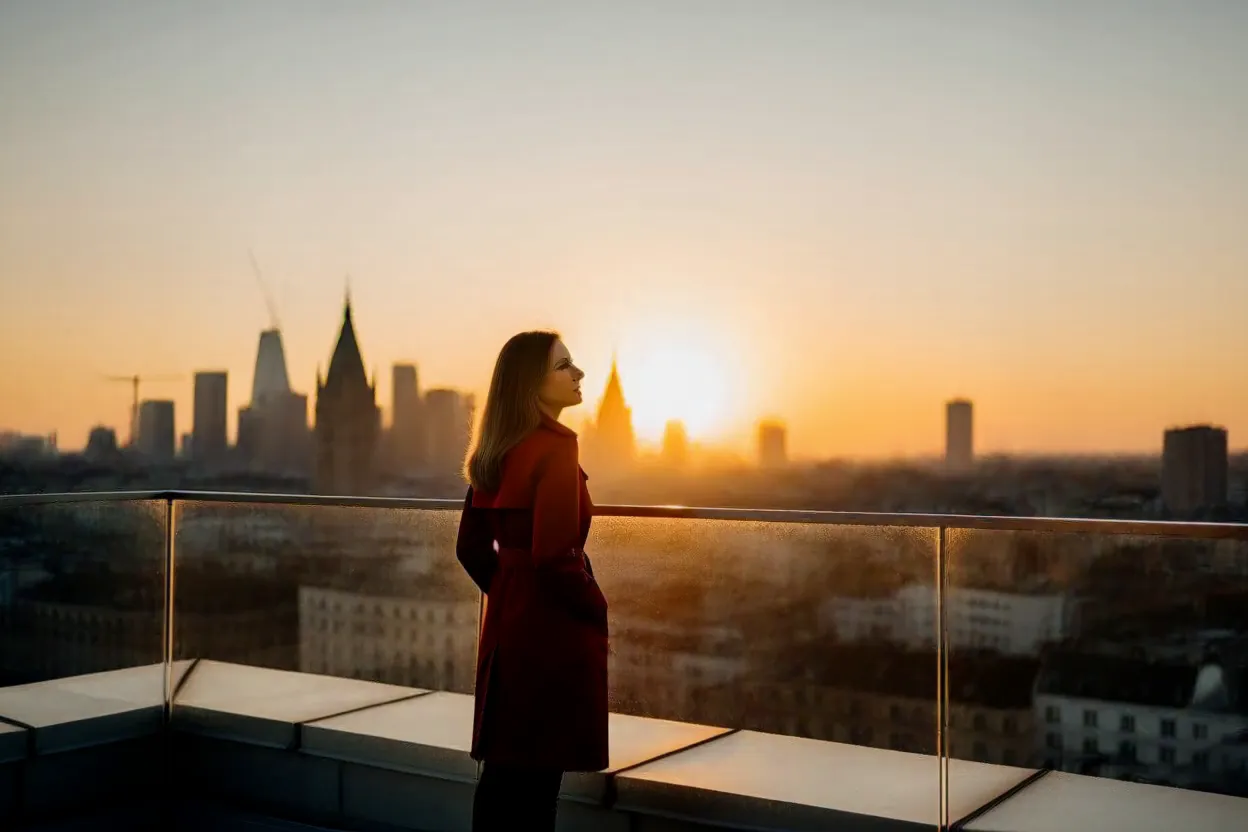
As a picture, it is lovely. As an edit, be clear-eyed about what happened: H3 treated the reference as casting direction, not as a photograph to protect. The woman on the rooftop is recognisably the same idea — crimson coat, dark backdrop traded for skyline, cinematic grade — but her identity is re-drawn, not preserved. For mood work, sequel frames and "same character, new world" exploration, that is a feature. For anything where the person or product must remain exactly itself, it is the wrong tool — that job belongs to Seedream 5.5, whose edits held a perfume label letter-perfect through a scene swap in our Seedream 5.5 review today.
Speed and price
MiniMax's reported inference times are about 9 seconds for text-to-image and 13 for edits — vendor-reported, and not what a user experiences end to end. In our runs, most frames landed in roughly 20–60 seconds including queueing and polling, with the edit taking a little over a minute. Still fast — just budget in API reality, not brochure numbers. The credits are the simple part:
- Text-to-image: 4 credits at 1K, 7 at 1.5K, 10 at 2K (provider: $0.02 / $0.04 / $0.06).
- Edits: 5 / 10 / 15 credits for the same tiers, +1 credit per extra reference, up to 9 (provider adds $0.005 per extra reference).
- Fifteen aspect ratios, from 1:1 to 21:9, and JPEG, PNG or WebP output.
Full pack pricing lives on the pricing page. The comparison that matters: a 2K H3 final costs 10 credits against 24 for a 2K Nano Banana Pro frame — different models, different strengths, but for cinematic stills the arithmetic is not close.
Put in pack terms: a twenty-frame scouting round at 1K costs 80 credits — a sixth of the $5 Mini pack — and finishing the winning frame at 2K adds 10. Exploring a look properly, at film quality, for under a hundred credits is what makes this model dangerous to your old workflow: the expensive part of concepting used to be the iterations themselves.
Where it falls short
Text. Covered above, and it is the headline limitation: signage, posters, packaging — anything the viewer is meant to read — should go to GPT Image 2.6, Qwen or Seedream instead. No 4K. 2K (about 4 megapixels) is the ceiling; print finals at true 4K still belong to Nano Banana Pro. Edit identity. Re-rendering is interpretation, and interpretation drifts — see the rooftop. And the genre-word lesson cuts both ways: H3 follows concrete instructions beautifully and vague ones loosely, so lazy prompts get lazy geometry.
Verdict: who should use MiniMax H3
Use MiniMax H3 for the frames around the work: key art, video thumbnails that must match a cinematic grade, concept frames and moodboards, storyboards, and fast photoreal iteration where you are searching for a look rather than finishing a deliverable. At 4 credits a draft and 10 a 2K final, it is the cheapest way in this studio to explore at film quality — and paired with the workflow in our prompt guide (draft wide, finish narrow), it earns its place as the fifteenth model. Keep it away from copy, labels and faces that must not change. For everything with light in it, it is a pleasure.