 Pizyn
How this test ran
Every image below was generated on November 11, 2026 through the same Seedream 5.5 pipeline our users run — five text-to-image generations and two edits, first outputs kept, prompts quoted verbatim. The whole set cost $0.171 in provider fees. Prices in the captions are the live studio credits for each shot; the provider costs behind them are on our pricing page. Where a claim is ByteDance's rather than ours — the "up to 100 rounds" of editing is the big one — we say so.
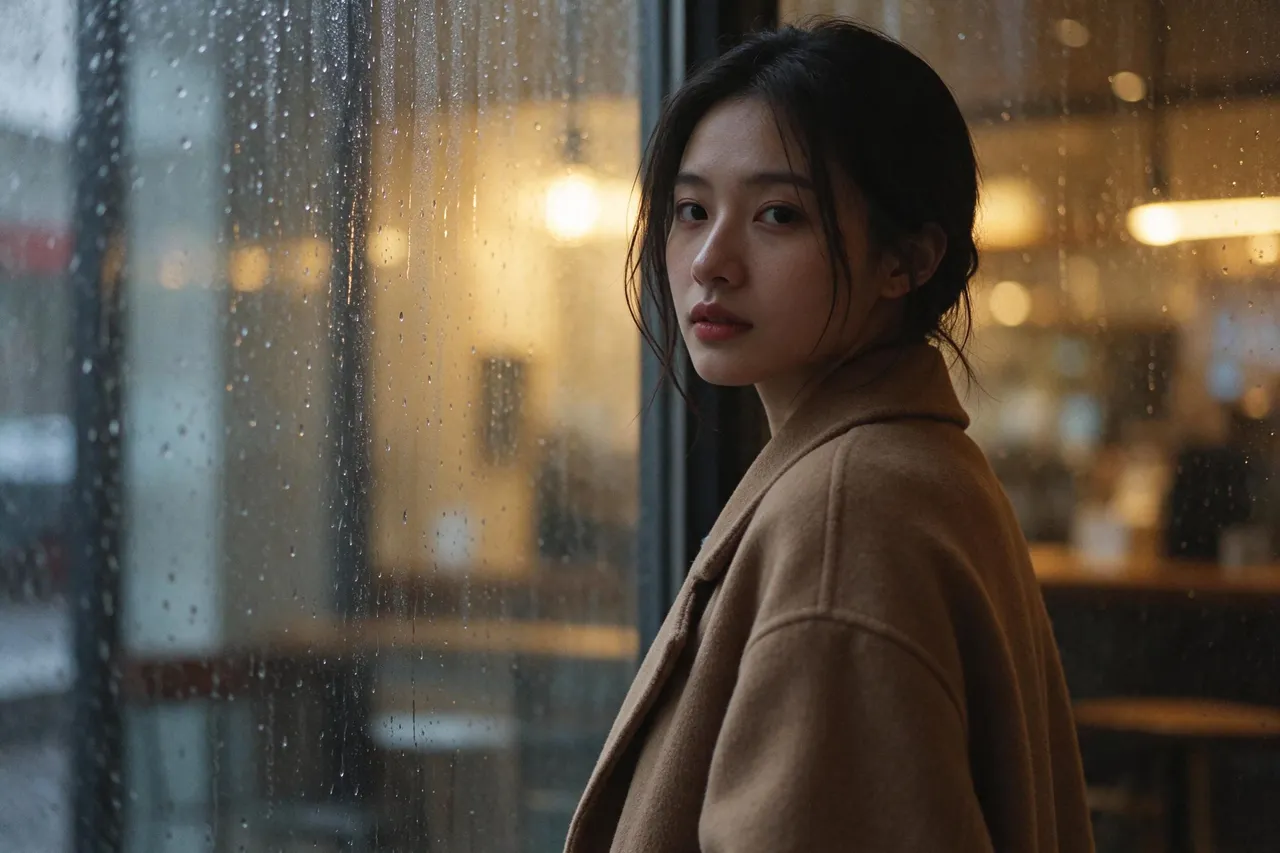
The hero portrait above is the 2K tier (6 credits) from this prompt:
"Photorealistic editorial portrait of a young East Asian woman in a camel wool coat, standing beside a rain-streaked cafe window at dusk, soft cinematic light, shallow depth of field, magazine quality"
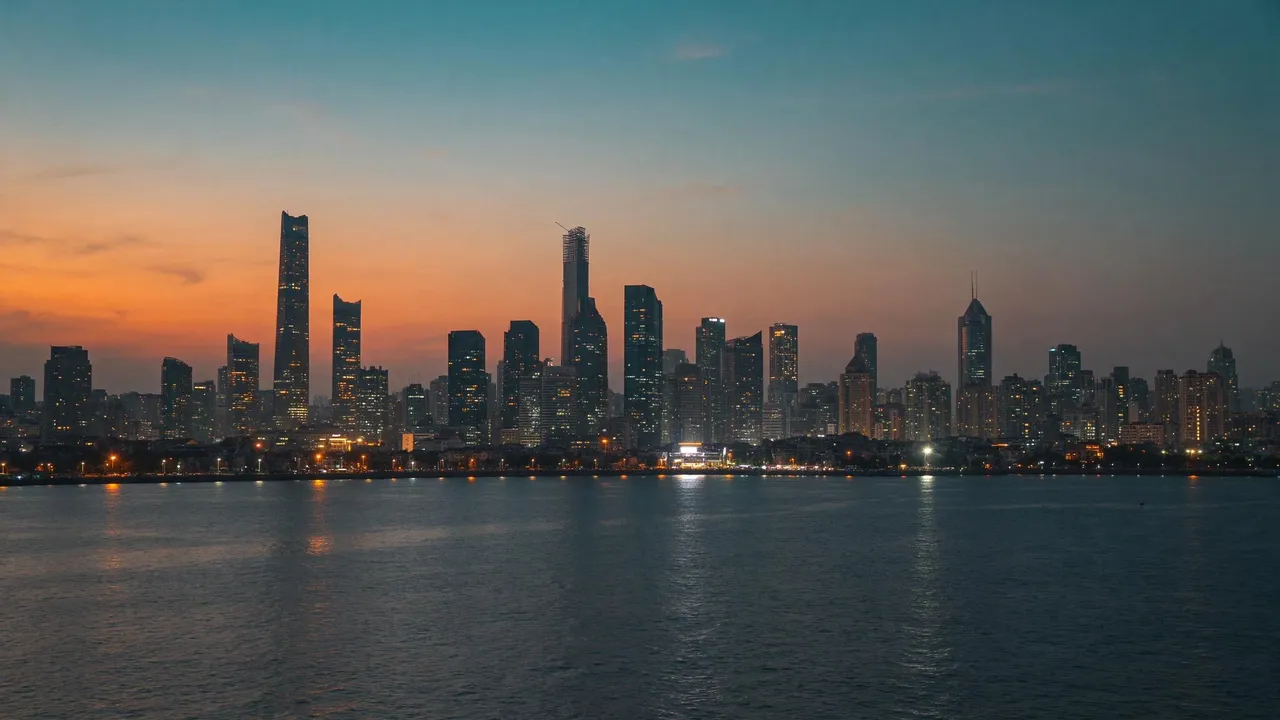
It is a genuinely strong frame: skin that keeps its texture instead of going waxy, rain on glass that reads as weather rather than decoration, and a coat you can almost feel the weight of. The 1.5K coastal shot below (4 credits) makes the same point at city scale — twilight reflections on water are where image models usually smear, and this one holds the skyline together.
The transparent background is real — we measured it
Plenty of models claim transparent output and deliver a picture of a checkerboard. Seedream 5.5 has a dedicated background parameter, so we asked it for the hardest version: a die-cut sticker, isolated, nothing behind it.
"A cute round robot mascot sticker, glossy white and orange enamel, waving one hand, die-cut sticker style, centered, isolated on a transparent background"

Then we checked the file instead of trusting the preview. It is a true RGBA PNG: the alpha channel runs the full 0–255 range, 62.3% of its pixels are fully transparent, and the remaining edge pixels are partial-alpha, which is what a clean anti-aliased cut-out looks like. No baked checkerboard, no white box pretending to be transparency. In the studio, flipping the Transparent background toggle forces PNG output and costs exactly what a normal 1K image costs — 4 credits. For sticker packs, game assets, product cut-outs and design elements, that deletes an entire background-removal step from the workflow, and it is currently the only model in our lineup that does it natively.
Text: a bilingual poster, spelled right — with a catch
ByteDance markets 5.5 on multilingual small text, so we gave it a two-script headline job: a Chongqing night-market poster with a Chinese headline and an English one.
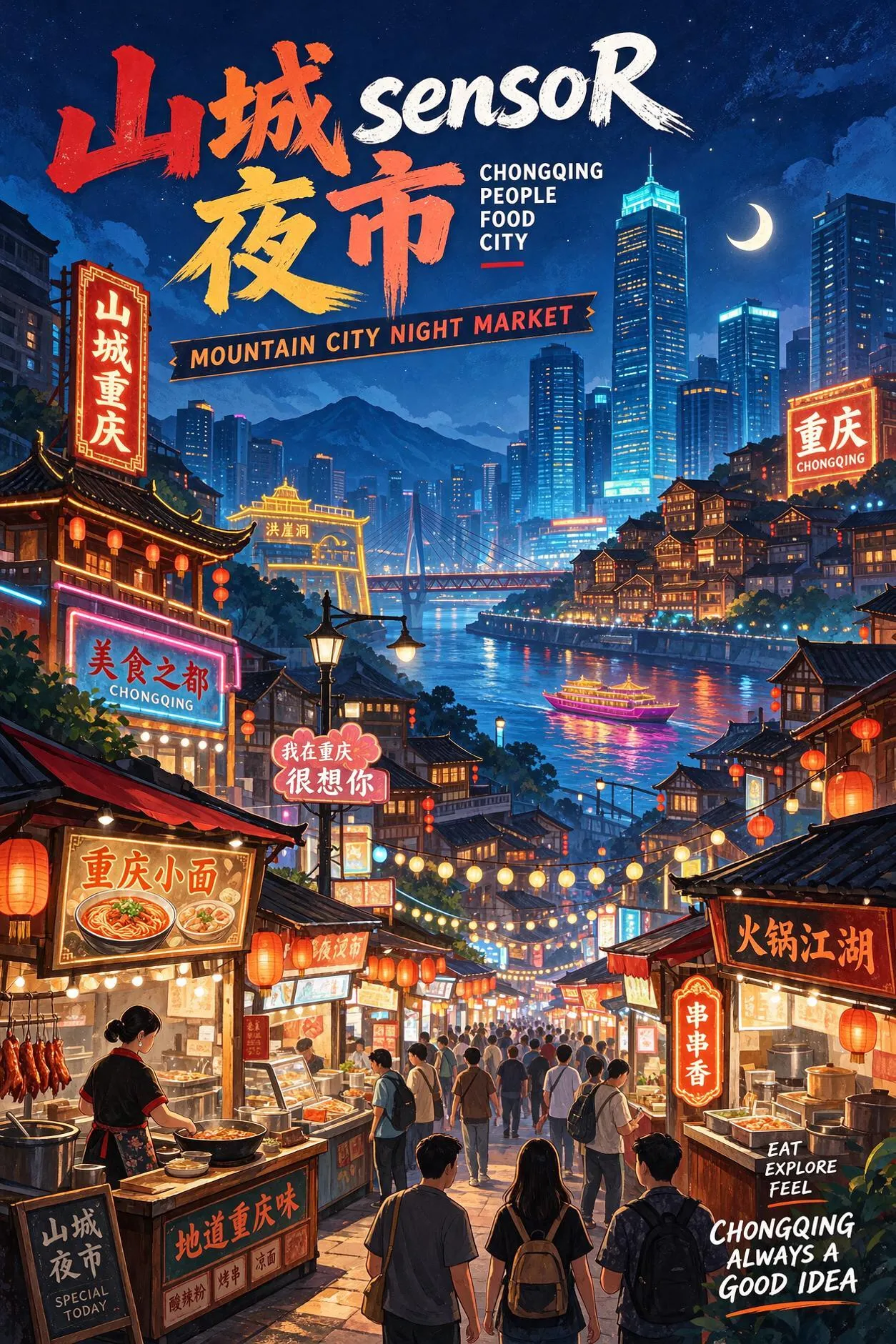
Night-market poster · 1.5K · 4 credits. Prompt: "A vibrant travel poster for a Chongqing night food market, the headline text “山城夜市” in large bold Chinese characters at the top and “MOUNTAIN CITY NIGHT MARKET” in English lettering below it, neon signs and lantern stalls, illustrated poster style"
Both headlines are exact — 山城夜市 character-perfect, MOUNTAIN CITY NIGHT MARKET letter-perfect. Here is the catch, and it is visible in the frame if you zoom in: the model filled the market with additional neon signage of its own invention. From a distance it looks like atmosphere; up close, several of those extra signs are plausible-looking nonsense. Our perfume test showed the same behaviour from the generous side — the prompt asked for no label text at all, and the model invented "LE MONDE DE L'AMOUR" for the bottle, then spelled its own invention flawlessly. Seedream 5.5 spells what it decides to write remarkably well. What it decides to write, in a dense scene, is only partly up to you. That is the same invention risk we flagged with GPT Image 2.6 in our product photography shootout: fine for fiction, a checklist item for real brands.
Edits: the bottle moves house, the coat changes colour
Editing is where 5.5 is supposed to separate itself. ByteDance rates it for up to 100 consecutive rounds of editing with unedited regions preserved — a vendor claim we have not stress-tested to three figures. What we ran is one round each of the two edits that matter most in production, and the preservation in both is exact.
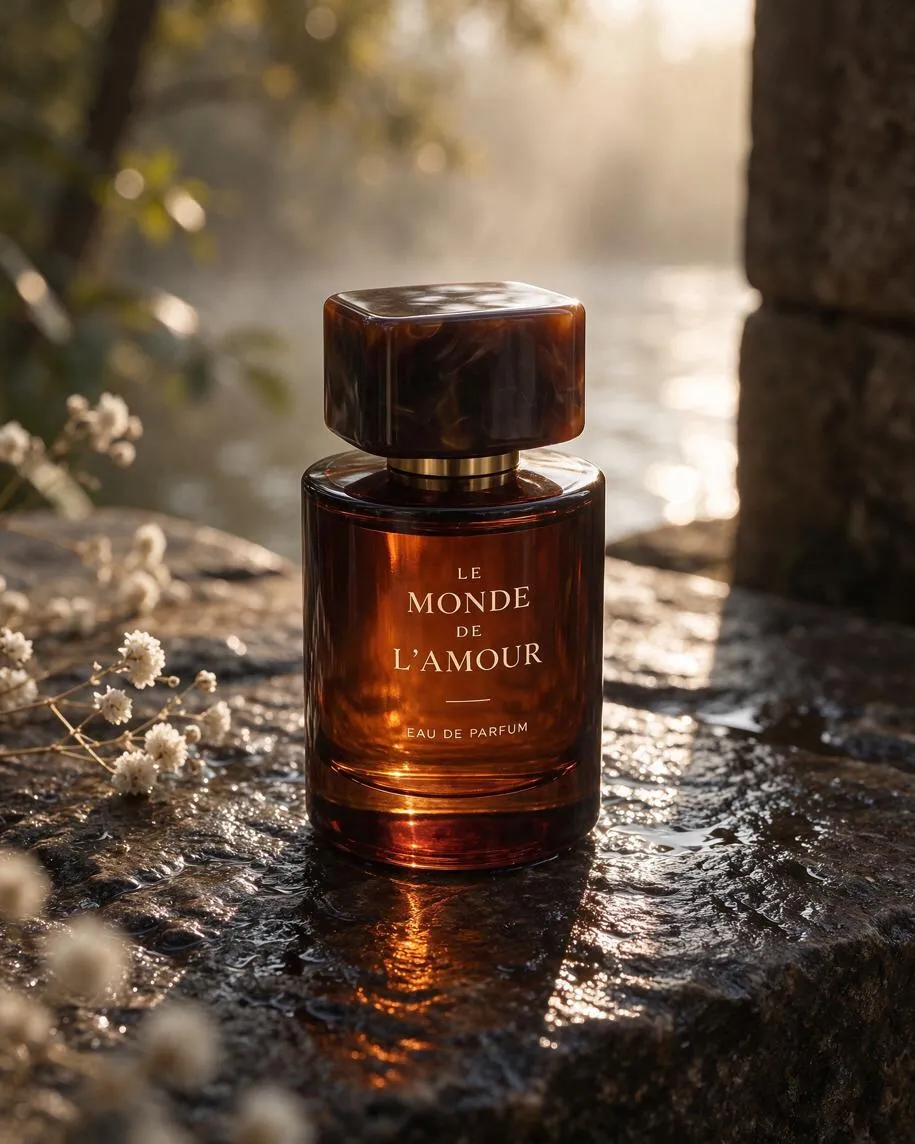
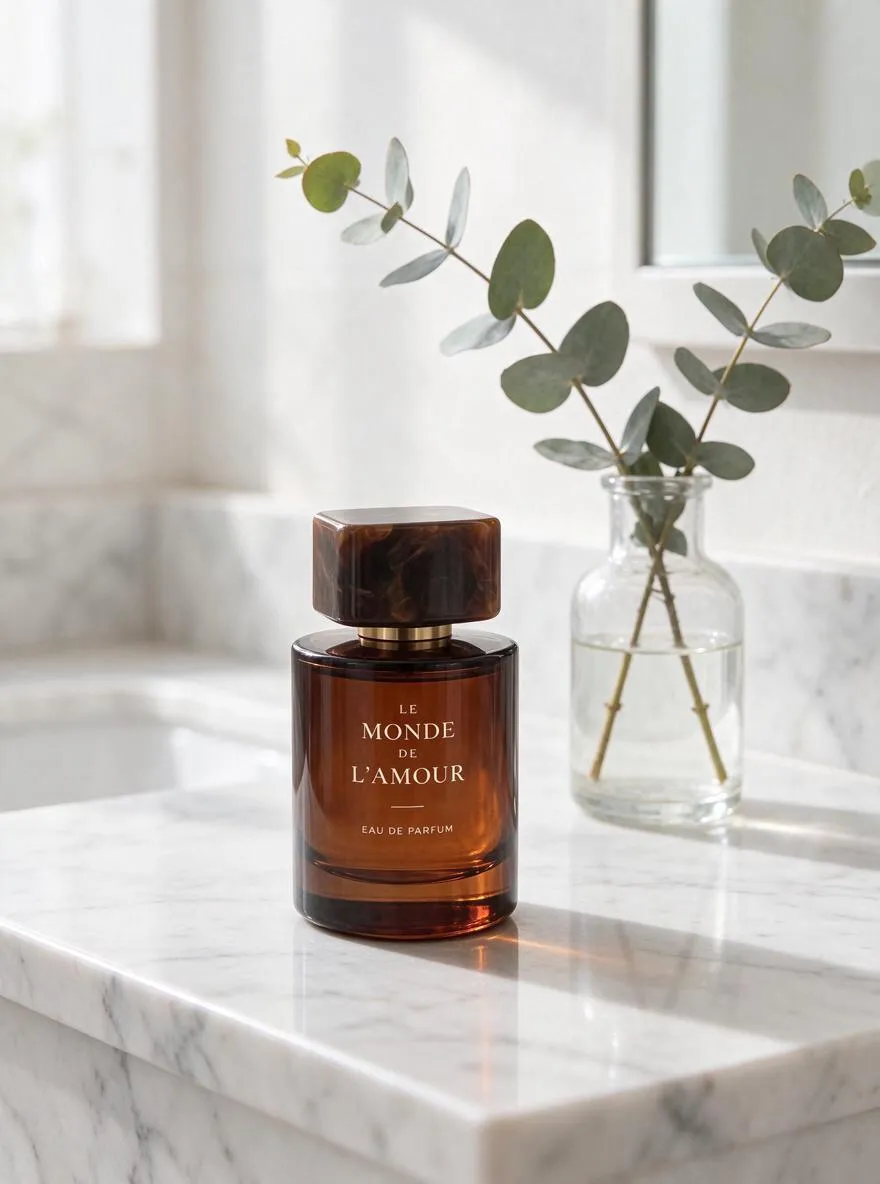
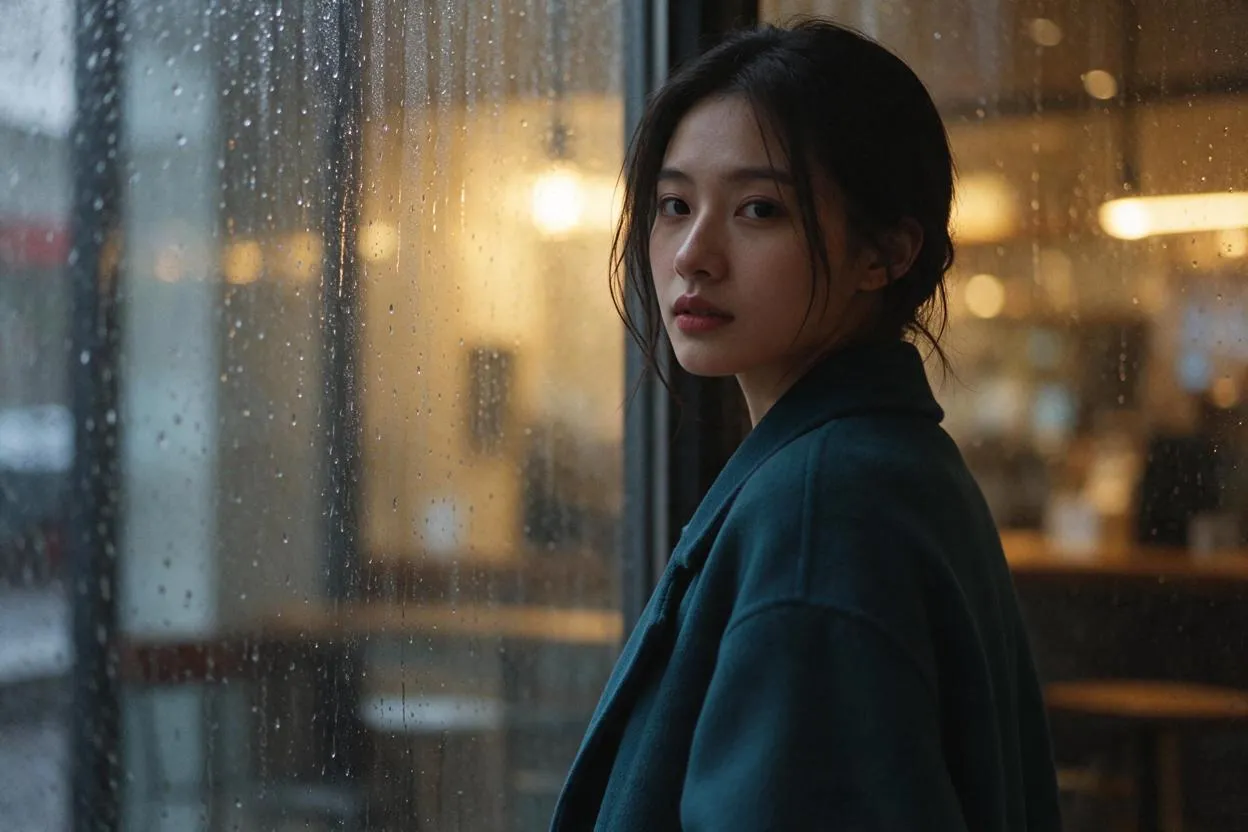
The bottle, the tortoiseshell cap and every letter of the label survived a complete change of scene, surface and light. Then the portrait: one instruction — "Change the woman's camel wool coat in the reference image to a deep teal wool coat, keep her face, pose and the cafe window background exactly the same, photorealistic" — and the result (5 credits) is the hero image with a teal coat: same face, same pose, same rain on the same window.
One round is not a hundred, and we are not going to pretend otherwise. But the mechanism the claim rests on — change what is named, protect everything else — is clearly there, and it is the difference between editing and re-rolling. The pricing deserves a footnote too: the provider charges $0.008 per input image on edits, on top of the output price, so our edit credits carry a +2 per extra reference. The first reference is already in the 5-credit base.
What it costs, and the 1.5K quirk
- Text-to-image: 4 credits at 1K, 4 at 1.5K, 6 at 2K (provider: $0.02 / $0.02 / $0.035).
- Edits: 5 / 5 / 8 credits for the same tiers, +2 credits per extra reference, up to 10 references.
- Speed: our seven jobs landed in roughly 20–40 seconds each.
Notice the quirk and exploit it: 1K and 1.5K cost the same because the provider charges the same $0.02 for both. There is no reason to ever draft at 1K on this model — 1.5K is free resolution. Full pack pricing is on the pricing page.
The workflow this pricing invites: scout compositions at 1.5K for 4 credits, lock the frame, then spend your iterations as edits on the winner instead of fresh generations — each round changes only what you name. When the deliverable is an asset rather than a scene, finish with the transparent toggle on and skip the background-removal pass entirely. A product shot plus five re-staged edit variants runs 29 credits end to end.
Where it falls short
It stops at 2K. If the deliverable is a true 4K final, Nano Banana Pro is still the only door in this studio — our model guide keeps the full comparison. Dense scenes invent text. The poster behaviour above: headlines are safe, background signage is improvised. There is no seed control. The upstream API has no seed parameter, so you cannot lock a composition and re-roll only the light — iteration is conversational, through edits, rather than parametric. And one scope note: ByteDance also offers a layer-decomposition endpoint for 5.5, which splits an image into a base plus transparent layers. It is billed per returned layer and is a different tool shape from a generator; we have not integrated it, and this review does not cover it.
Verdict: who should use Seedream 5.5
Reach for Seedream 5.5 when the deliverable is an asset: product shots that will be re-staged across a catalogue, stickers and cut-outs that need real transparency, bilingual creative where the headline has to survive in two scripts, and any workflow that edits the same frame repeatedly instead of regenerating it. It has effectively absorbed the jobs we used to route to Seedream 5 Pro, at lower prices. Choose Nano Banana Pro for 4K finals, GPT Image 2.6 for dense, must-be-exact copy, and — for pure cinematic mood — the other model that landed today, covered in our MiniMax H3 review. For a 4-credit flagship with a real alpha channel, though, 5.5 is the new default at the top of our Seedream family.