 Pizyn
AI tool · Christmas Special · Powered by Nano Banana 2.1
AI Christmas Photoshoot
A Christmas photoshoot here costs 11 credits at 2K (8 at 1K) — about $0.11 — and takes under a minute. Upload your photo, pick a look, and Nano Banana 2.1 puts you in the scene: a studio tree, giant candy canes, a snow throw in golden winter sun — your face stays yours, the outfit and the set change around you.
Your generation will appear here.
Pick a look, upload your photo, and hit Generate.
Session history
01 · Overview
What is the AI Christmas Photoshoot?
A Christmas photoshoot generator: upload a photo of yourself and get a finished holiday portrait — studio tree, candy-cane set, snow throw, satin gown — without booking a photographer, renting a set or buying an outfit. It runs on Nano Banana 2.1, which edits your photo in place, so the person in the portrait is still recognizably you.
Six looks cover the season's most-shared shoots, from the classic studio tree to this year's snow-throw trend. Portraits come out tall (9:16) by default — ready for stories, posts and holiday cards.
02 · Features
Why the shoot works here
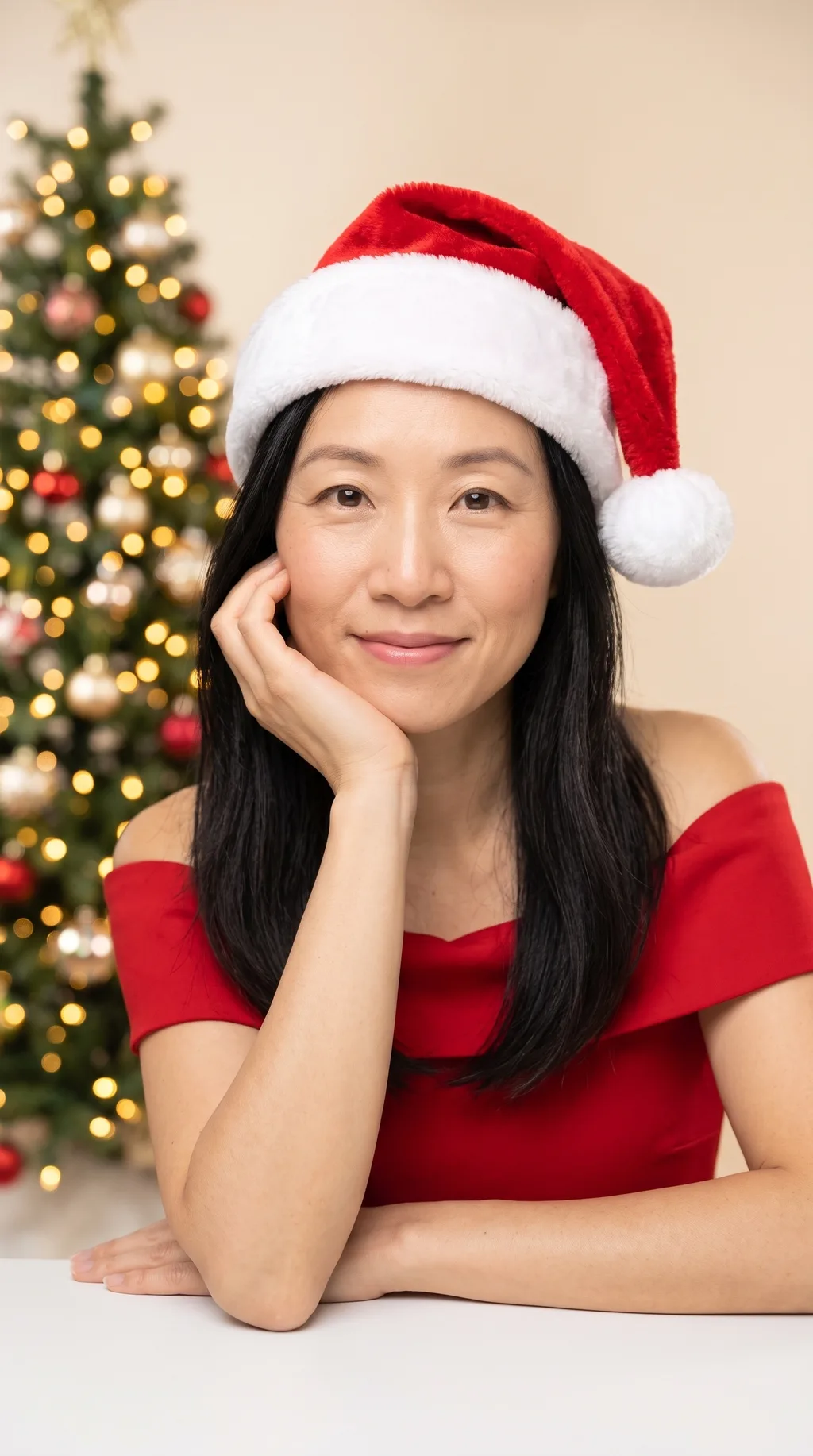
A studio shoot without the studio
The set, the props and the outfit are all generated around you: giant candy canes, towering gift piles, a lit tree, a snow-covered street. You bring one photo; the look brings the rest. No booking, no outfit rental, no rescheduling around the weather.
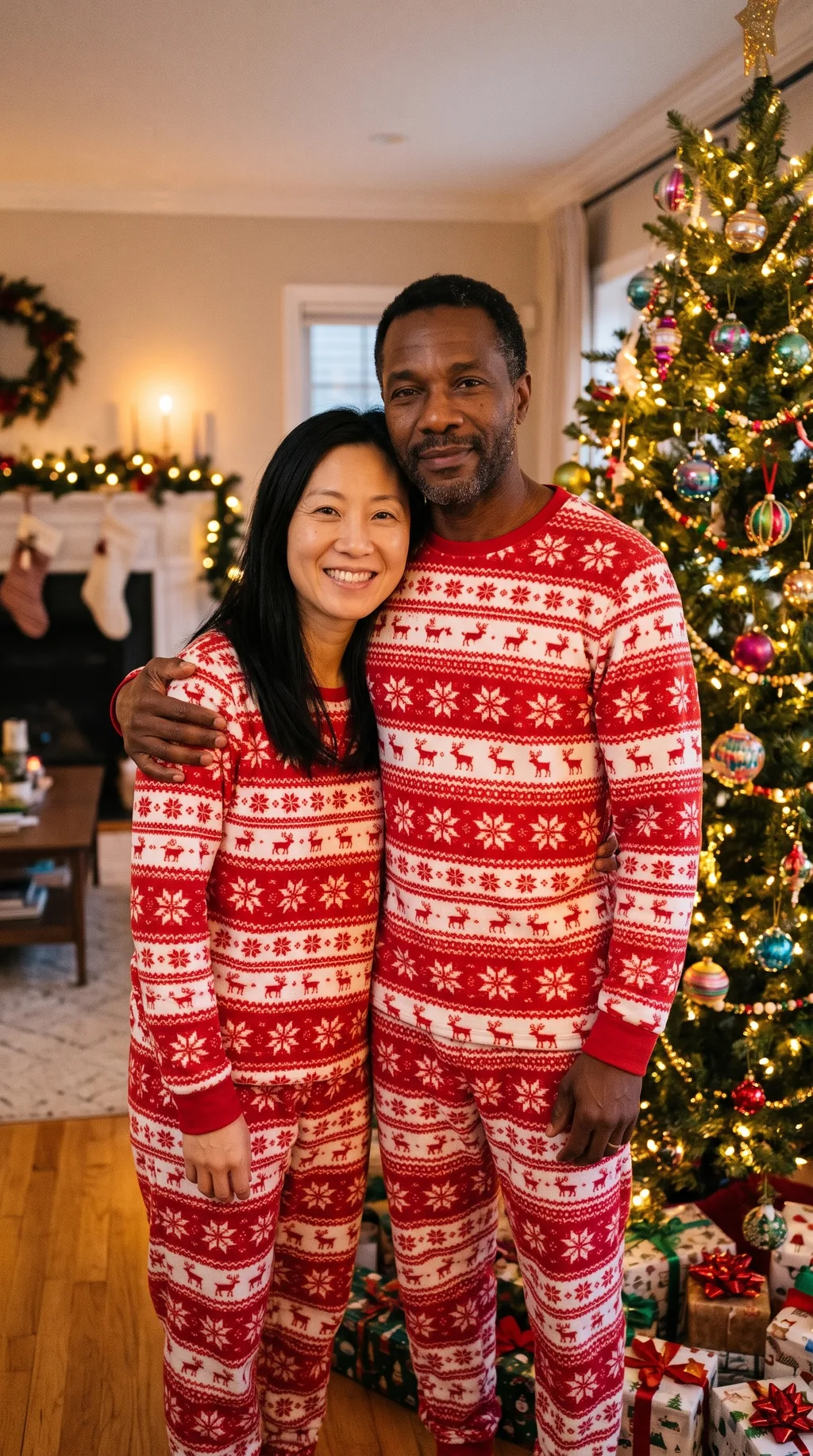
Two people, one frame
Couple by the Tree takes two photos and puts both people in one portrait — matching red-and-white pajamas, a lit tree behind, warm light. Both faces are carried over from the source photos, so both people stay recognizable.
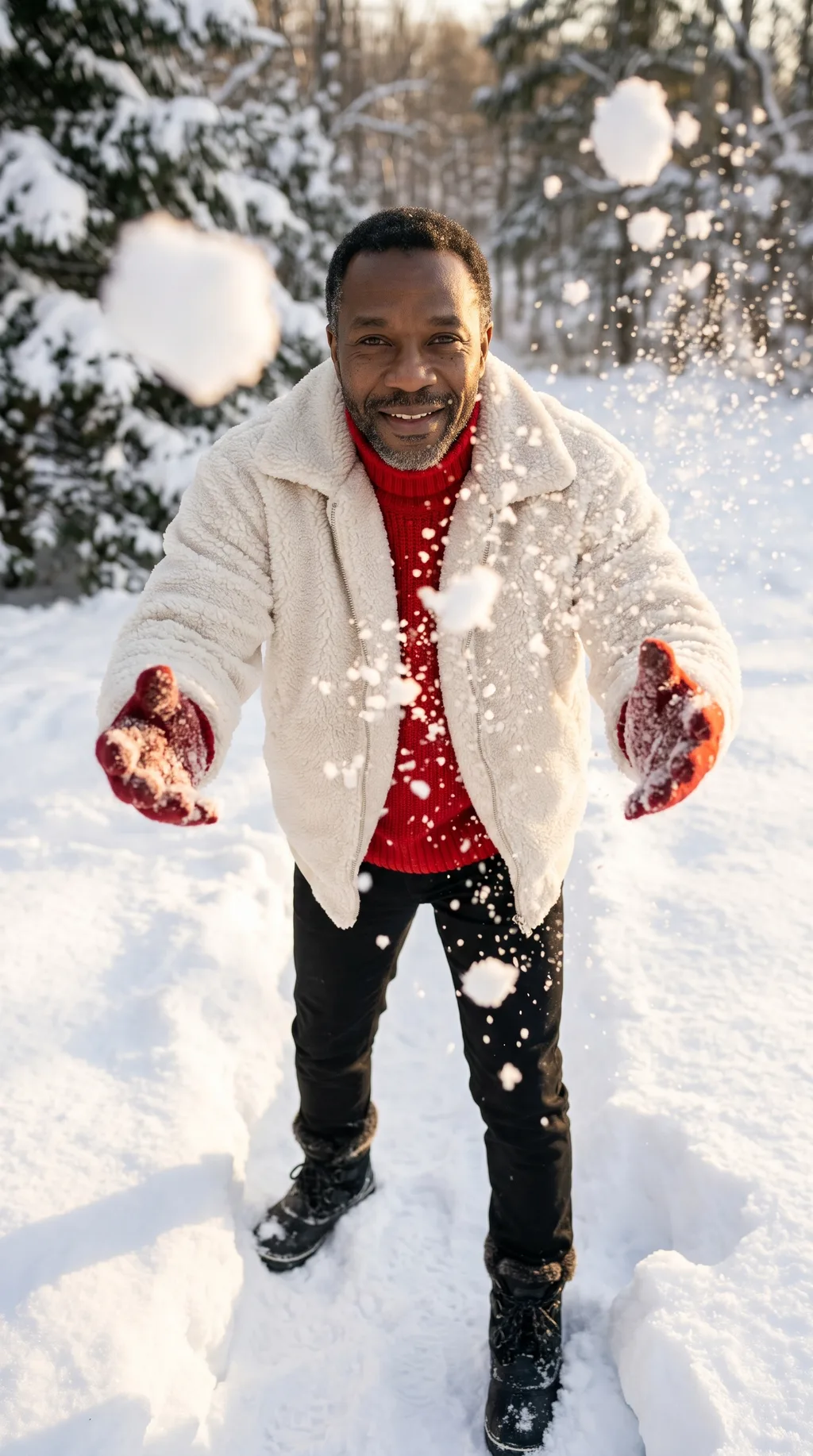
The freshest looks of 2026
The set includes this season's newest viral looks alongside the classics: the snow throw in golden winter sun, and the deep-red satin gown among towering gift piles. The looks are the ones people are actually sharing this Christmas — not last year's templates.
03 · Create
Six Christmas photoshoot looks
Real outputs from this studio. Load any look into the tool, upload your photo, and make it yours.
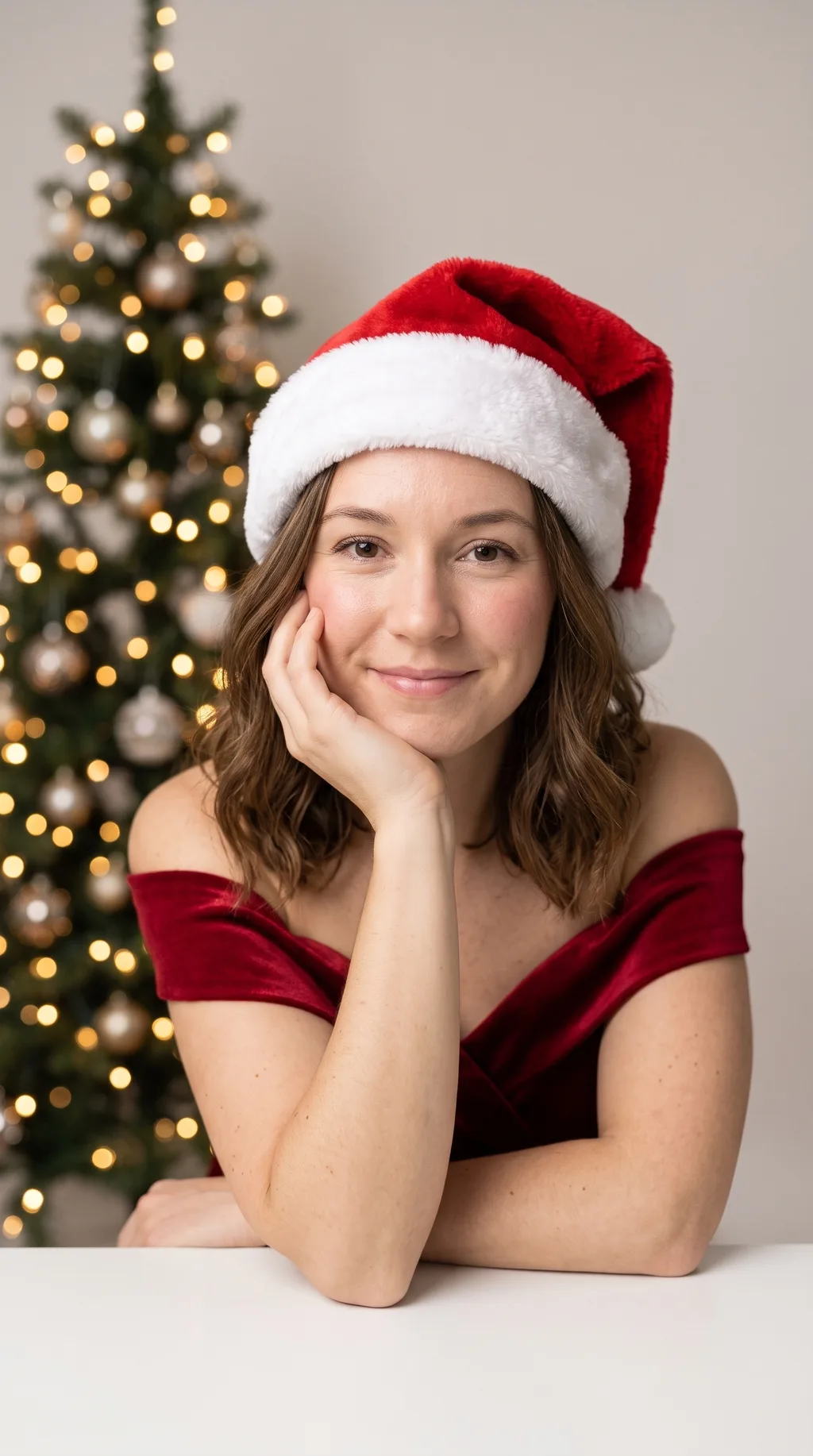
Studio Tree
The classic: a red off-shoulder dress (or red velvet blazer for men), a Santa hat, a lit tree and a bright studio — the look the whole Christmas-photoshoot trend started with.
The most reliable look for a first try: the pose is simple, the set is clean, and the bright studio light is flattering on almost any photo. A good pick for holiday cards.
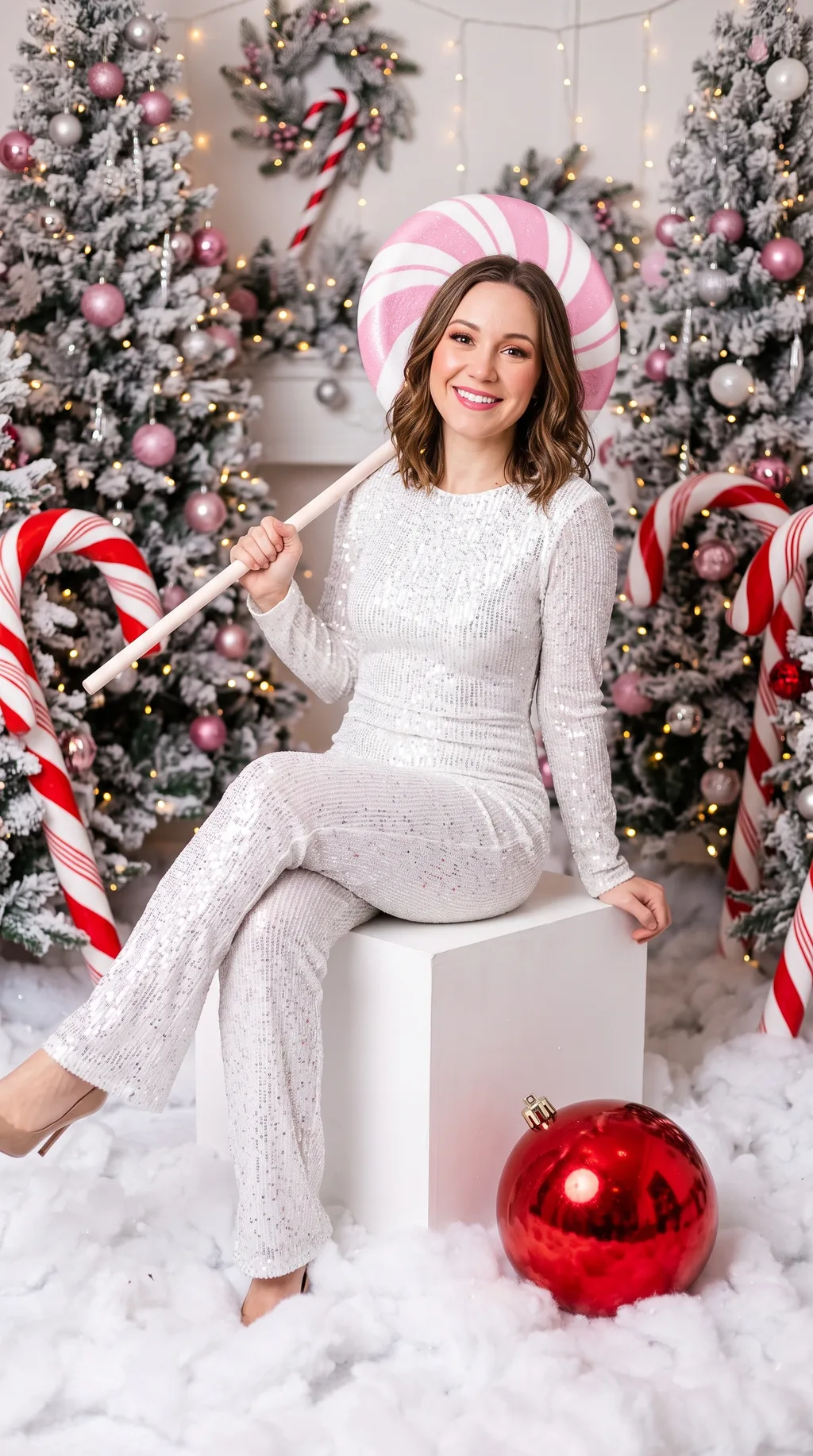
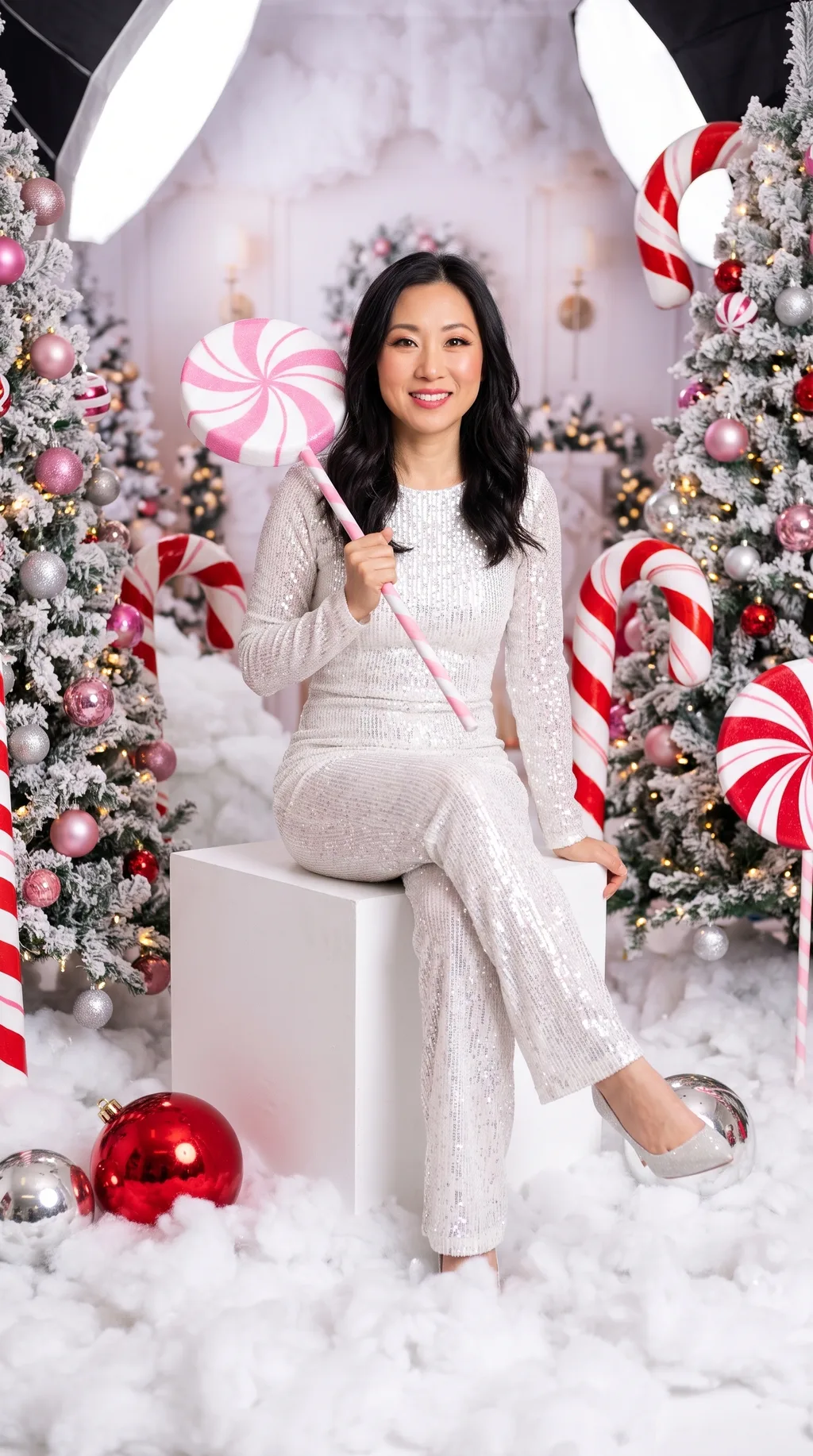
Candy Cane
The most viral version of the trend: giant peppermint props, a sequin outfit and a giant lollipop — playful, saturated, impossible to scroll past.
The boldest look in the set. It changes the outfit and the background the most, so pick a source photo with a clear, well-lit face — the stronger the face, the better it survives the set.
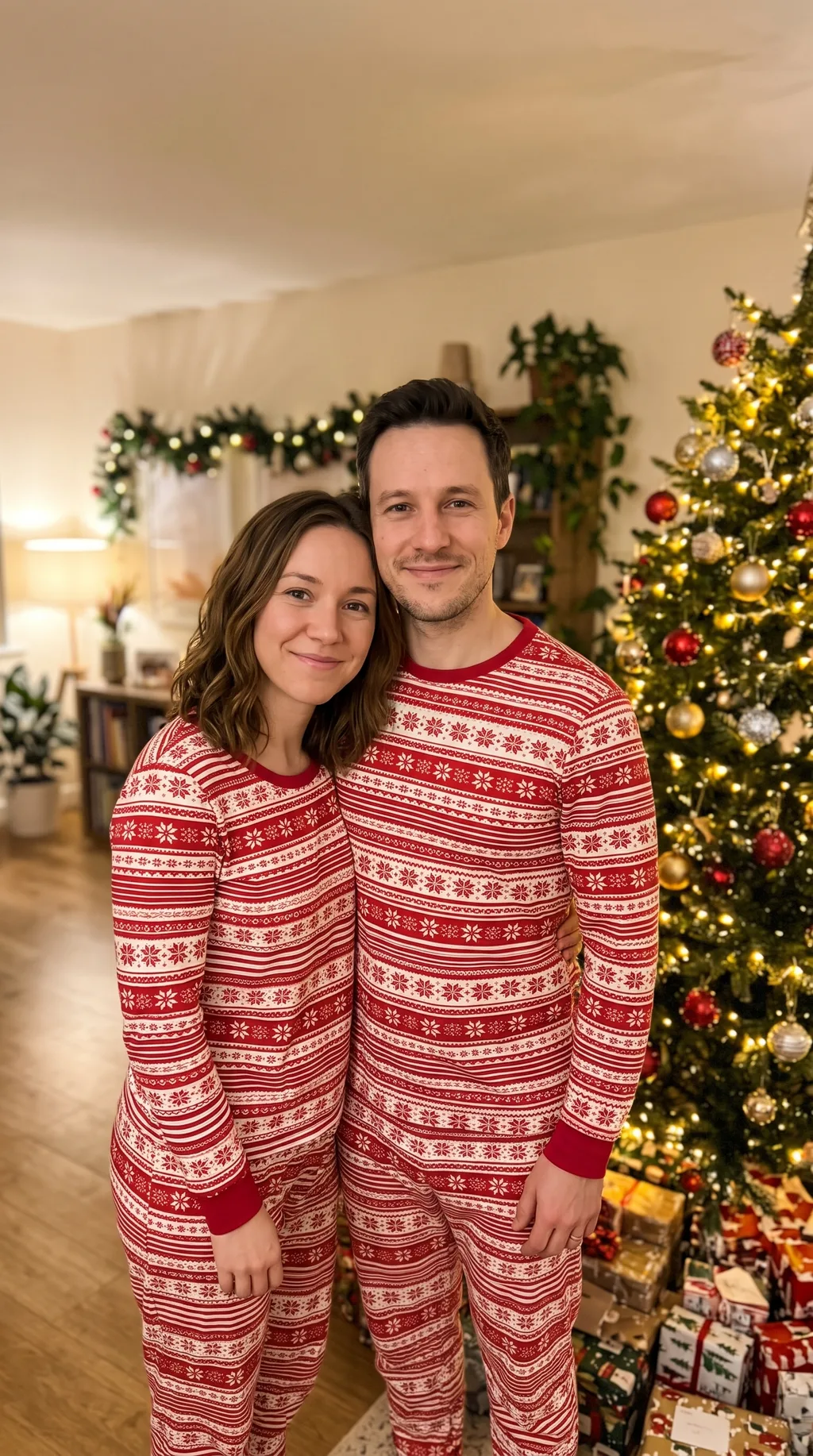
Couple by the Tree
Two photos, one portrait: matching red-and-white pajamas, a lit tree behind you, warm light — the couple shoot with the highest single-post views of the trend.
Upload two photos and pick this look. The second photo adds just 1 credit — 12 at 2K for the portrait. Both people keep their own faces; the pajamas and the set are shared.
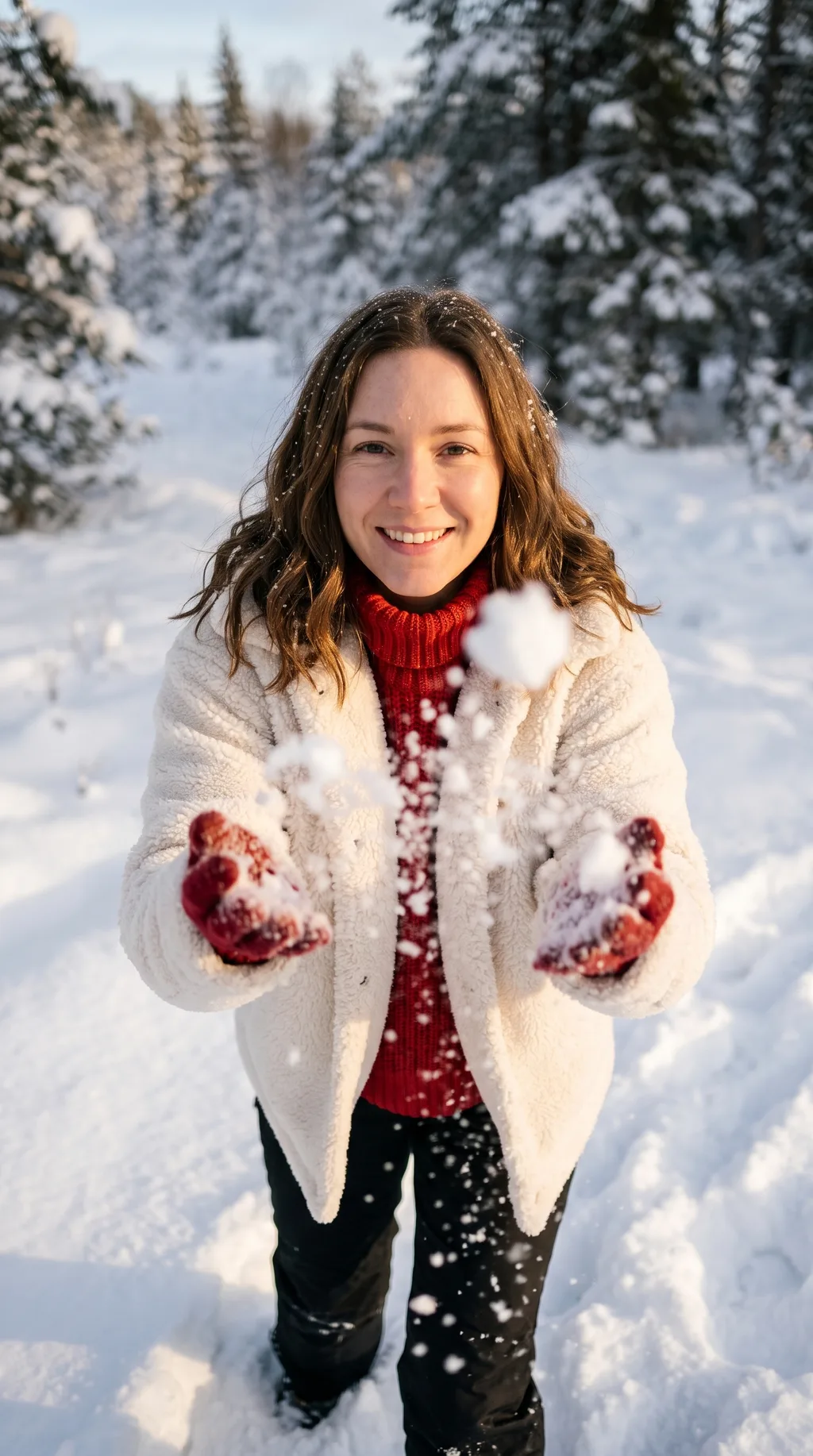
Snow Throw
This season's freshest look: throwing snow toward the camera in golden winter sun, in a cream teddy jacket and a red turtleneck — motion, light and laughter in one frame.
The most dynamic look in the set, and the one that reads most like a real winter photo. Works best with a smiling source photo — the energy carries through.
Christmas Gown
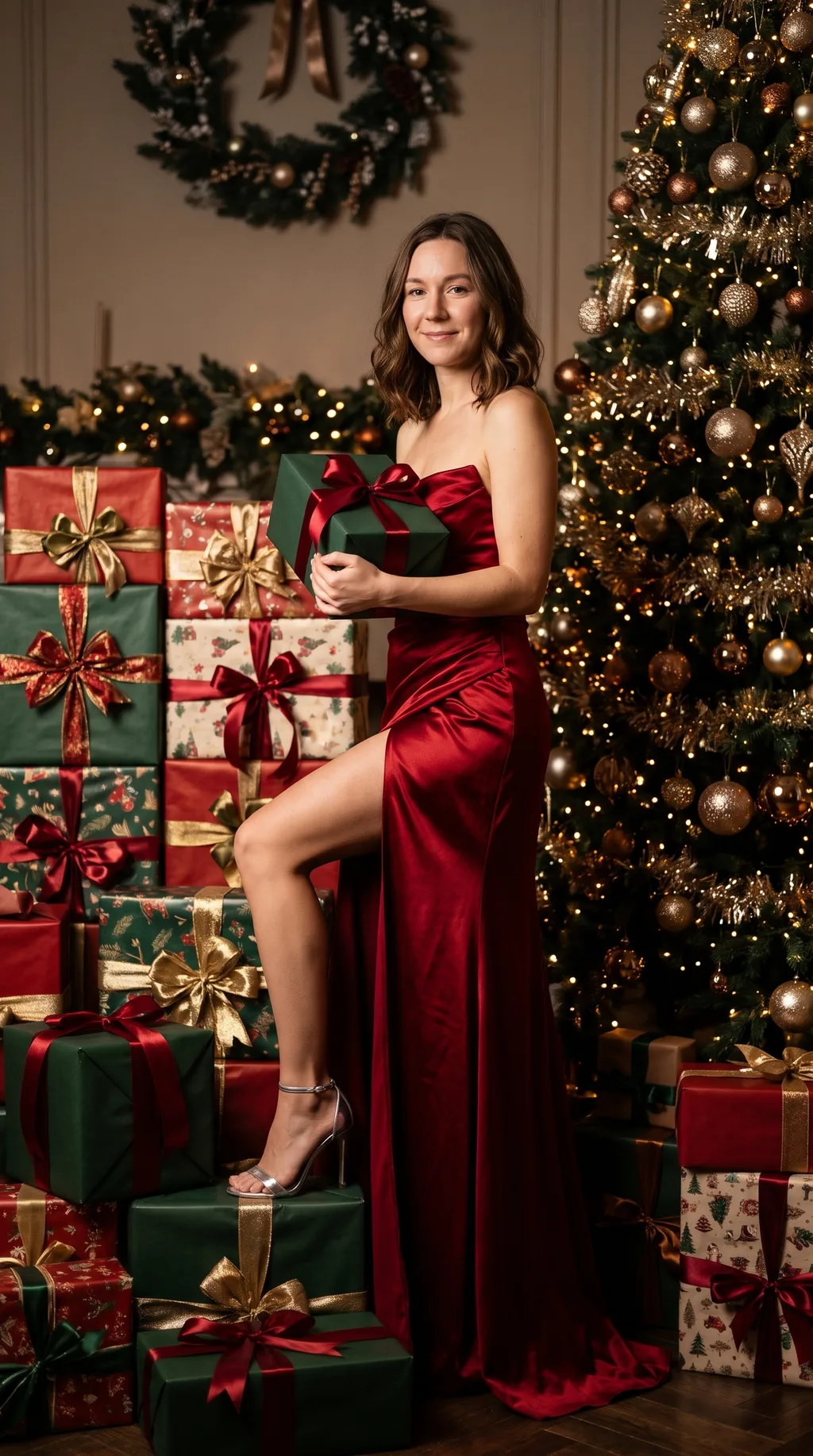
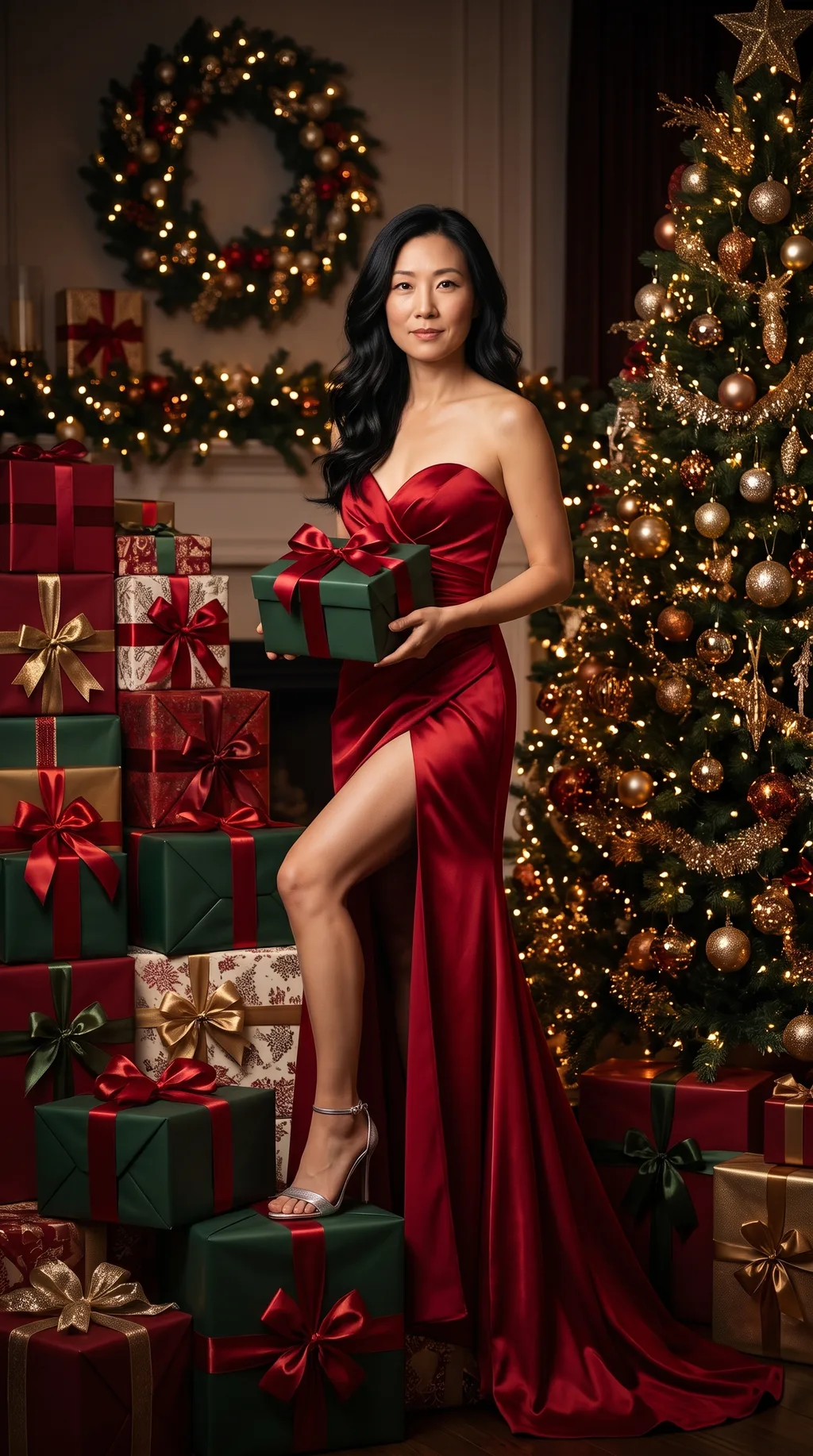
A deep red satin gown among towering gift piles and a decorated tree — the glamorous end of the trend, and one of this season's newest viral looks.
The most formal look in the set. The gown and the gift piles fill the tall frame, so the portrait reads like a holiday-magazine cover — a strong pick for a printed card.
Cozy Sweater
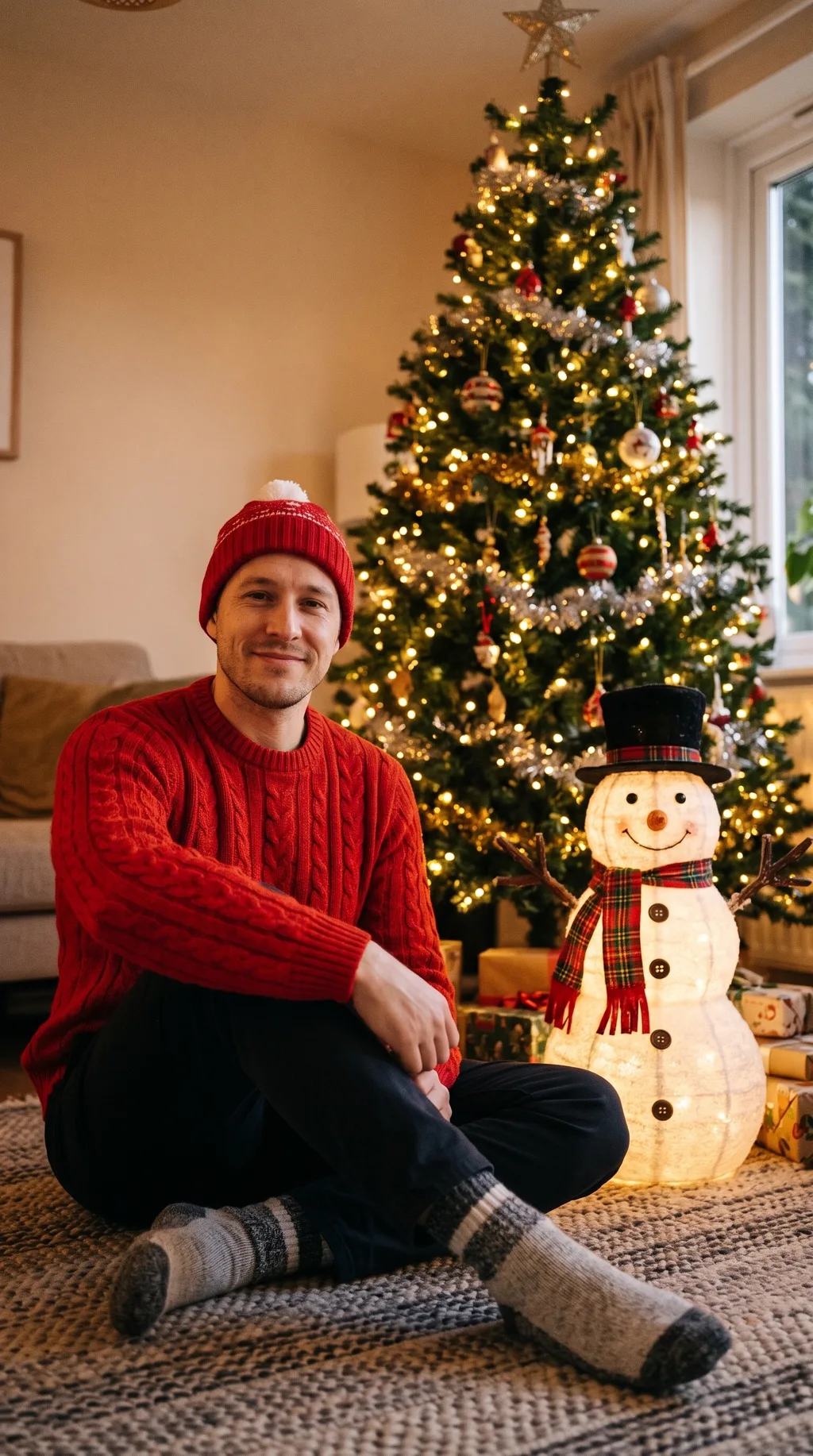
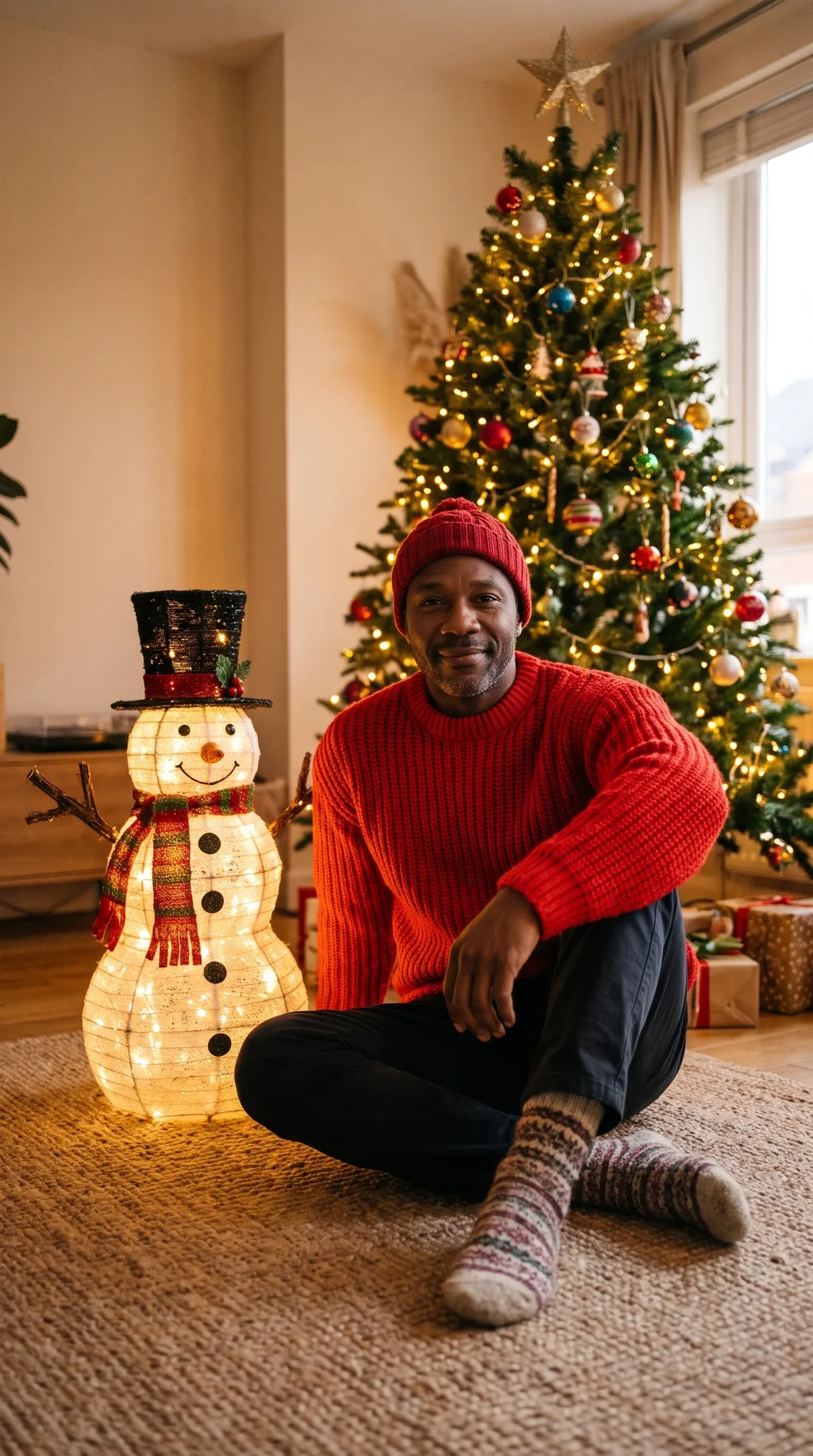
A red knit sweater and beanie, a snowman and a tree, warm indoor light — the cozy, low-key end of the trend, and the easiest look to love.
The warmest look in the set, and the most forgiving: the sweater and beanie suit almost any photo, and the warm indoor light flatters every face. A safe pick if you're trying the tool for the first time.
04 · How to use
How to do an AI Christmas photoshoot
1
Upload a clear photo
Front-facing, face clear, decent light. Upper body visible helps for the outfit looks (gown, sweater, studio tree). For Couple by the Tree, upload two photos.
2
Pick a look and quality
Six looks in the picker above; 2K (11 credits) is the default and the sweet spot for portraits. Draft at 1K (8 credits) if you want to preview a look first.
3
Generate & download
Charged only on success — failed generations cost nothing. Portraits come out 9:16 tall by default, ready for stories and cards; switch the aspect picker for square or wide.
Prompt guide — getting the best results
- Start with a front-facing photo where your face and upper body are clearly visible — the outfit looks need shoulders to dress.
- For Couple by the Tree, use two photos with similar framing (both shoulders-up, both facing the camera) — the portrait comes out more balanced.
- The snow throw reads best with a smiling photo; the gown reads best with a calm, straight-on portrait.
- Want a different outfit color? Edit the loaded prompt — “swap the red dress for a deep green one” — instead of starting from scratch.
- Draft at 1K (8 credits), then re-run the winners at 2K — the composition usually survives the quality jump.
05 · Pricing
AI Christmas Photoshoot pricing
One portrait costs 8 credits at 1K, 11 at 2K, 24 at 4K — about $0.08–0.24 each. Couple by the Tree adds 1 credit for the second photo (12 at 2K). All six looks at 2K come to 67 credits — about an eighth of the $5 Mini pack.
Mini pack
Best for a first top-up
$5
One-time · ≈ $0.01 per credit
≈ 83 Seedream images
≈ 100 GPT Image 2.6 drafts
- Full ownership & commercial rights
- Credits never expire
- Charged only on success
Most popular
Pro pack
Best for regular creative work
$20
One-time · ≈ $0.01 per credit
≈ 333 Seedream images
≈ 83 Nano Banana Pro 2K finals
- Full ownership & commercial rights
- Credits never expire
- Charged only on success
Studio pack
Best for high-volume projects
$50
One-time · ≈ $0.01 per credit
≈ 866 Seedream images
≈ 1,040 GPT Image 2.6 drafts
- Full ownership & commercial rights
- Credits never expire
- Charged only on success
Max pack
Best for the heaviest workloads
$100
One-time · ≈ $0.01 per credit
≈ 1,800 Seedream images
≈ 450 Nano Banana Pro 2K finals
- Full ownership & commercial rights
- Credits never expire
- Charged only on success
One-time packs from $5 (500 credits, never expire). Full pricing on the pricing page.
06 · FAQ
Frequently asked questions
How much does one Christmas photoshoot portrait cost?
8 credits at 1K, 11 at 2K, 24 at 4K — about $0.08–0.24 each in pack terms. Couple by the Tree adds 1 credit for the second photo, so 12 at 2K for the portrait. You are charged only when a generation succeeds.
Will it still look like me?
Yes — every look is built around an identity lock: your face, hair, glasses and expression are carried over from your photo, and only the outfit and the set change. If a result drifts, re-run it — each attempt is a fresh generation.
What photo works best?
A front-facing photo with your face clear and well lit, and your upper body visible — the outfit looks (gown, sweater, studio tree) need shoulders to dress. Avoid sunglasses and hats in the source photo.
Can I do a couple shoot with my partner?
Yes — pick the Couple by the Tree look and upload two photos. You get one portrait of both of you in matching red-and-white pajamas by the tree. The second photo adds just 1 credit.
What size are the portraits?
9:16 tall by default — ready for stories, posts and holiday cards — at 2K with the default quality setting. Square, 4:5 and other ratios are available in the aspect picker, and 4K is available for print.
Can I use the portraits commercially?
Yes — paid plans include a commercial license: social posts, holiday cards, ads, packaging. The images are yours to use.