 Pizyn
AI tool · Virtual try-on · Powered by Nano Banana 2.1
AI Clothes Changer
One try-on costs 12 credits at 2K (9 at 1K) — about $0.12 — and takes under a minute. Upload a photo of yourself and a photo of the garment — a flat-lay, a product shot, even a screenshot from a store — and Nano Banana 2.1 dresses you in it: same face, same pose, the garment's pattern, colors and text intact. No subscription, ever. One honest note up front: this shows how an outfit looks on you, not whether it fits — sizes still need a tape measure.
Your try-on will appear here.
Upload your photo and the garment, pick a look, and hit Try it on.
Session history
01 · How it works
Try on clothes in three steps
1
Upload your photo
Full-body and front-facing works best, arms at your sides, even light. A phone photo against a plain wall is fine — the cleaner the photo, the cleaner the result.
2
Upload the garment
A flat-lay, a ghost-mannequin product shot, or a screenshot from a store page. One garment per try-on — or several at once for a whole outfit (see below).
3
Generate and compare
12 credits at 2K, charged only on success. Compare the result against your original — only the clothes should have changed. If a detail looks off, regenerate: small prints can vary.
Tips for the best result
- Head-to-toe framing for bottoms and dresses — if the photo cuts off at the waist, the model has to invent the rest.
- Photograph the garment flat and well lit, with no wrinkles in the photo. A crumpled shirt photographs as a crumpled shirt.
- Text and logos come out best when they are large and legible in the garment photo — tiny chest prints are the first thing to blur.
- Even light beats dramatic light. Harsh shadows on your photo become harsh shadows on the outfit.
- For a whole outfit, upload your photo first, then the items in order — top, bottom, shoes, accessories.
02 · Looks
Eight garments, tried on for real
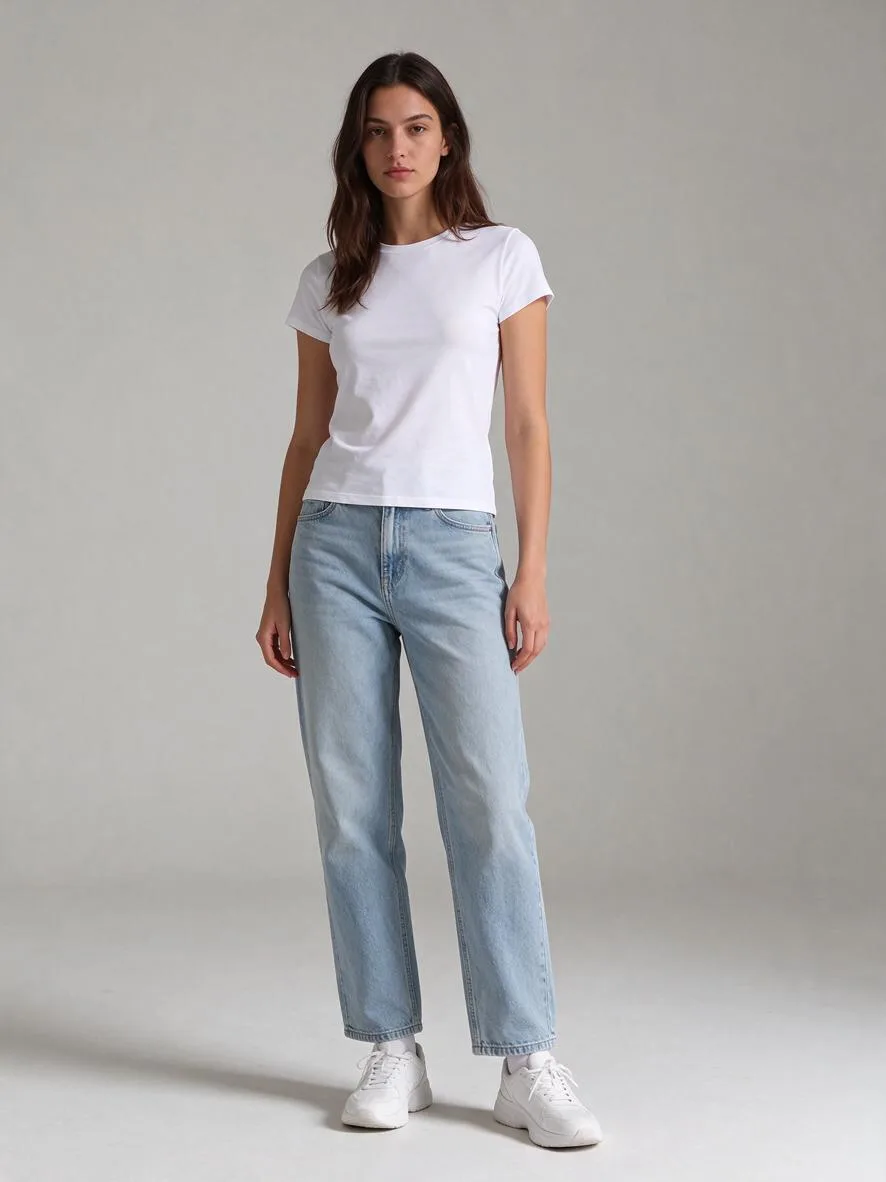
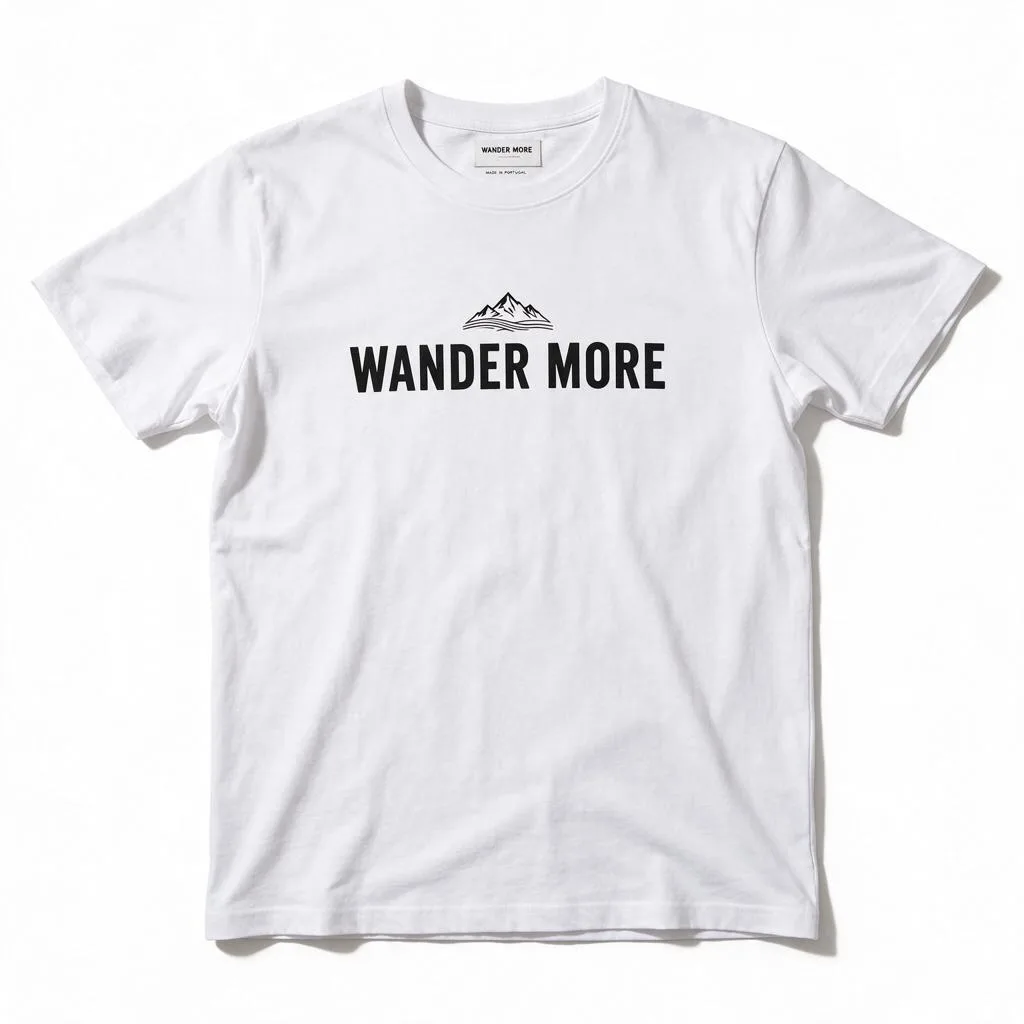
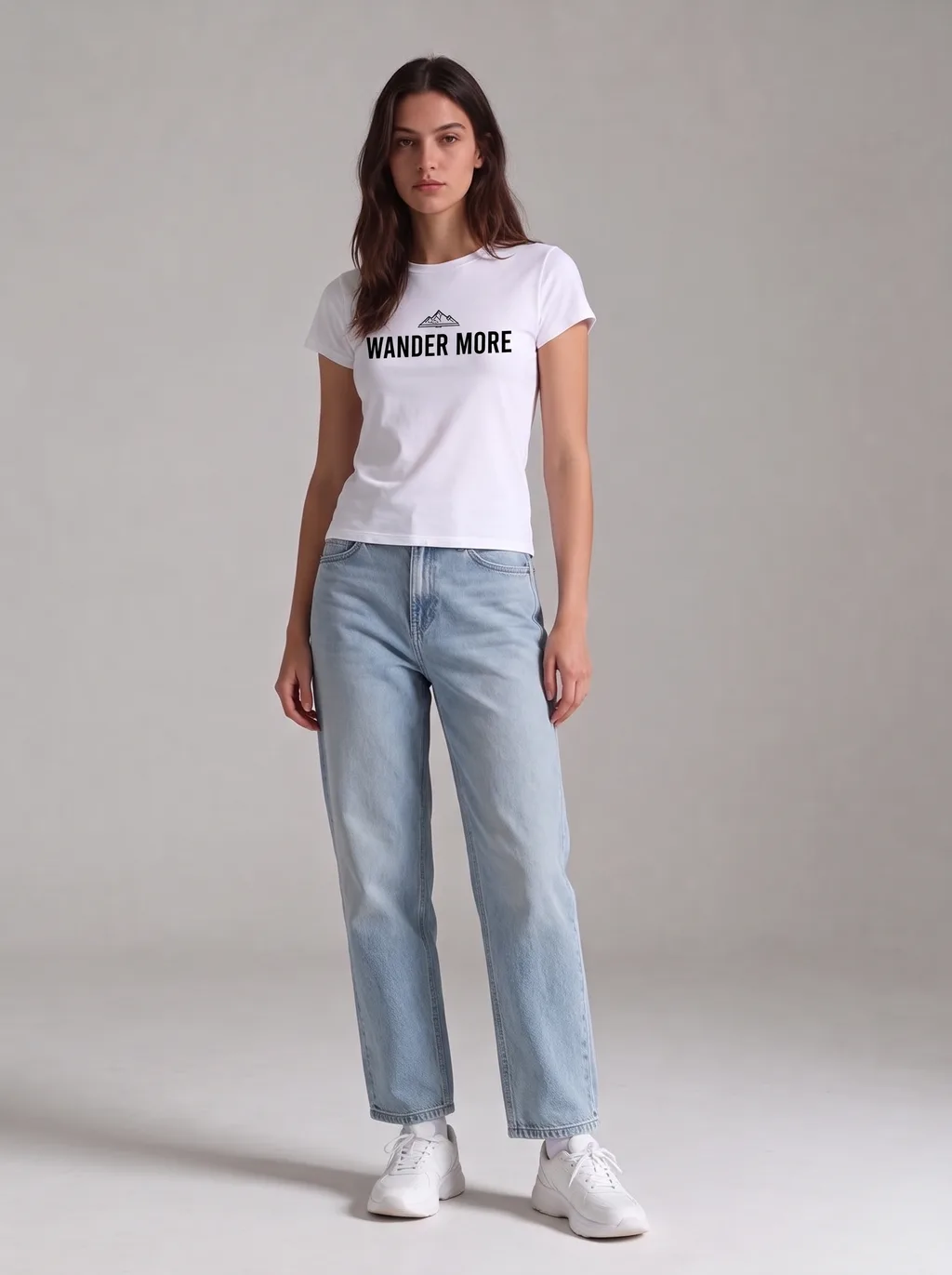
Every trio below is the same proof: your photo + the garment photo → the result. Nothing is mocked up — these are real outputs from this studio, first attempt each.
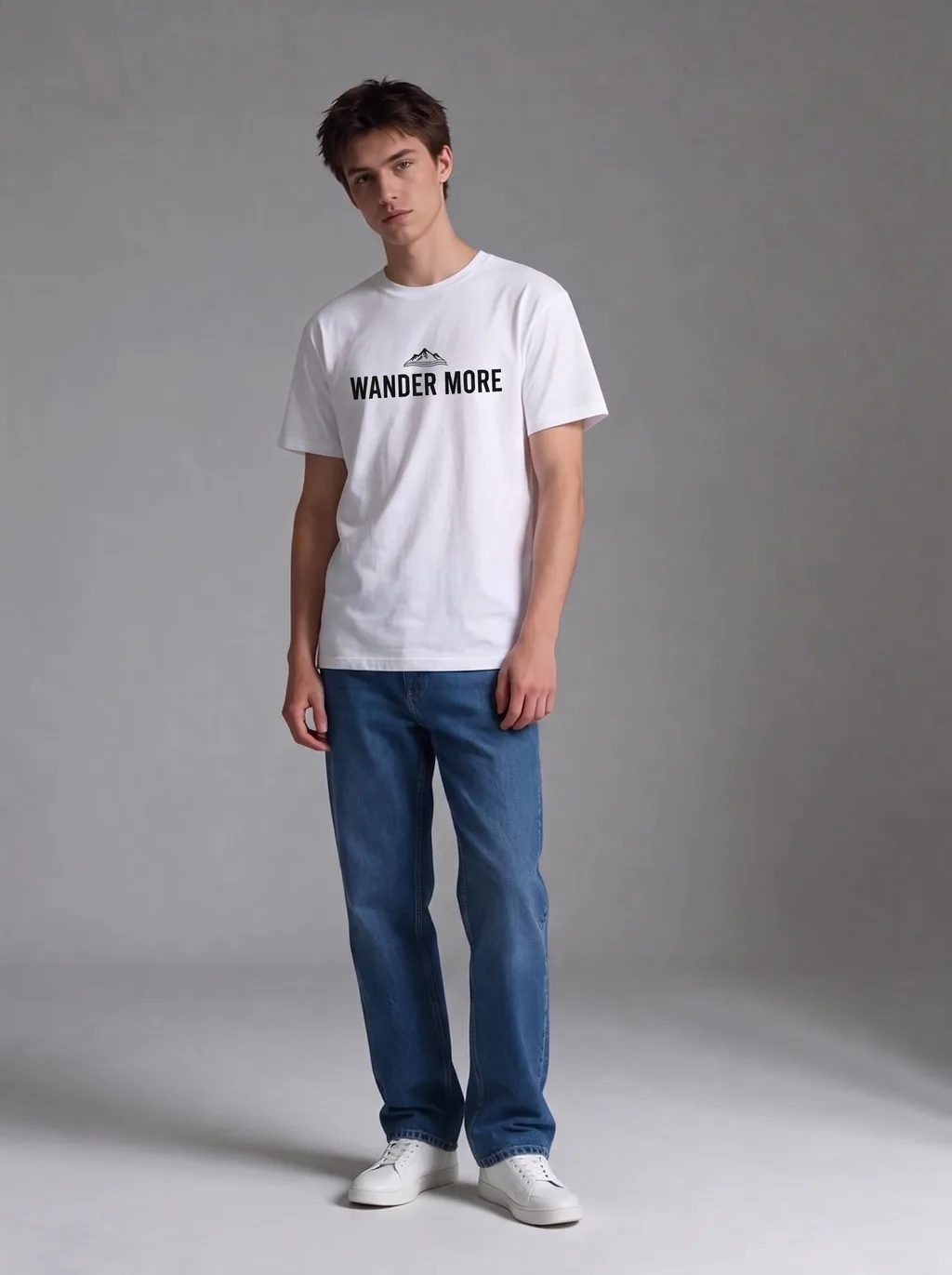
Graphic Tee
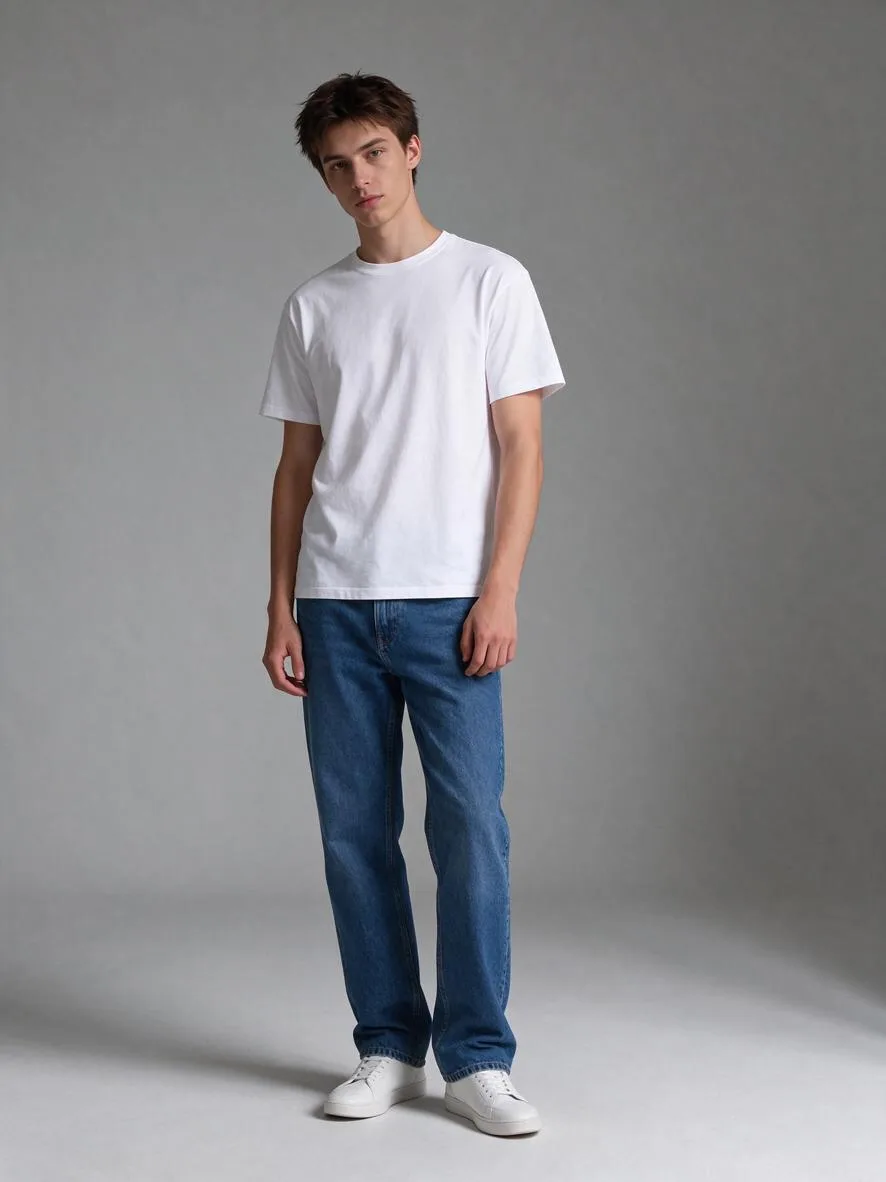
The hardest test in try-on: printed text. In our validation the “WANDER MORE” print came out spelled right on all three models we tested — Nano Banana 2.1 rendered it largest and boldest, on both the woman and the man above.
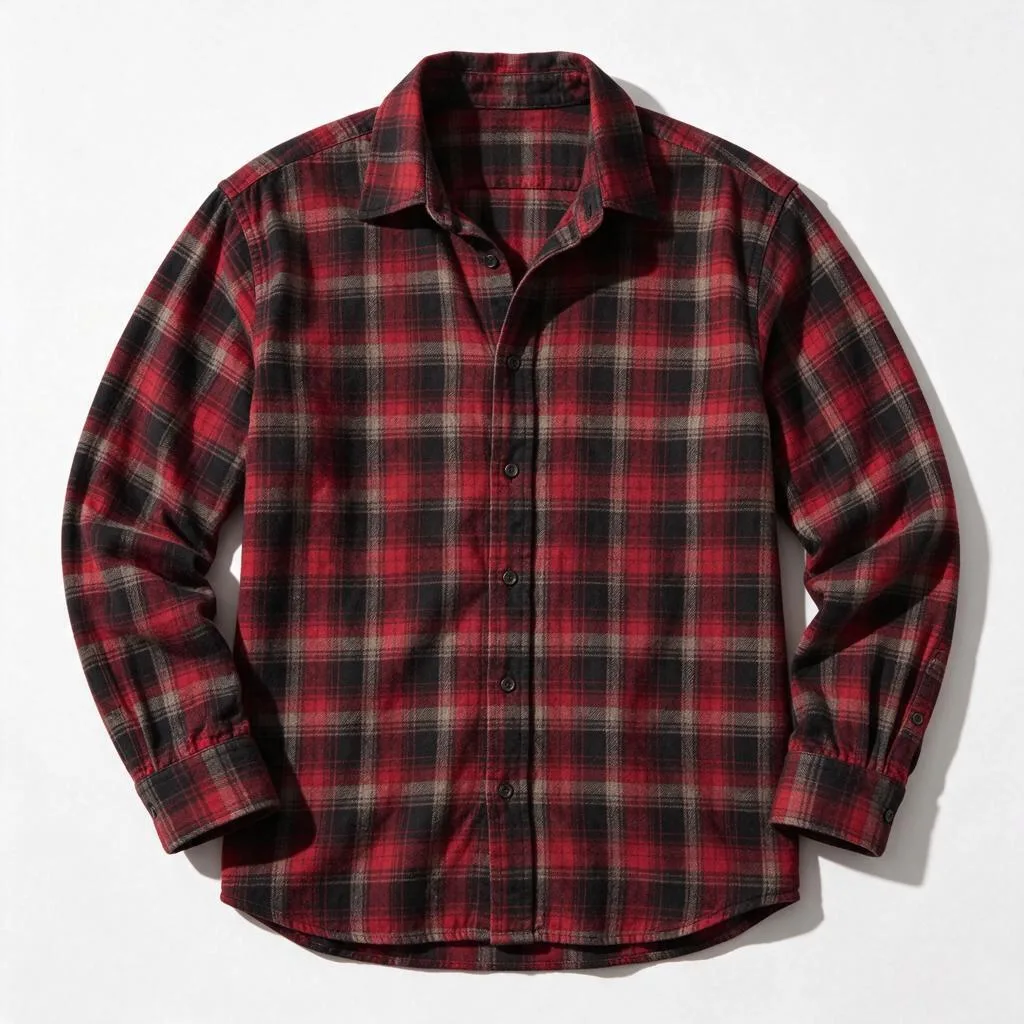
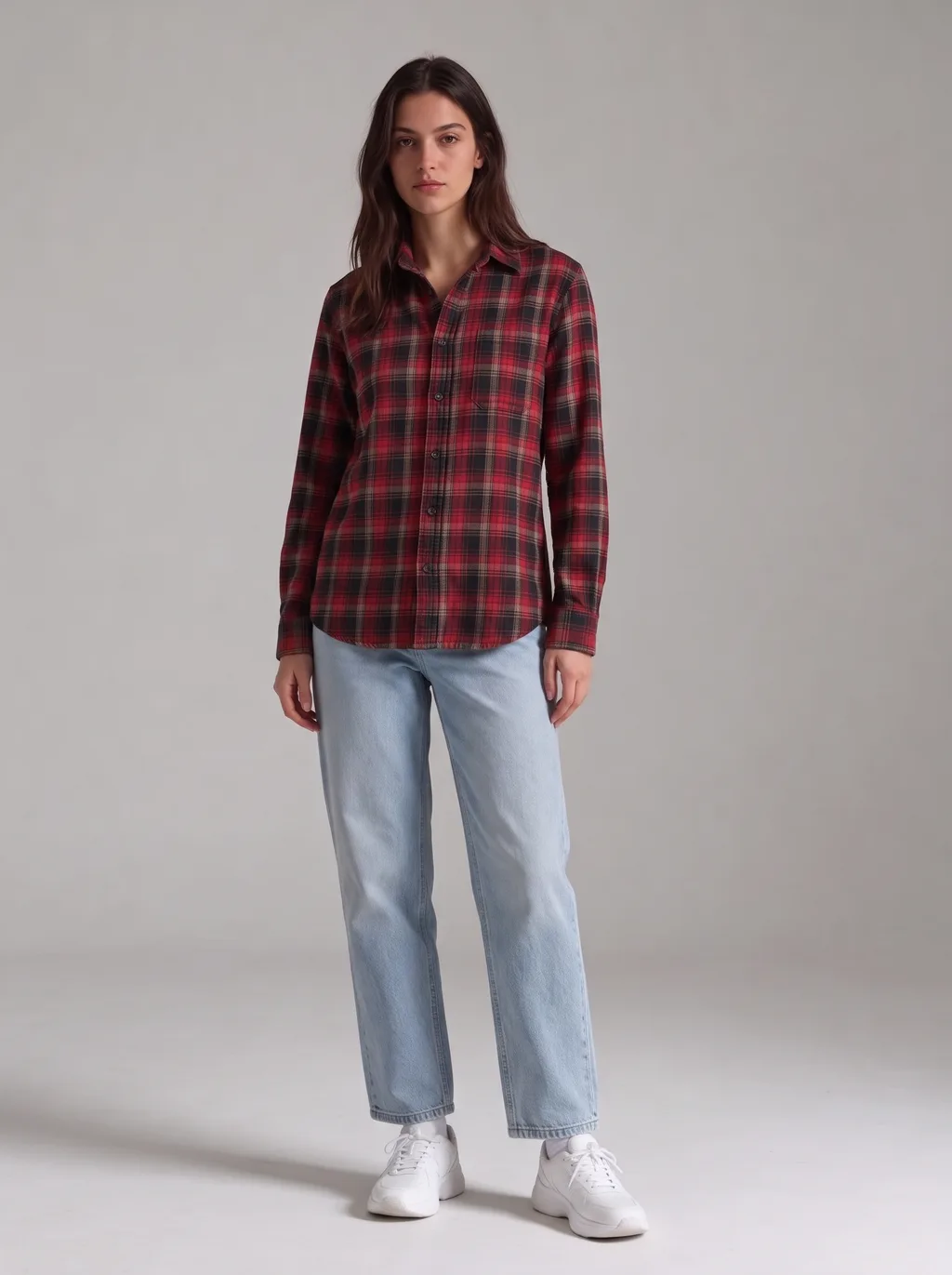
Flannel Shirt
Plaid is the pattern test: the checks have to stay the right size and line up across the buttons. The red-and-black flannel held its scale exactly, and the jeans and sneakers stayed untouched.
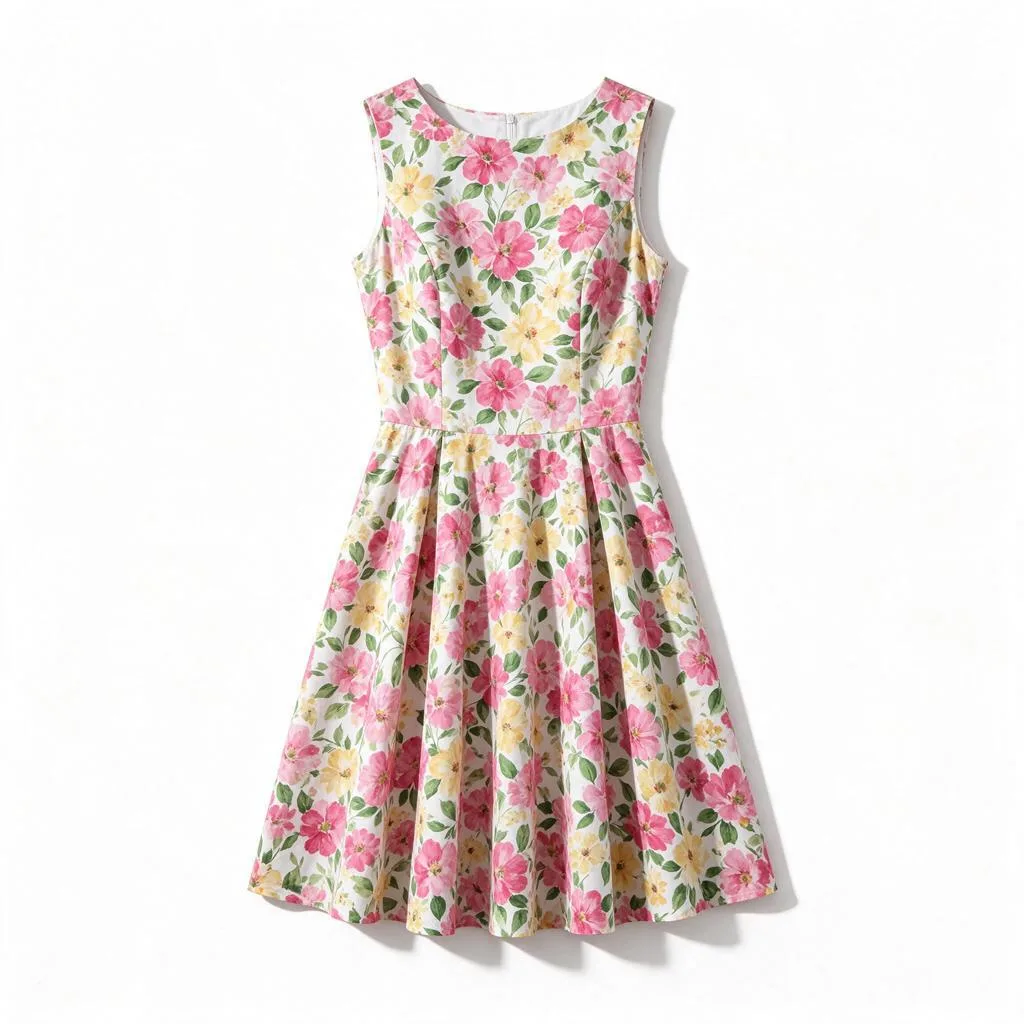
Floral Dress
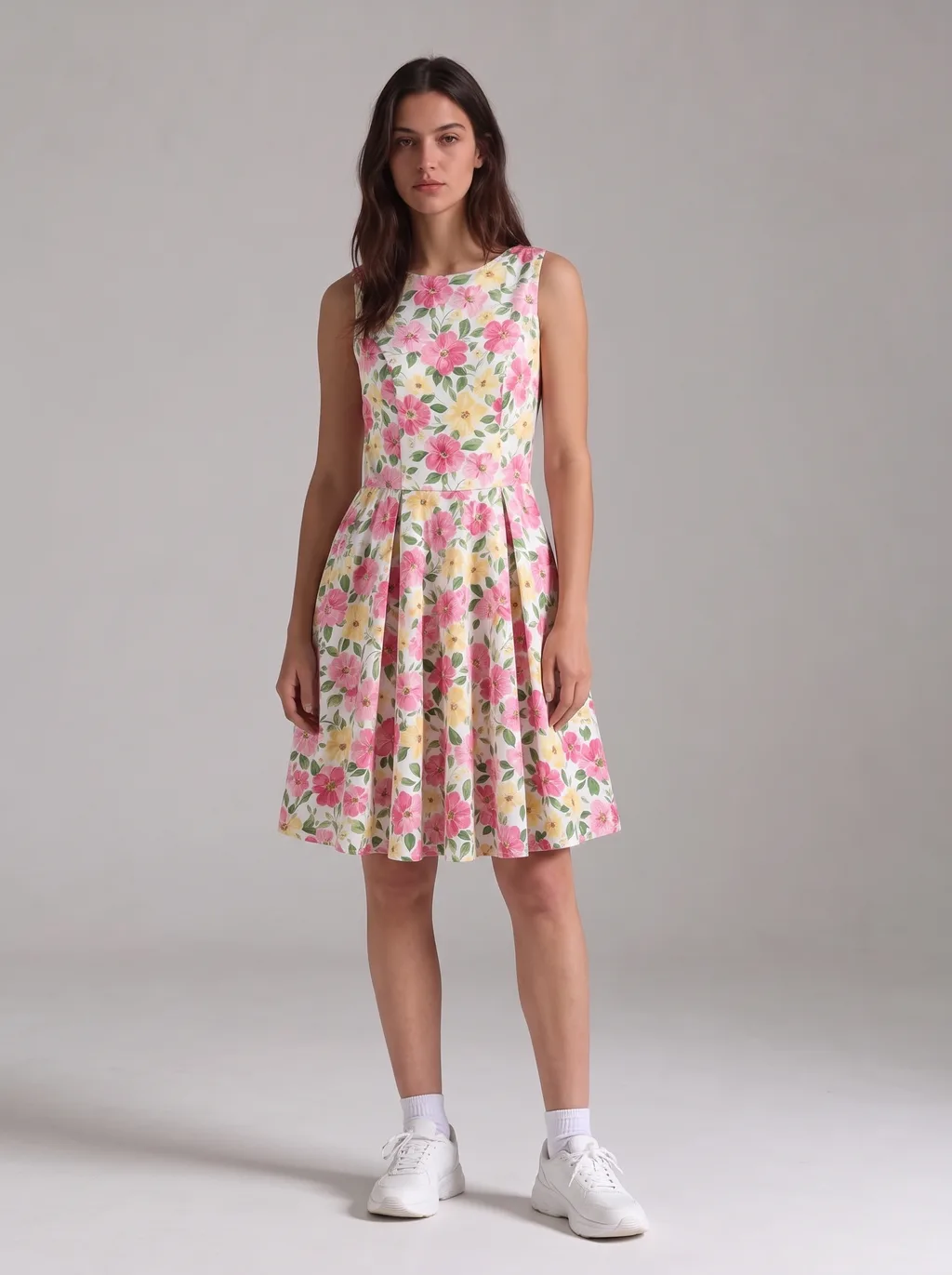
A full outfit swap — top and bottom replaced at once. The large pink and yellow flowers kept their scale, the sleeveless cut and knee length came out right, and the flared skirt fell naturally.
Leather Jacket
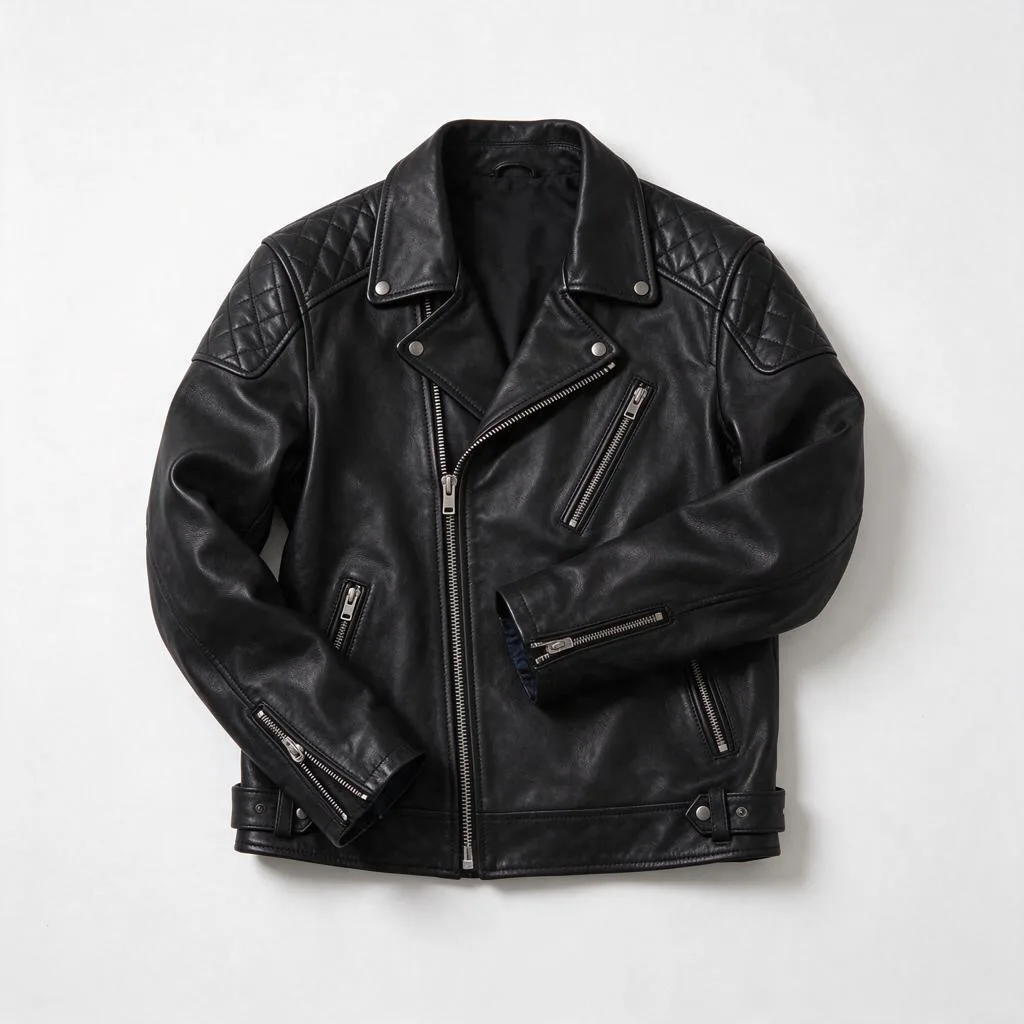
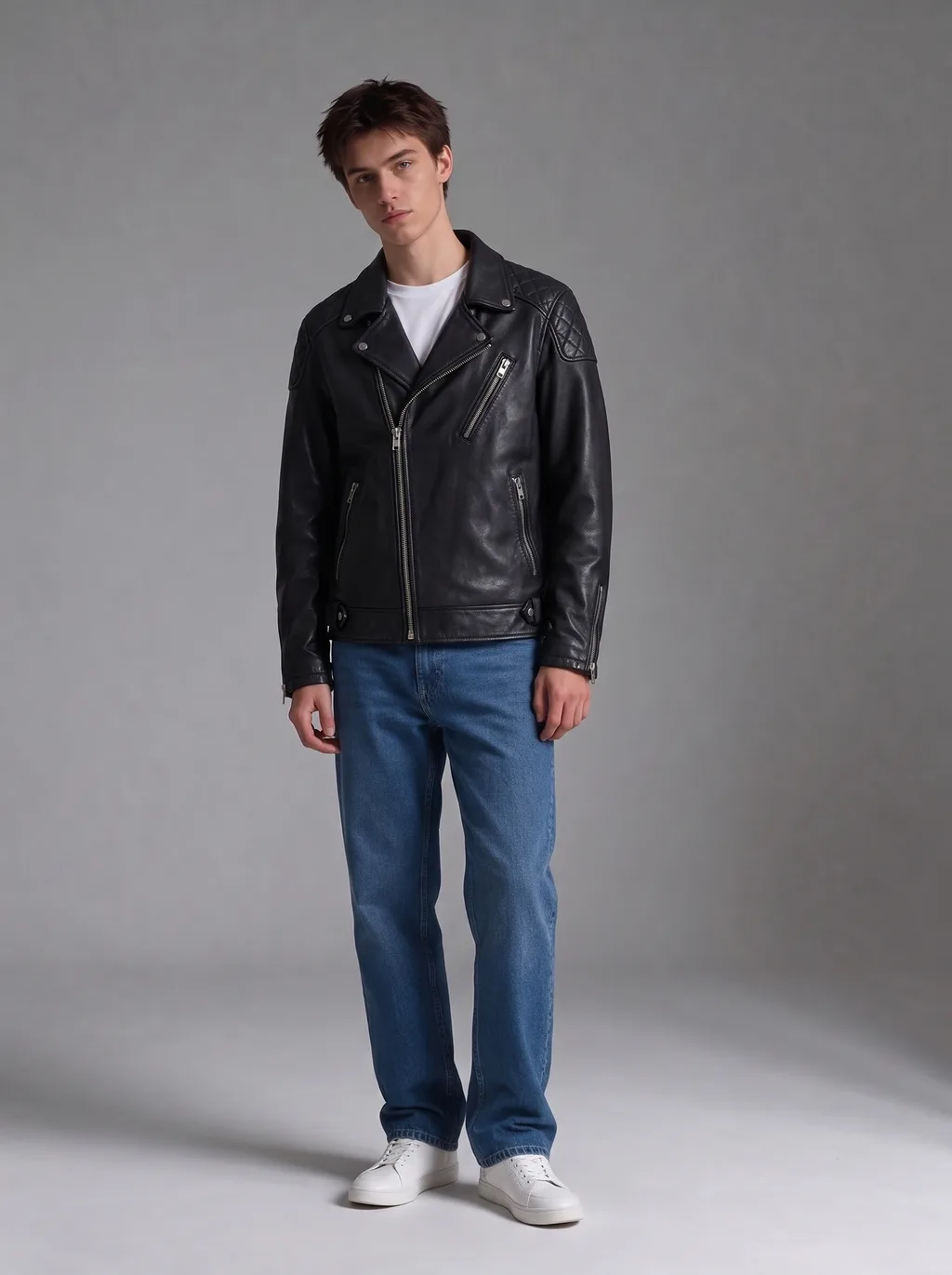
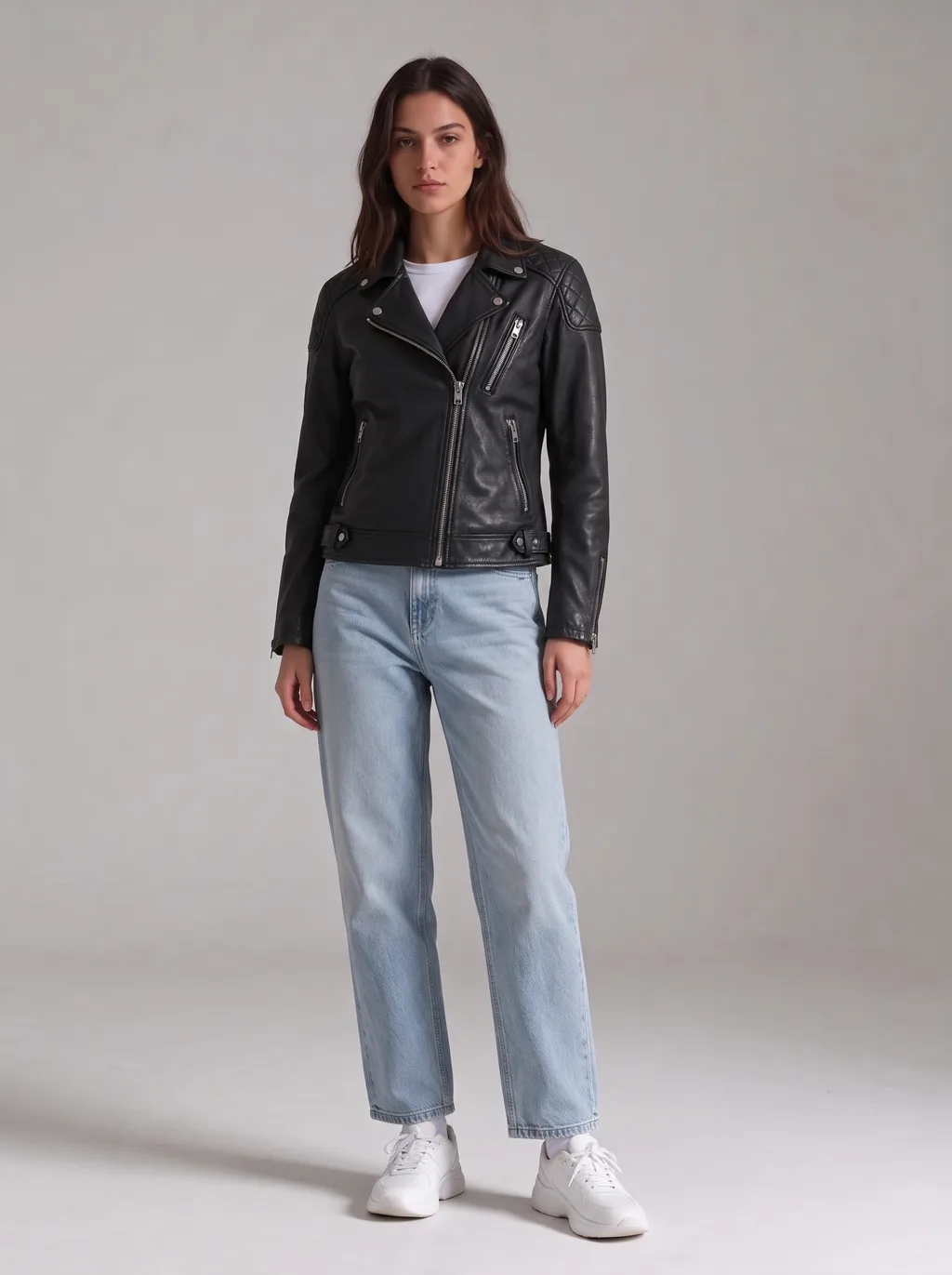
Layered over what you are already wearing. The biker jacket kept its asymmetric zip and quilted shoulders on both models — and the jeans and sneakers stayed exactly as they were.
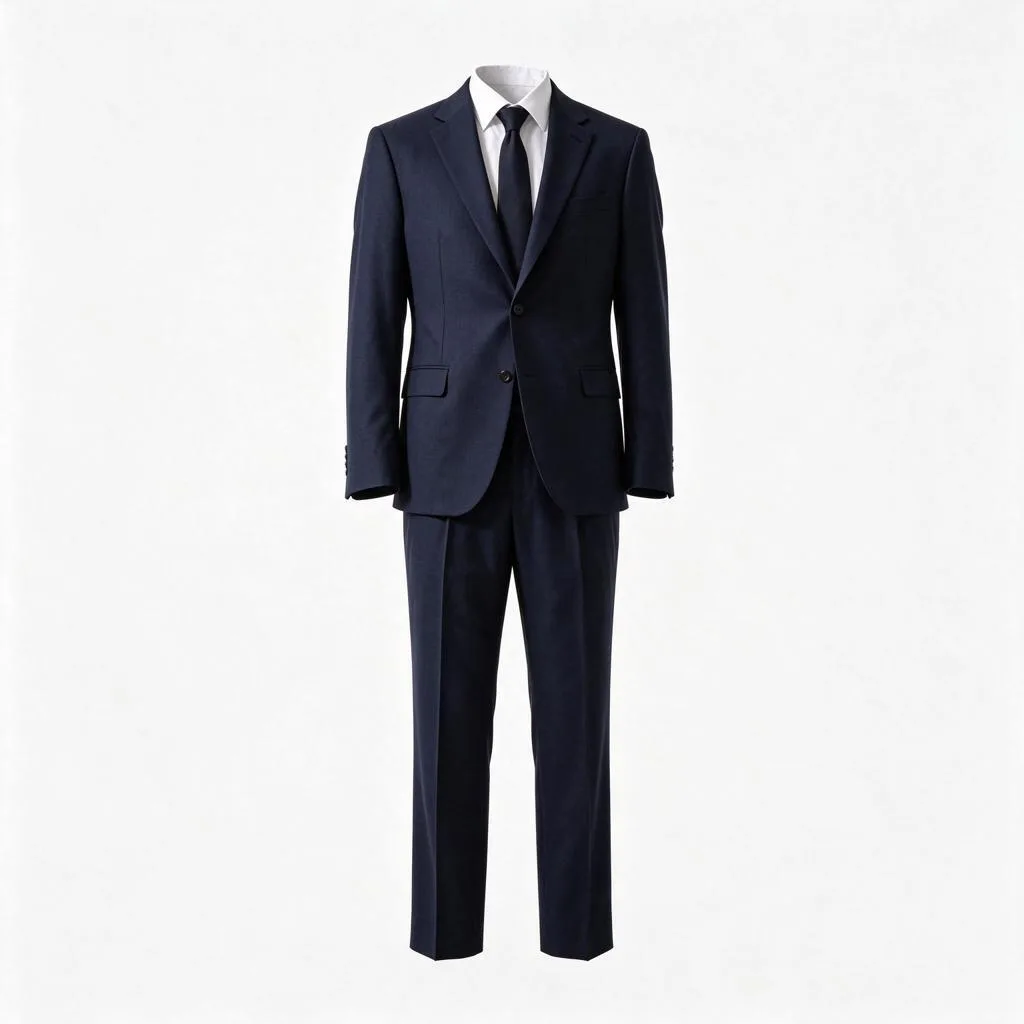
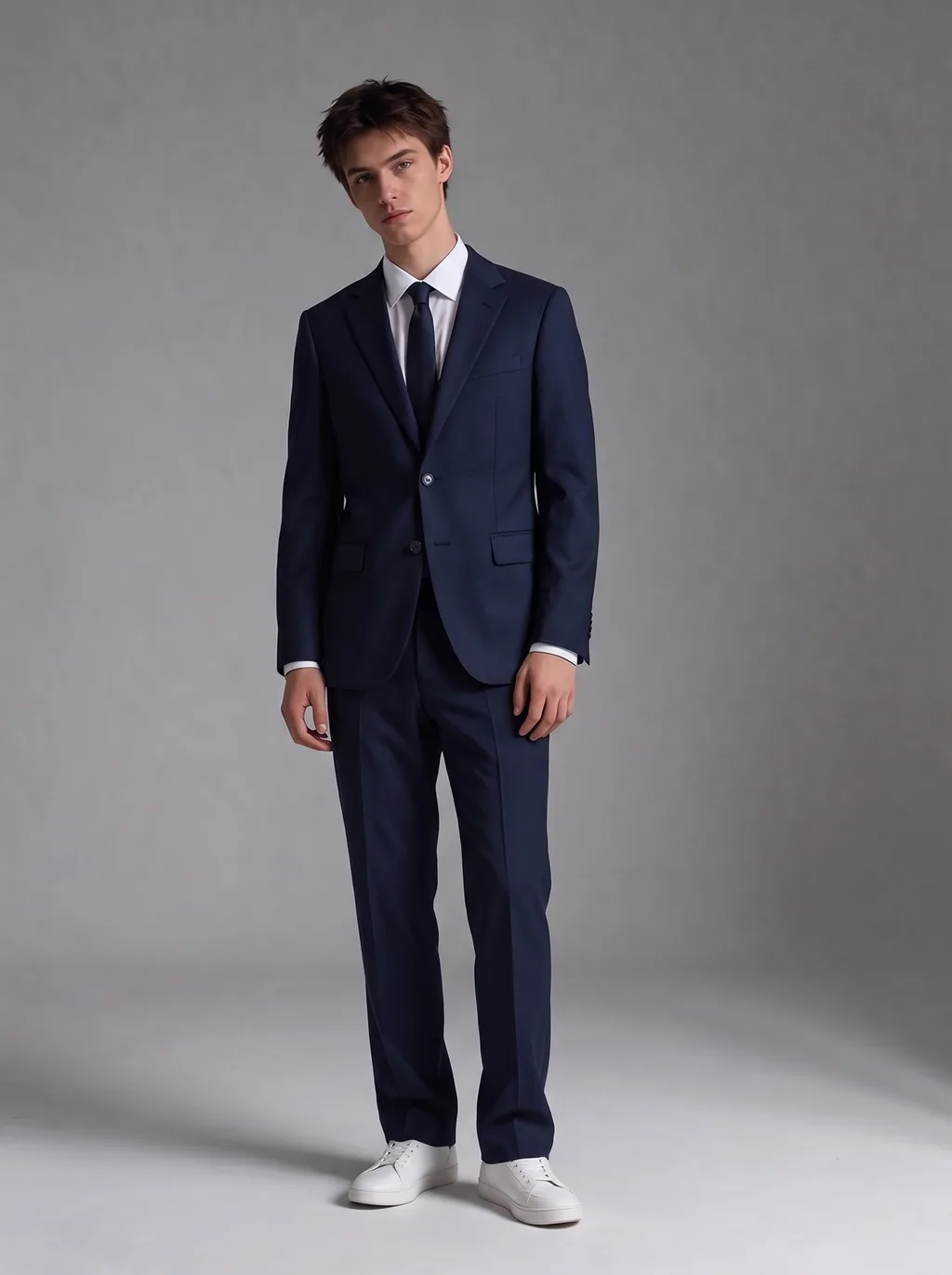
Formal Suit
The interview test: a navy two-piece, jacket and trousers, over a plain white shirt. The suit rendered with a tie in our test — the reference had one, so the model kept it.
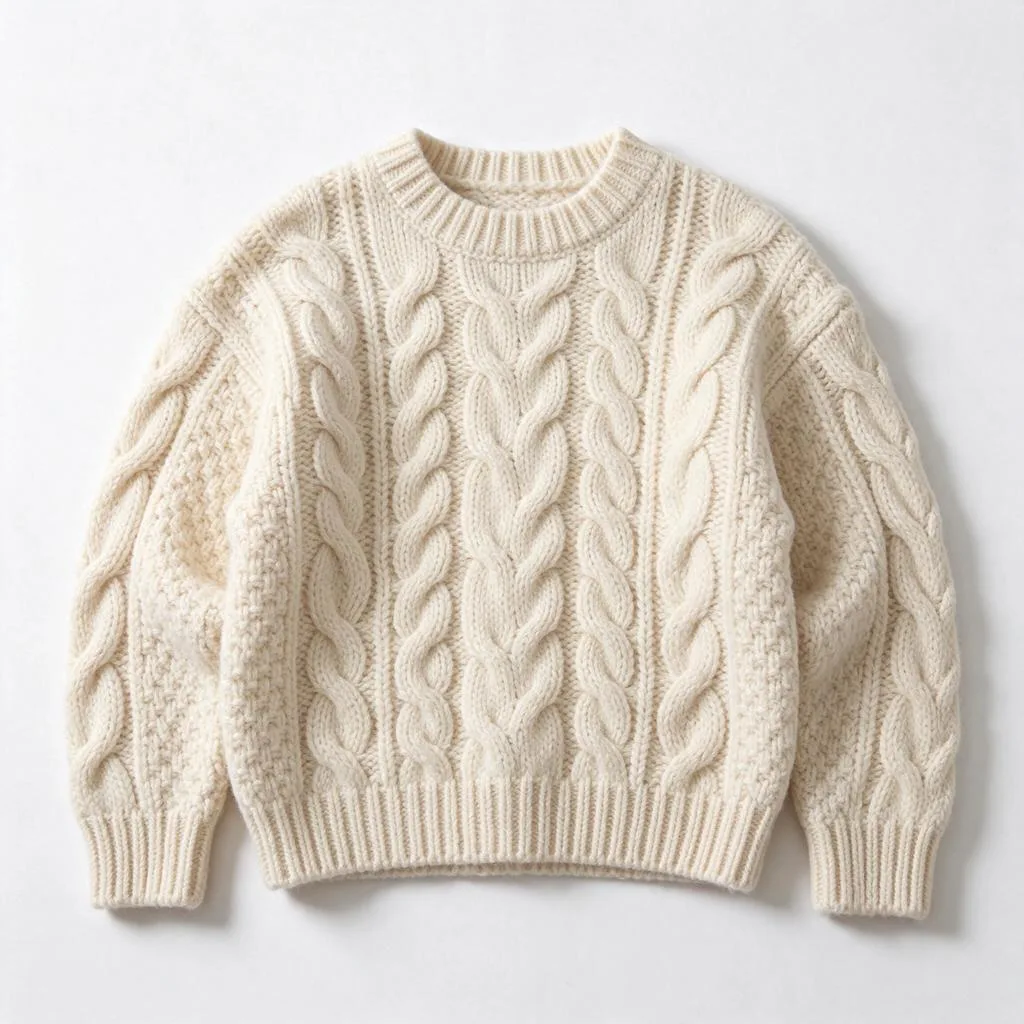
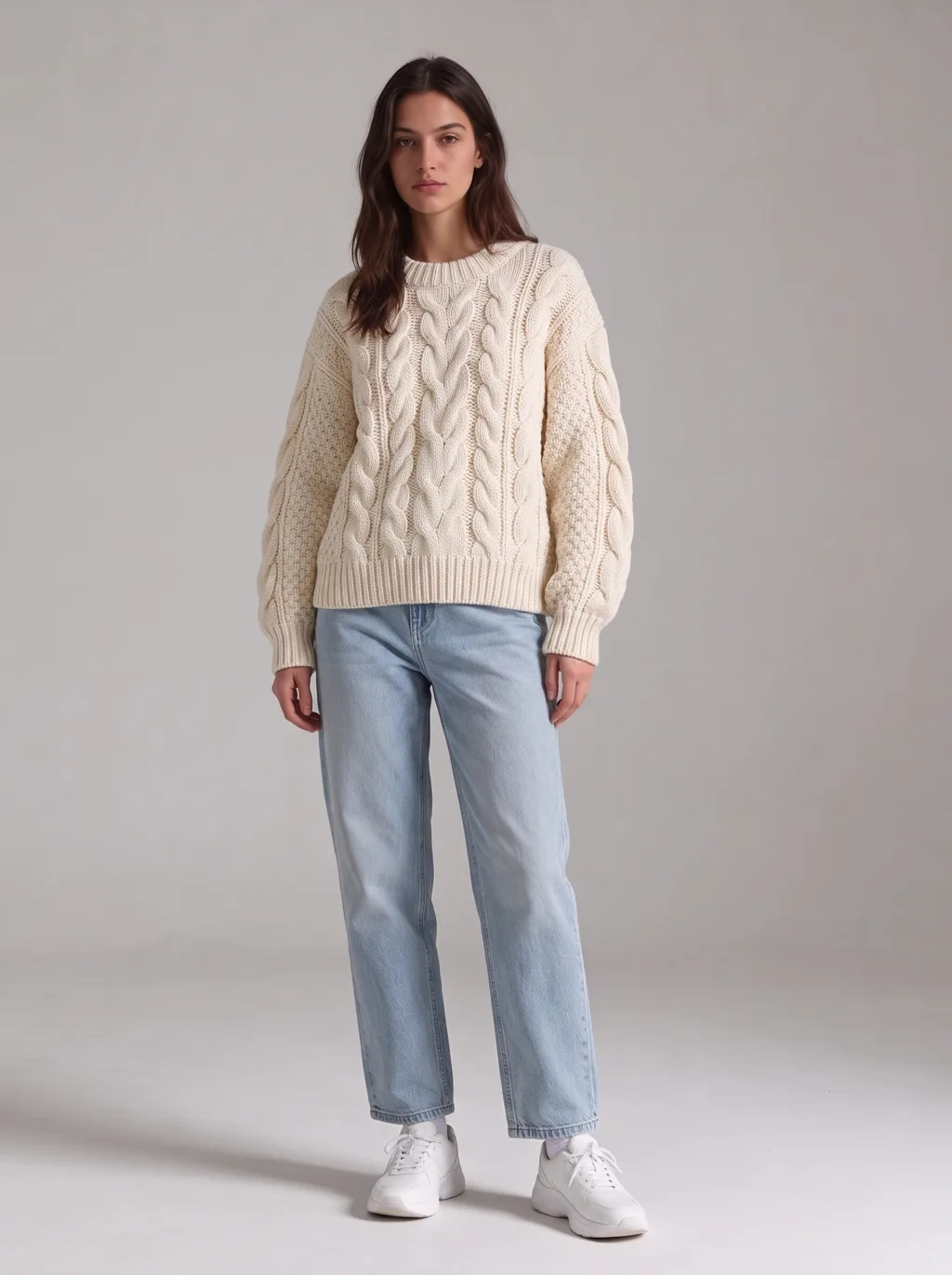
Knit Sweater
Texture is the challenge here — cable knit has to read as knit, not as a flat print. The chunky cream sweater kept its ribs and cables, and the oversized drape came out right.
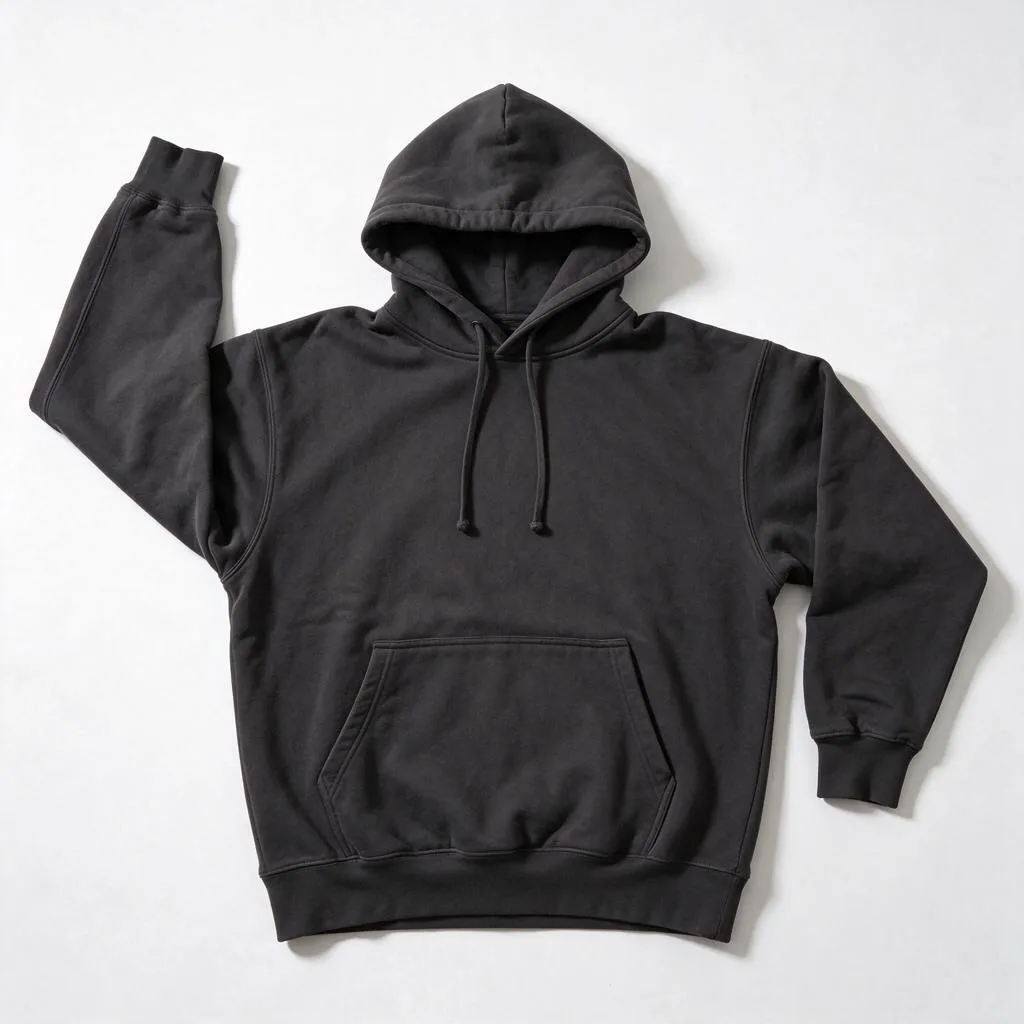
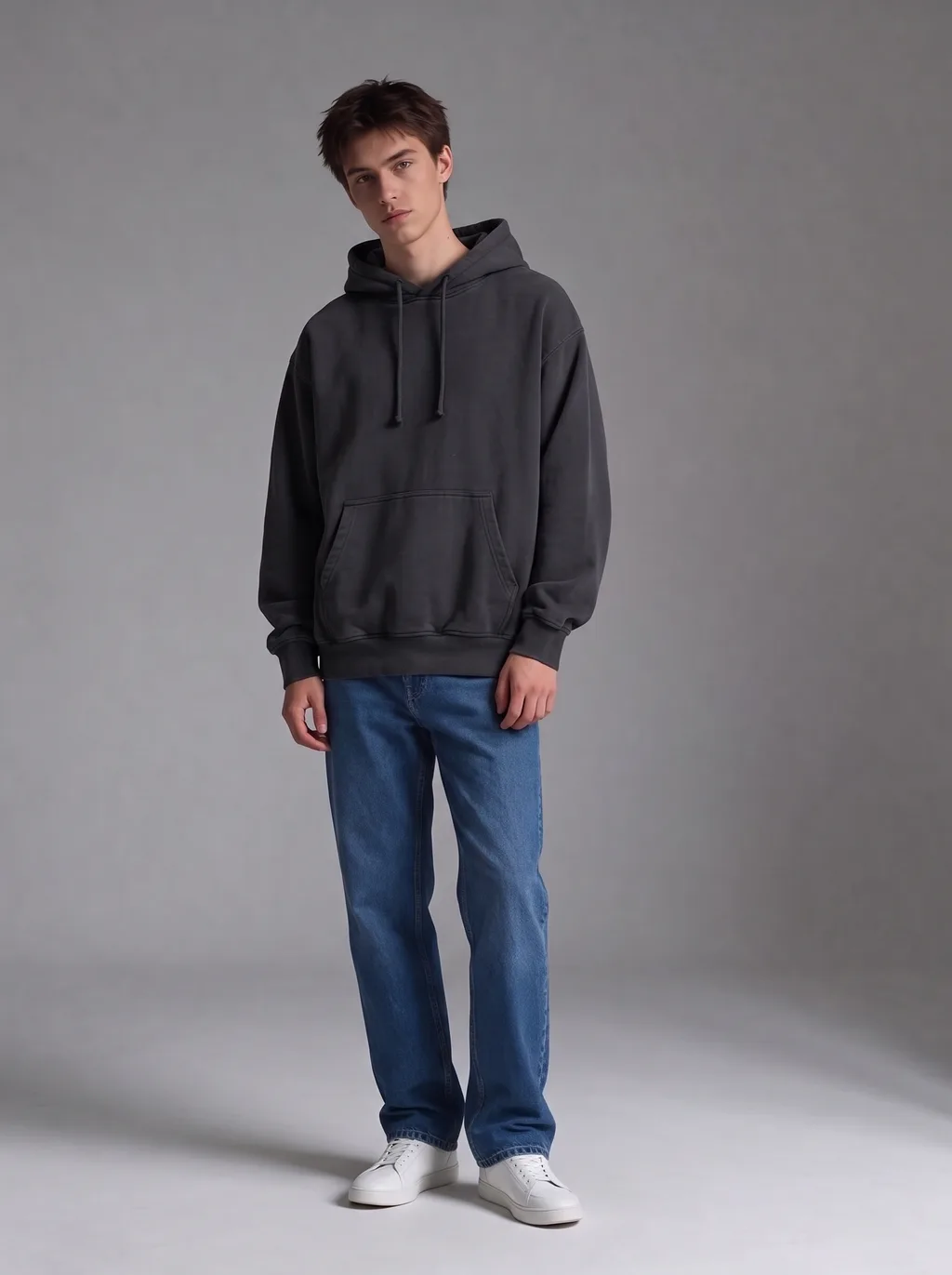
Hoodie
Oversized streetwear: the charcoal hoodie kept its drape and kangaroo pocket, sized like the real thing instead of shrinking to fit the frame.
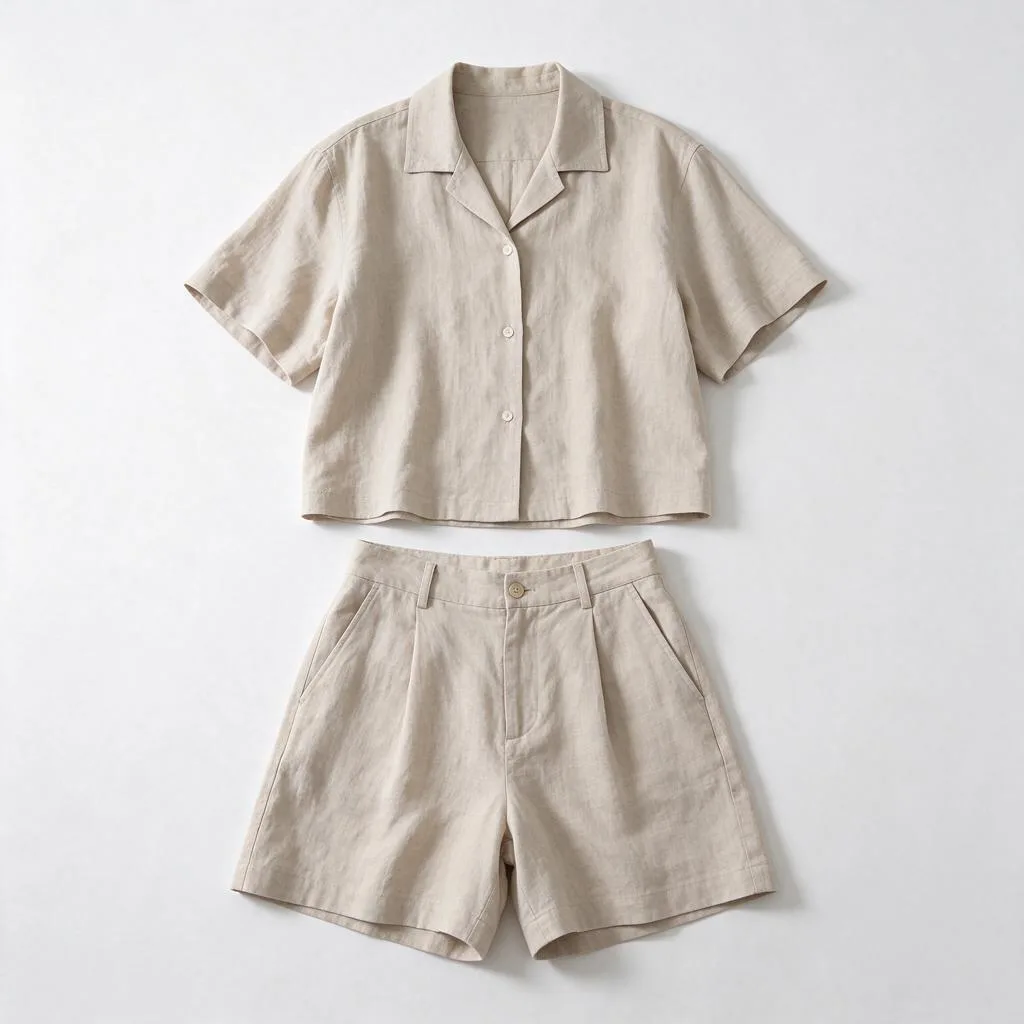
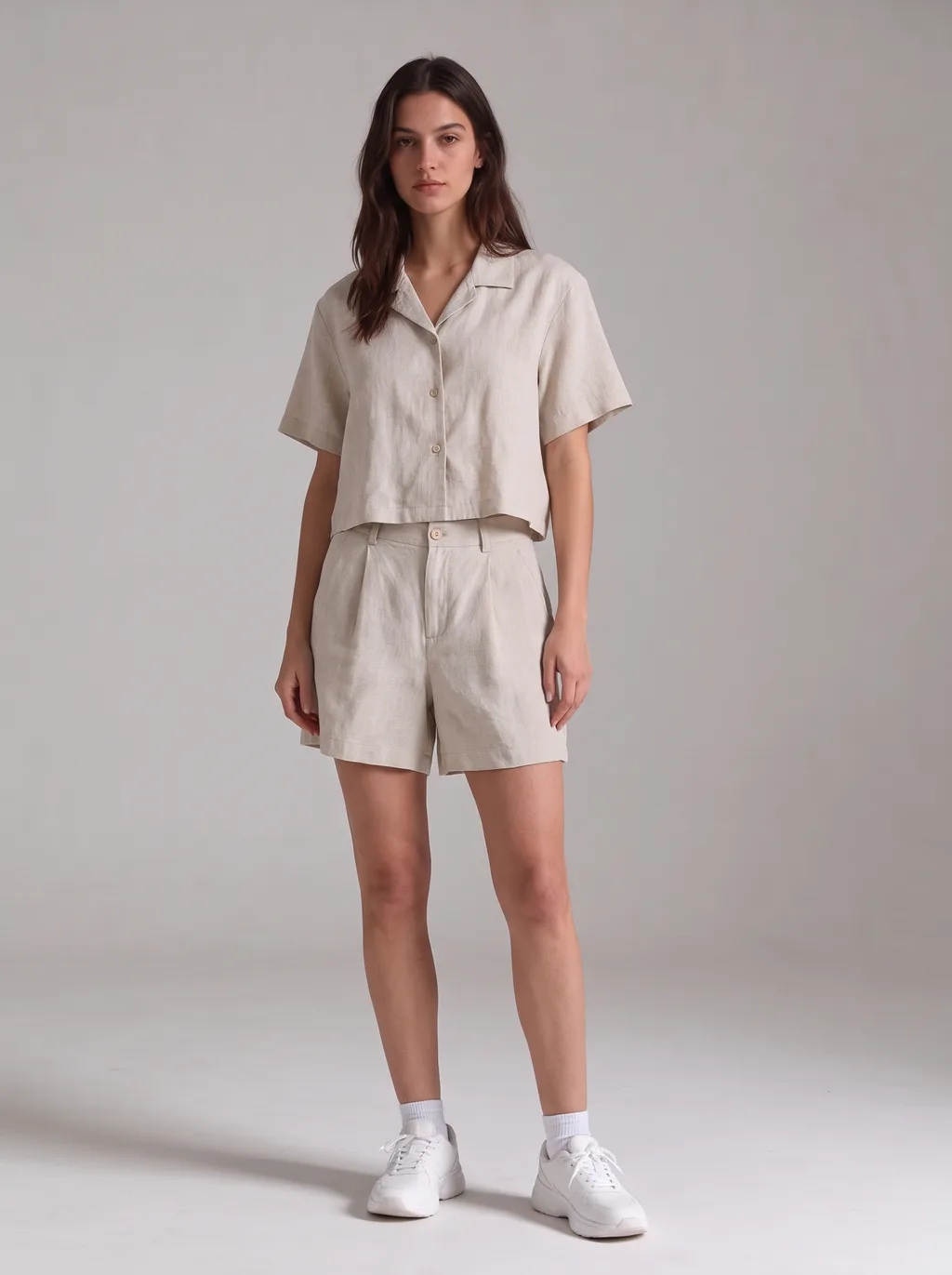
Summer Co-ord
A two-piece set in one try-on: the linen shirt and matching shorts landed as a set, with the linen texture intact and the relaxed fit as pictured.
03 · Whole outfit
One photo. A whole outfit.
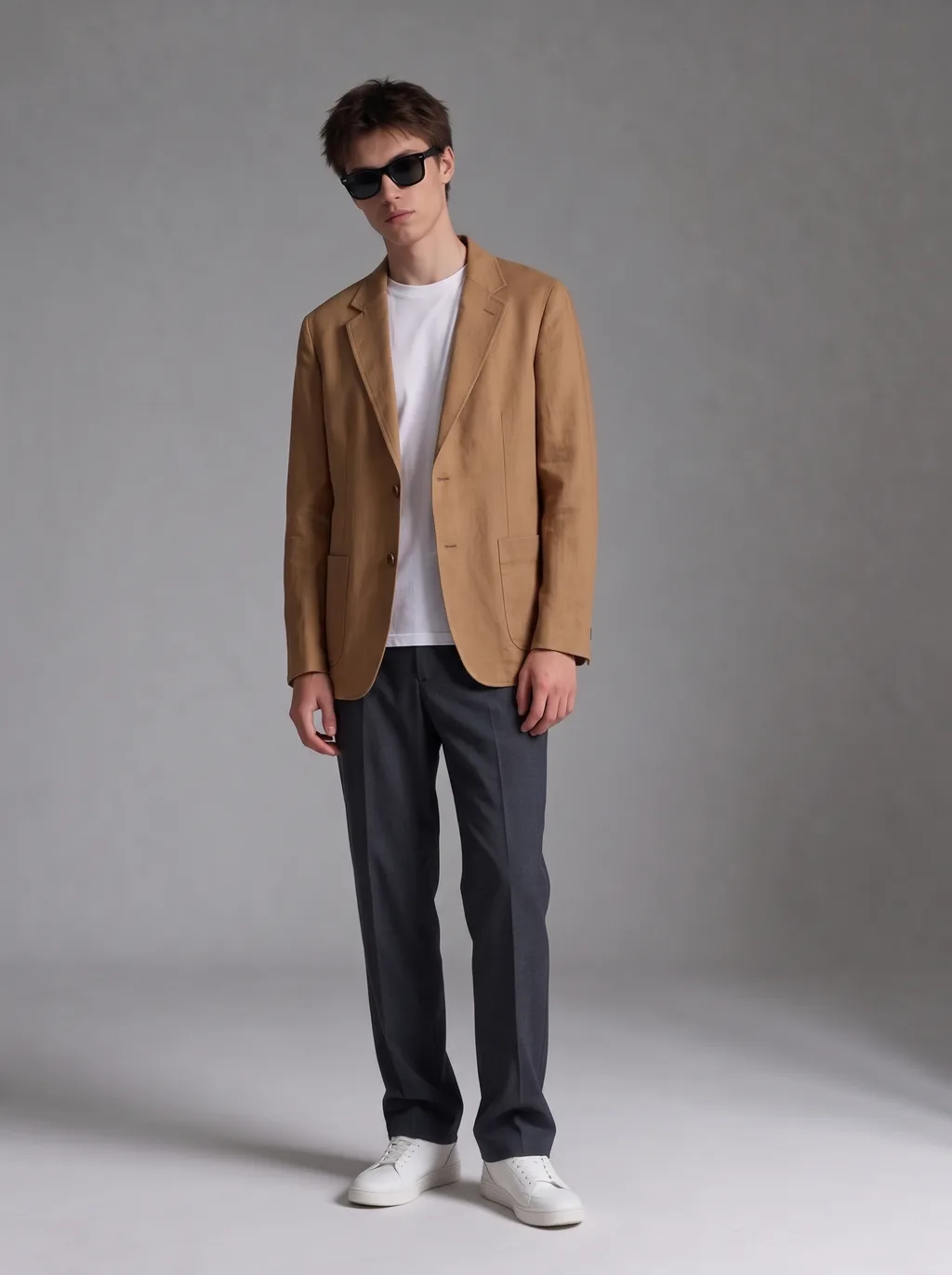
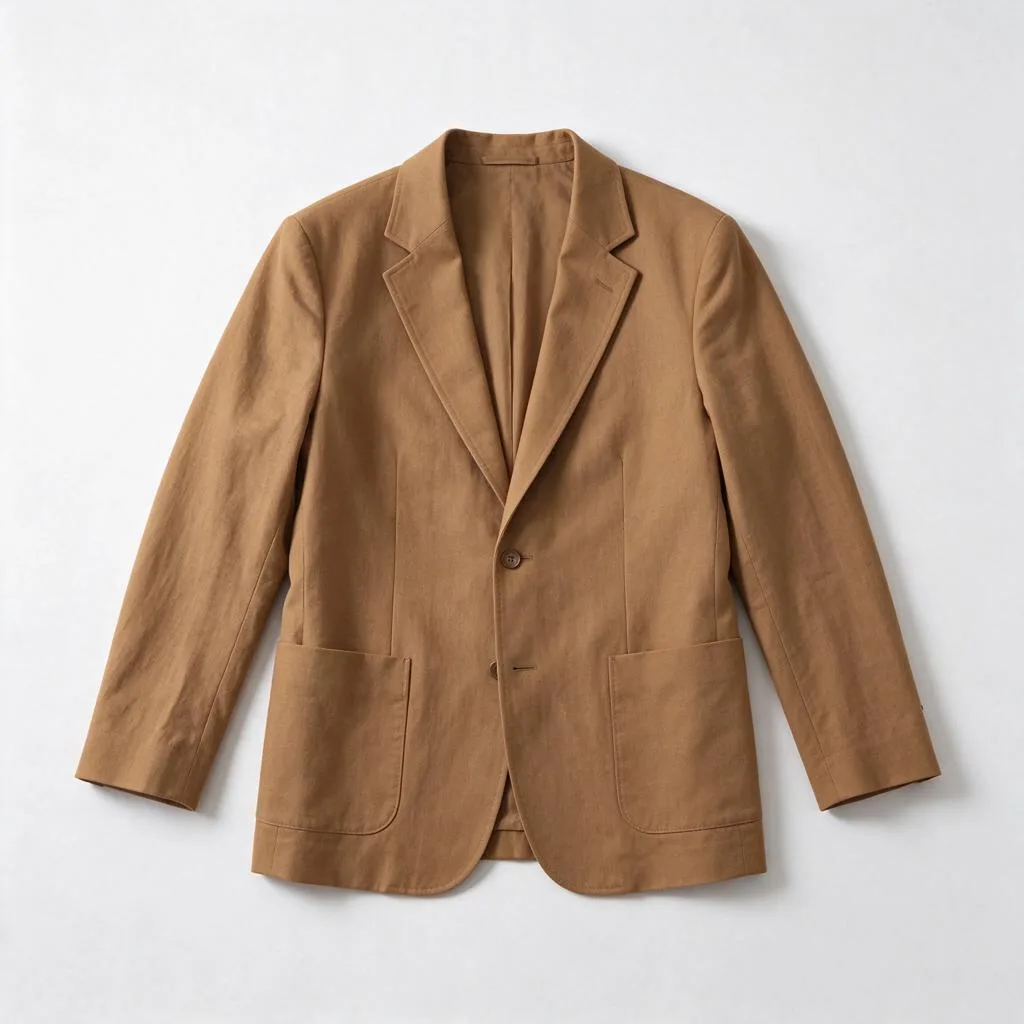
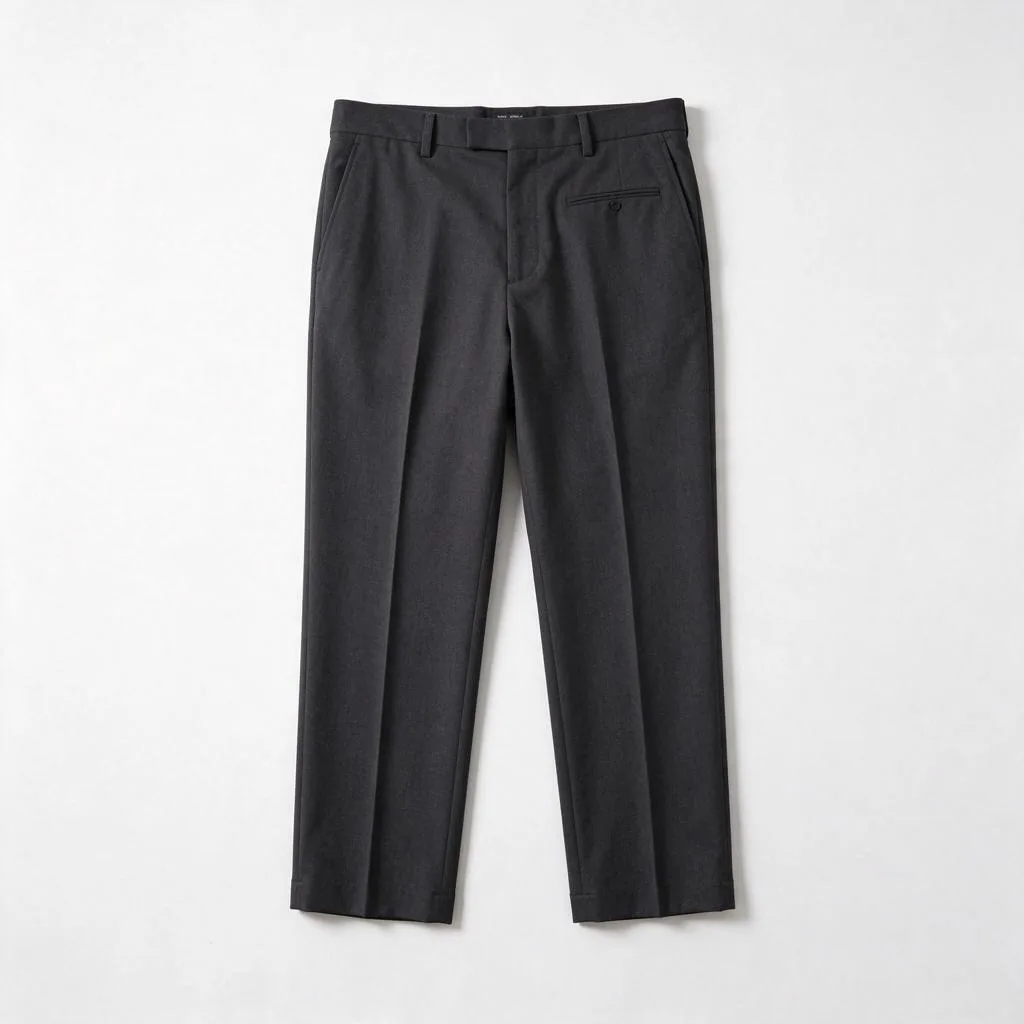
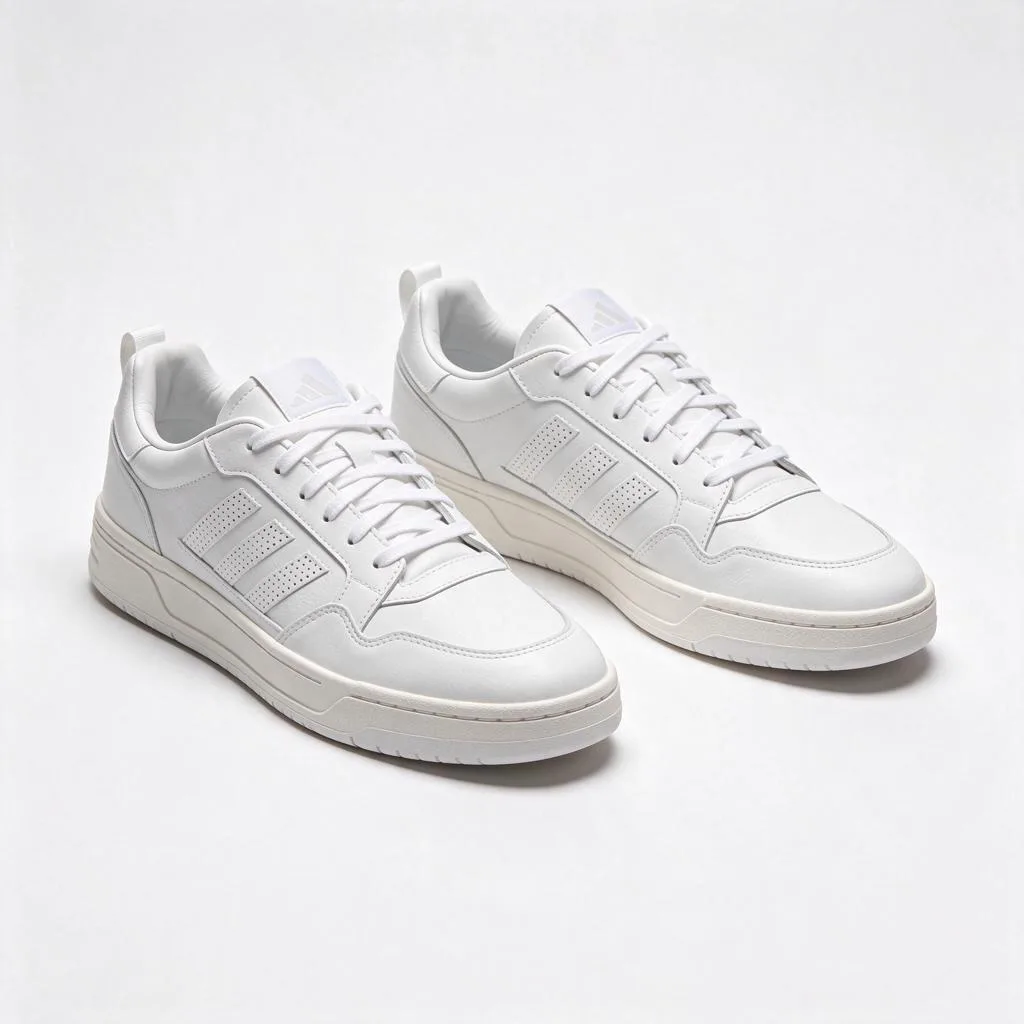
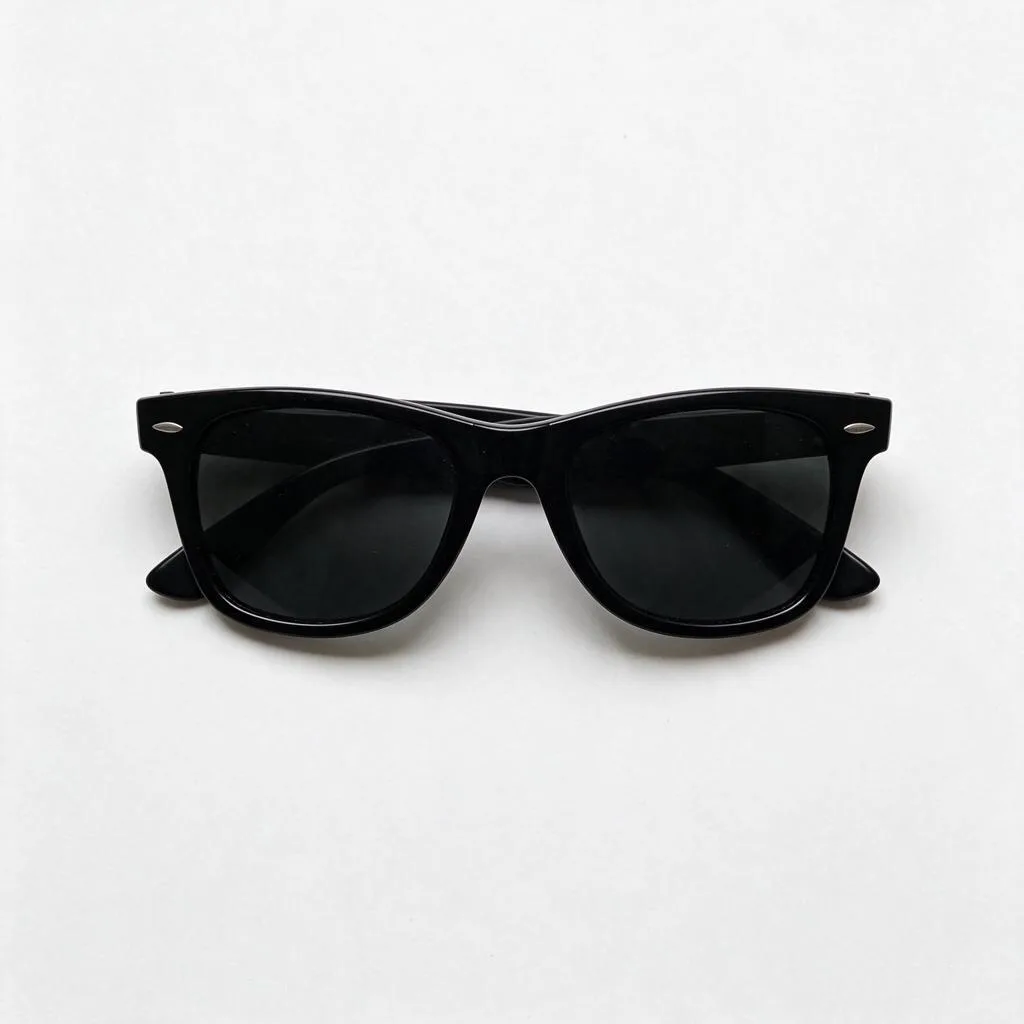
Most try-on tools change one garment at a time. This one takes up to 14 reference photos in a single generation — top, bottom, shoes, accessories — and dresses you in all of them at once. The look on the left is four separate product photos in one try-on:
+
 +
 +
 +
 →
one outfit
Camel blazer, charcoal trousers, white sneakers, sunglasses — all present, all faithful to their product photos, in a single 15-credit generation at 2K (11 credits + 1 per extra item). Upload your photo first, then the items in order: top, bottom, shoes, accessories.
This is a demonstrated case, not a limit: the same flow works with any combination up to 14 photos — a dress with a jacket and a bag, a suit with shoes and a watch.
04 · Tested
We tested garment fidelity before building this page
Before this page existed, we ran a garment-fidelity test: 3 models × 3 garments, 2K edits, two reference photos each — 9 try-ons, first attempt each. Every one passed on all four criteria: garment fidelity, identity, pose, artifacts. The hardest case was the graphic tee — readable text — and all three models spelled “WANDER MORE” correctly. Nano Banana 2.1 came closest to the reference on all three garments, so this page is bound to it.
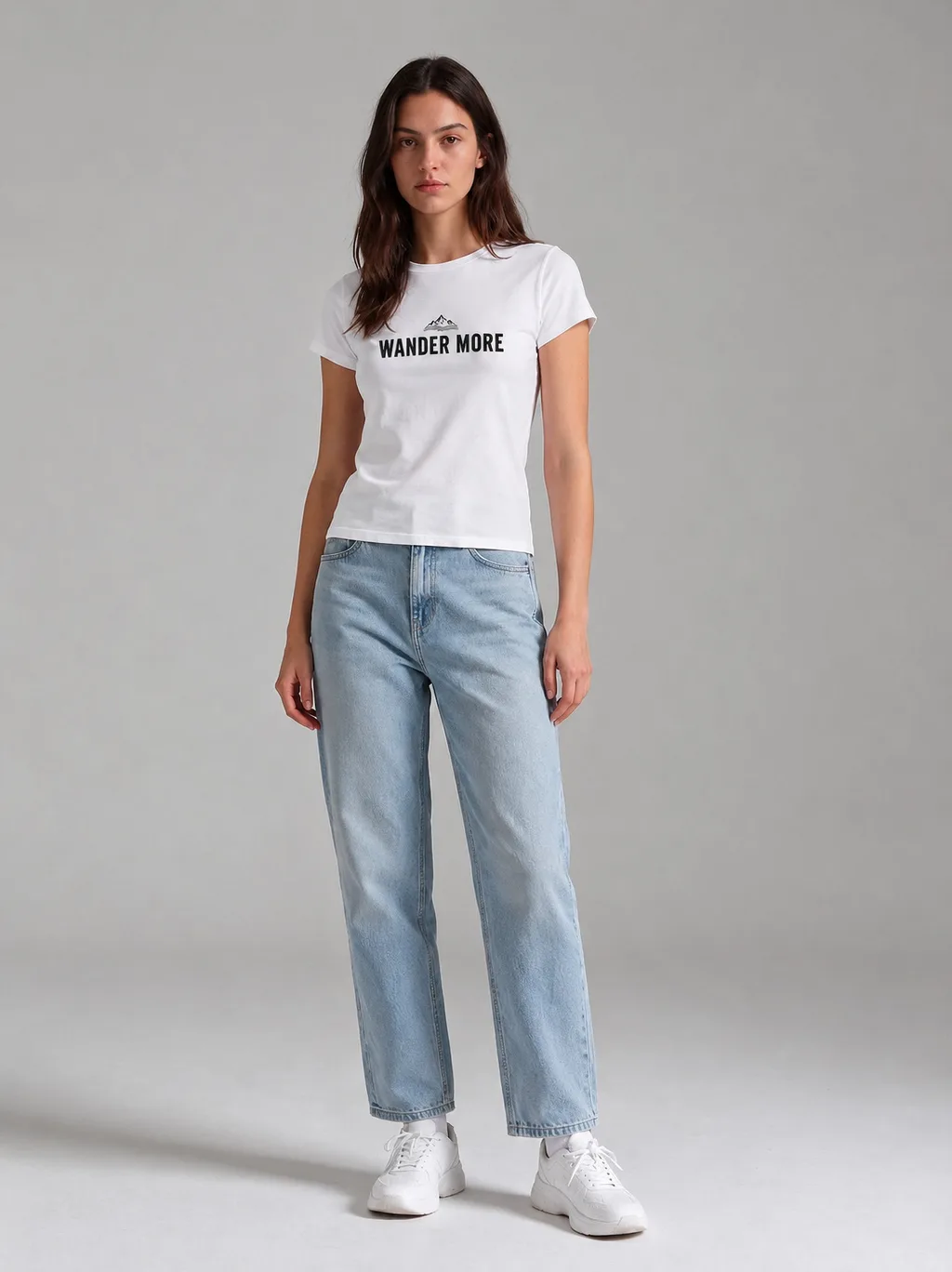
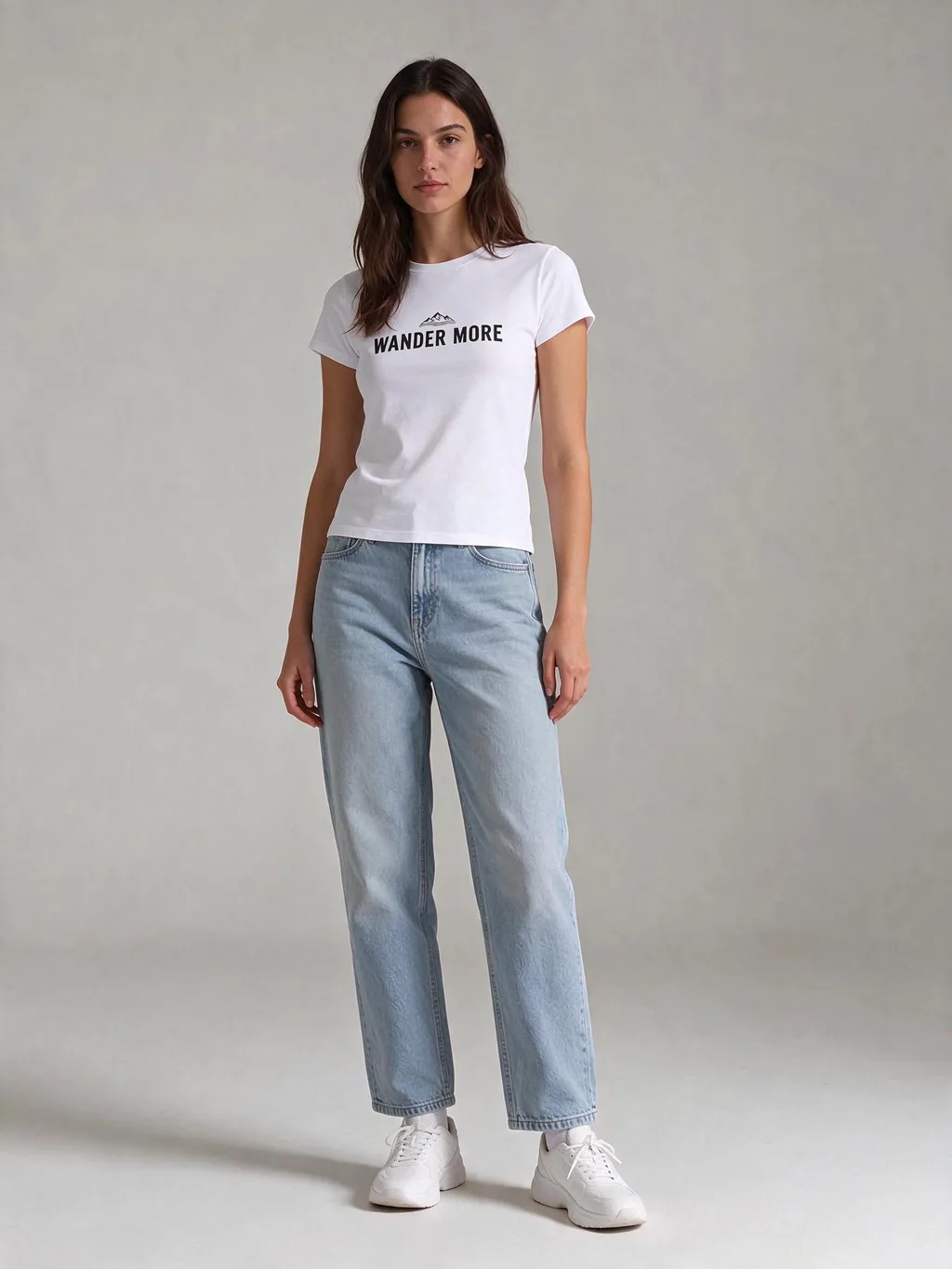
One caveat, stated plainly: each case ran once, on clean studio photos. Real photos — selfies, wrinkled garments, cluttered rooms — will vary more. The upload tips above are the test conditions, in plain words.
05 · Use cases
More than “try this shirt”
Try before you buy
Screenshot the product page, upload it with your photo, and see the item on you before the order ships. It won’t tell you the size — but it will tell you the look, which is usually the reason for the return.
Plan an outfit for an event
Wedding guest, interview, date night: try the outfit the week before, not the morning of. Generate 2–4 variations and pick the one that photographs best.
See a thrifted find on you
That vintage jacket or secondhand dress: photograph it flat, try it on, and decide before you commit — or before you list it back.
Sell clothes online
Etsy, vintage and Depop sellers: put a listing on a model without a photoshoot. One product photo + one model photo = a listing shot. Paid plans include a commercial license.
06 · Compare
How Pizyn compares
The honest version: Pizyn is not the cheapest per try-on — TryClothAI’s one-time pack and WearTryOn’s packs work out slightly cheaper. What you get here instead: no subscription, credits that never expire, whole outfits in one generation, and a 33-model studio.
| Pizyn | TryClothAI | WearTryOn | FitRoom | AIClothSwap | |
|---|---|---|---|---|---|
| Price per try-on | ≈ $0.12 (12 credits at 2K) | $0.09 ($9 one-time pack, 100 changes) | ≈ $0.07–0.09 (packs from $6) | Subscription only ($8–16/mo) | Subscription ($19.99/mo) |
| Subscription | None, ever — one-time packs, credits never expire | Optional ($39–59/mo plans) | Optional ($11–23/mo) | Required for full use | Required for paid tiers |
| Free start | 20 free credits on signup — covers the first try-on | 2 free changes a day, no sign-in | 10 welcome credits + 1 free own-photo try-on | 10 credits a month, watermarked | 2 free watermarked 1K trials |
| Watermark | None, on any tier | None stated | On the free try-on | Yes, on the free tier | Yes, on the free tier |
| Whole outfit in one try-on | Yes — up to 14 reference photos | No — one garment per generation | Yes — up to 3 pieces | No — one garment | Yes — up to 6 garments |
| Models | 33 models, one credit balance | Not disclosed | GPT Image 2.6 + more | Not disclosed | Not disclosed |
Prices as listed on each tool’s site, November 2026. FASHN’s dedicated try-on API is $0.075 per image — but that is a developer API, not a consumer tool.
07 · Pricing
AI Clothes Changer pricing
One try-on costs 9 credits at 1K, 12 at 2K, 25 at 4K — about $0.09–0.25 each. A five-photo whole outfit is 15 credits at 2K. Your 20 free signup credits cover the first try-on.
Mini pack
Best for a first top-up
$5
One-time · ≈ $0.01 per credit
≈ 83 Seedream images
≈ 100 GPT Image 2.6 drafts
- Full ownership & commercial rights
- Credits never expire
- Charged only on success
Most popular
Pro pack
Best for regular creative work
$20
One-time · ≈ $0.01 per credit
≈ 333 Seedream images
≈ 83 Nano Banana Pro 2K finals
- Full ownership & commercial rights
- Credits never expire
- Charged only on success
Studio pack
Best for high-volume projects
$50
One-time · ≈ $0.01 per credit
≈ 866 Seedream images
≈ 1,040 GPT Image 2.6 drafts
- Full ownership & commercial rights
- Credits never expire
- Charged only on success
Max pack
Best for the heaviest workloads
$100
One-time · ≈ $0.01 per credit
≈ 1,800 Seedream images
≈ 450 Nano Banana Pro 2K finals
- Full ownership & commercial rights
- Credits never expire
- Charged only on success
One-time packs from $5 (500 credits, never expire). Full pricing on the pricing page.
08 · FAQ
Frequently asked questions
How much does one try-on cost?
9 credits at 1K, 12 at 2K, 25 at 4K — about $0.09–0.25 each in pack terms, for a two-photo try-on (your photo + the garment). A whole outfit costs 1 extra credit per extra item: the five-photo example above is 15 credits at 2K. You are charged only when a generation succeeds.
Do I need a subscription?
No. There is no subscription on Pizyn at all: packs are one-time purchases, credits never expire, and nothing auto-renews. A $5 Mini pack (500 credits) covers more than forty 2K try-ons.
Does it show whether clothes fit?
No — it shows how an outfit looks on you, not whether it fits. Sizes, measurements and stretch still need the size chart and a tape measure. That is also why virtual try-on does not reliably cut returns: it answers the style question, not the size question.
What photos work best?
Your photo: full-body, front-facing, arms at your sides, even light, a plain background if you can. The garment: a flat-lay, a product shot or a store screenshot, well lit, no wrinkles in the photo. Text and logos come out best when they are large and legible in the garment photo.
Can I try a whole outfit at once?
Yes — up to 14 reference photos in one generation: top, bottom, shoes, accessories. The whole-look example above used 5 photos (15 credits at 2K). Upload your photo first, then the items in order.
Can I use a screenshot from a store?
Yes — a screenshot of a product page works as the garment photo. Crop it to the garment if you can; the cleaner the item, the cleaner the try-on. It is the fastest way to try before you buy.
Can I use the results for my shop?
Yes — paid plans include a commercial license: the results are yours to use, including in a listing. Etsy, vintage and Depop sellers use it for listing photos: one product photo + one model photo, no photoshoot.
What happens to my photos?
Your uploads are used only to generate your result. Generated images stay in your library until you delete them or close your account; after account deletion, remaining personal data is erased or anonymised within 30 days. See the privacy policy for the full terms.
What if the garment comes out wrong?
Regenerate it — each attempt is a fresh generation, and you are charged only on success. Small prints, tiny text and intricate patterns can vary; if a detail matters, make sure it is large and clear in the garment photo. For a small fix, upload the result and describe the change instead of starting over.
Can I try clothes on someone else’s photo?
Only with their permission — adults only. This tool is made for real shopping decisions: everyday clothing on clothed adults. Uploads are screened, and deceptive or explicit use is not allowed.