 Pizyn
The short answer
- Open the AI GIF Maker — it runs on GPT Image 2.6, the one model in this studio that draws GIFs natively.
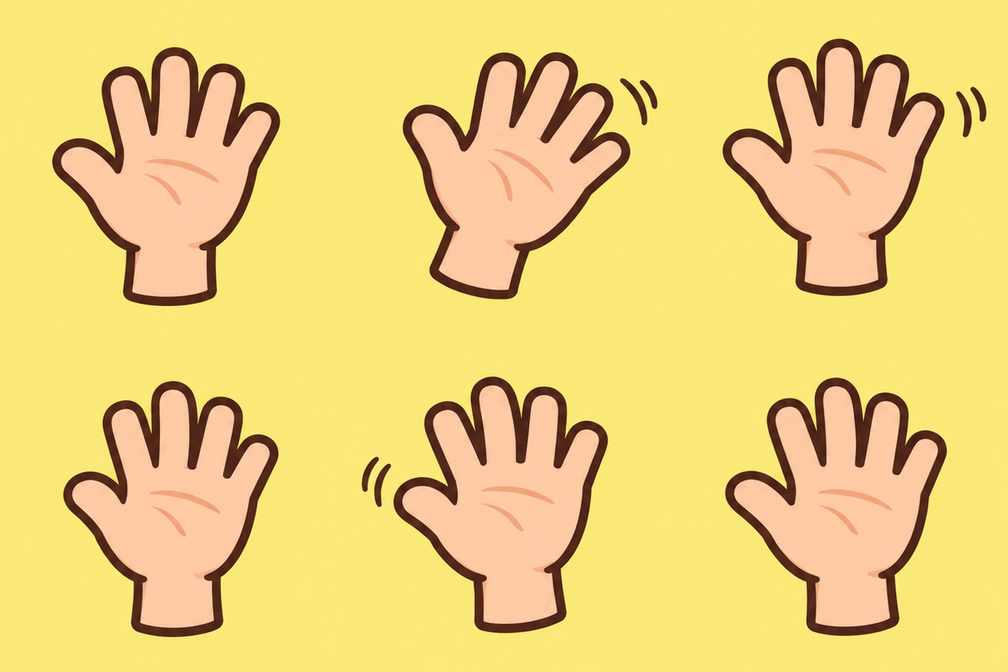
- Describe one scene and one motion: "a cute cartoon hand waving hello, flat sticker style, plain soft yellow background, seamless loop, static camera".
- Generate at medium quality for 9 credits. The default is 9 frames at 200 ms each — a 1.8-second loop.
- Download the GIF and post it. It loops forever, no video editor, no conversion step.
That is the whole workflow. The rest of this article is the evidence: what the four test GIFs actually did, how we measured whether the loops close, and the two limits — small output size and the one-motion rule — that decide whether a GIF is worth generating at all.
What "native GIF" means here
Most tools that advertise AI GIFs generate a video and convert it down: frames get dropped, colours get crushed to a 256-colour palette after the fact, and the seam where the loop restarts is wherever the video happened to end. GPT Image 2.6 works differently. Its text-to-image endpoint takes output_format: "gif" with frame_count (2–16) and frame_duration_ms (20–2000), and returns an animation it planned as a loop, per the model's published schema. That is why the loops in this article close as well as they do, and it is also why the failure case below fails the way it does: the model plans the motion, so a prompt with four motions gives it four things to plan and no clean way back to the start.
Two things the format does not do: there is no sound, and the edit endpoint does not return GIFs — edits come back as stills (PNG, JPEG or WebP). So a GIF is a text-to-image job, start to finish. The AI GIF Maker also offers a Photo to GIF mode that animates your own photo; that mode was not part of this test, and everything below is text-to-GIF only.
The test: four GIFs, four motions
All four were generated on November 17, 2026 with GPT Image 2.6 (Flare tier) at 1:1, 1K, medium quality, 9 frames at 200 ms — the studio defaults for a GIF job. First outputs, no re-rolls. Generation took 18 to 87 seconds each, slower than the ~6-second stills this tier is known for; the model is drawing nine frames, not one.
| Waving hand (reaction) | "A cute cartoon hand waving hello, friendly flat sticker style, plain soft yellow background, seamless loop, static camera" | 9 frames · 222 KB · loops cleanly |
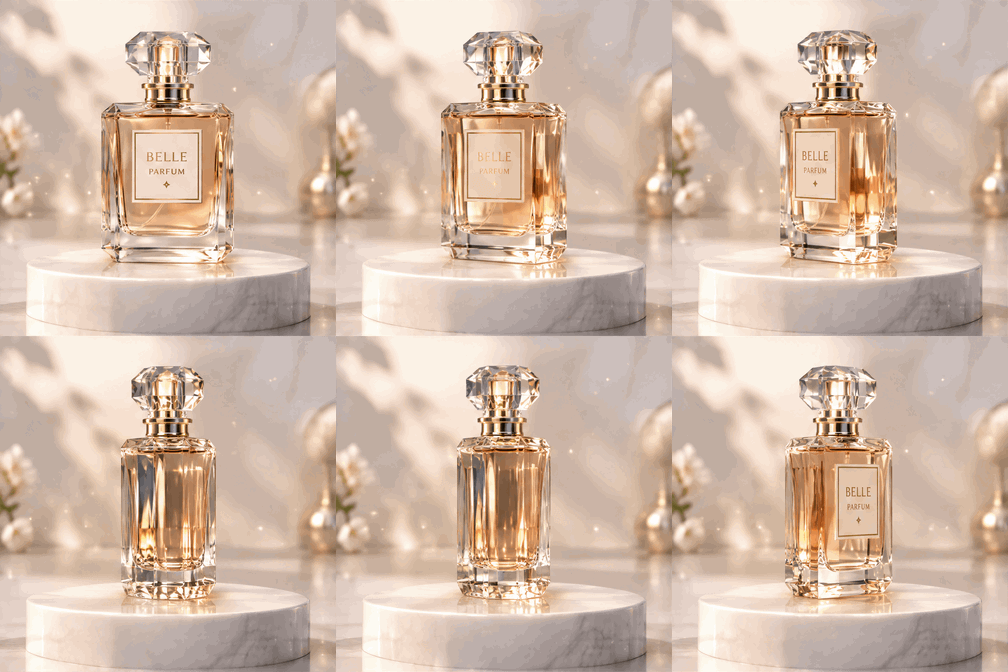
| Perfume bottle (product) | "A glass perfume bottle slowly rotating on a white pedestal, soft studio light, tiny sparkles, seamless loop, static camera" | 9 frames · 422 KB · loops cleanly |
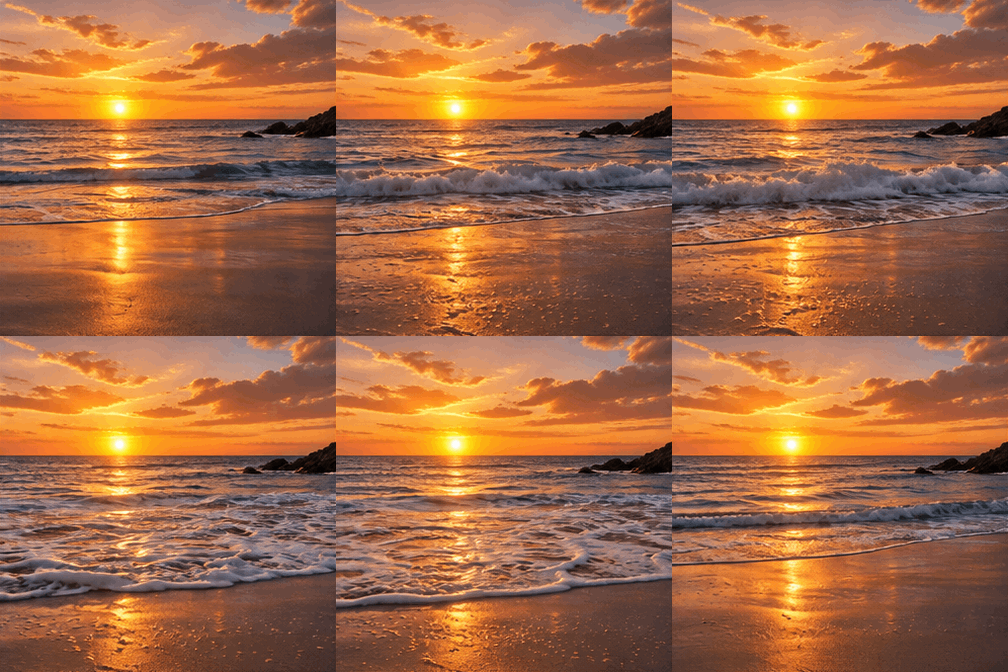
| Sunset waves (ambient) | "Gentle ocean waves rolling onto a sandy beach at golden sunset, seamless loop, static camera, cinematic" | 9 frames · 564 KB · loops, gentle seam |
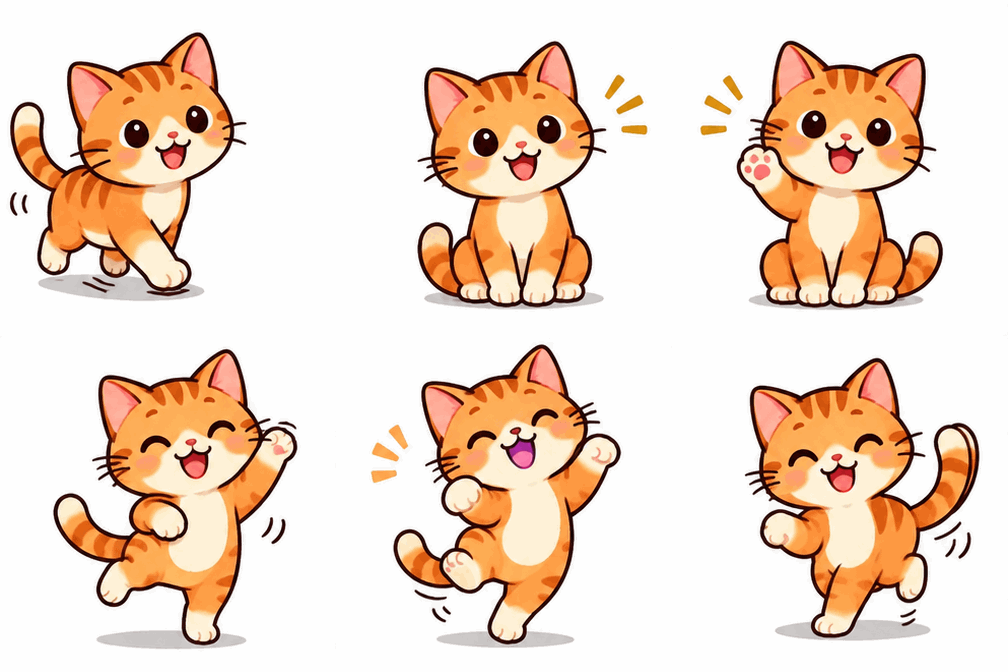
| Cat, four actions (deliberate failure) | "A cute orange cat walks into frame, sits down, waves its paw, then dances, flat illustration, seamless loop" | 9 frames · 208 KB · jumps at the seam |
How we checked the loops
"It looked smooth" is not evidence, so we measured the files with Python (PIL) instead of trusting the preview. Every file is a genuine GIF: 9 frames, each 200 ms, 336 × 336 px. Then we compared the first and last frames pixel by pixel — for a loop to close, the last frame has to flow back into the first — and measured the biggest jump between any two consecutive frames:
| Waving hand | First vs last frame: 15.6 · Biggest frame-to-frame jump: 24.3 |
| Perfume bottle | First vs last frame: 13.3 · Biggest frame-to-frame jump: 12.2 |
| Sunset waves | First vs last frame: 13.4 · Biggest frame-to-frame jump: 18.0 |
| Cat, four actions | First vs last frame: 42.5 · Biggest frame-to-frame jump: 35.5 |
The numbers are mean absolute per-channel differences on a 0–255 scale — lower means the frames are closer. The three single-motion GIFs all land between 13 and 16 on the loop-closure check, with no single jarring jump between frames. The four-action cat scores 42.5, roughly three times worse, and its biggest frame-to-frame jump (35.5) is the pose change from walking in sideways to dancing front-on. The measurement matches what your eye sees: the cat does not smear or melt — the model is too good for that — it just never comes home. A loop that ends in a different pose from the one it started in will always jump at the seam.
Check any GIF the same way: Image.open("file.gif").n_frames gives the frame count, and comparing the first and last frames tells you whether the loop closes before you post it.
Prompt rules that worked
- One motion per GIF. "Waving", "rotating", "waves rolling in" — each test that followed this rule looped. The four-action prompt is the counterexample, and it failed on loop closure, not on image quality.
- End where you start. Add "seamless loop" and, better, describe a pose the scene can return to — "…and settles back to the starting pose". The hand does this; the cat does not, because four actions leave nowhere to return from.
- Keep the camera still. All three good tests say "static camera". A moving camera gives the model a second motion to plan, and the background starts drifting between frames.
- Short prompts beat detailed ones for motion. Put the detail into the subject — the bottle, the sunset, the sticker style — not into the choreography. The model plans nine frames from your words; a paragraph of stage directions is nine frames of confusion.
- Match the style to the job. Flat sticker style is forgiving for reaction GIFs: bold shapes, plain background, small motion. Cinematic realism works for ambient loops, where the scene itself is the subject and nothing needs to deform.
If you want more on prompt structure in general — subject first, style words last, one idea per clause — our prompt guide covers it with still-image examples. The same rules apply here, with the extra constraint that the prompt also has to describe a motion that can end where it began.
What it costs
Live studio rates, checked against the manifest before writing. A credit is about $0.01 in pack terms; full pack pricing is on the pricing page.
- GPT Image 2.6 GIF, medium quality — 9 credits. GIFs are priced on the same ladder as stills while real GIF usage is measured: 5 credits at low, 9 at medium, 10 at high. The four GIFs in this article cost 36 credits, about $0.36 in pack terms.
- Frame count does not change the price. All four GIFs used the default 9 frames; the price is per generation, not per frame, on the current ladder.
Where this is limited
The output is small: 336 × 336 px. We asked for 1K and got 336 px on all four GIFs — GIF output is downscaled well below the still resolution. That is fine for chat, Discord, Slack and social replies, where GIFs display small anyway. It is not a fullscreen asset, and upscaling it will soften the image. If you need a large looping visual, generate a still at 2K and animate it elsewhere. One motion only. The cat test shows the limit is loop closure, not quality: multi-action prompts produce clean frames that do not connect. Text-to-GIF only, in this test. We did not test Photo to GIF, other aspect ratios, or the Sunburst tier for GIFs — all four tests are 1:1, Flare tier, text prompts. Generation is slower than stills. 18 to 87 seconds per GIF in our run, against ~6 seconds for a Flare still. File sizes add up. 208–564 KB per GIF at 9 frames; a 16-frame GIF with busy motion will be heavier, so keep reaction GIFs simple if they are going into a chat thread.
Bottom line
GPT Image 2.6 draws real, looping GIFs — nine frames, 200 ms each, planned as a loop rather than converted from a video — and at 9 credits a GIF it is cheap enough to iterate on. The one rule that matters is the one-motion rule: a single motion that ends where it started loops cleanly, and anything more ambitious jumps at the seam. The other thing to remember is the size: 336 px is a chat-and-social format, not a hero asset. Within those two limits, the waving hand, the rotating bottle and the sunset waves are all ready to post — and the cat is a useful reminder that a GIF is a loop first and an image second.