 Pizyn
The short answer
- Open the AI Clothes Changer — it runs on Nano Banana 2.1, the model behind this tool.
- Upload your photo first, then the garment: a flat-lay, a product shot, or even a store photo. Head-to-toe framing if the outfit includes bottoms or a dress — a waist-up crop forces the model to invent the rest.
- Describe the swap in one sentence: "Dress the woman in the first image in the emerald green satin slip dress from the second image. Keep her face, hairstyle, pose, body and the background exactly the same."
- Generate at 2K for 12 credits (about $0.12 in pack terms). Check the whole frame when it comes back — not just the garment.
That is the whole workflow. The rest of this article is the evidence.
The test: one woman, one dress, three models
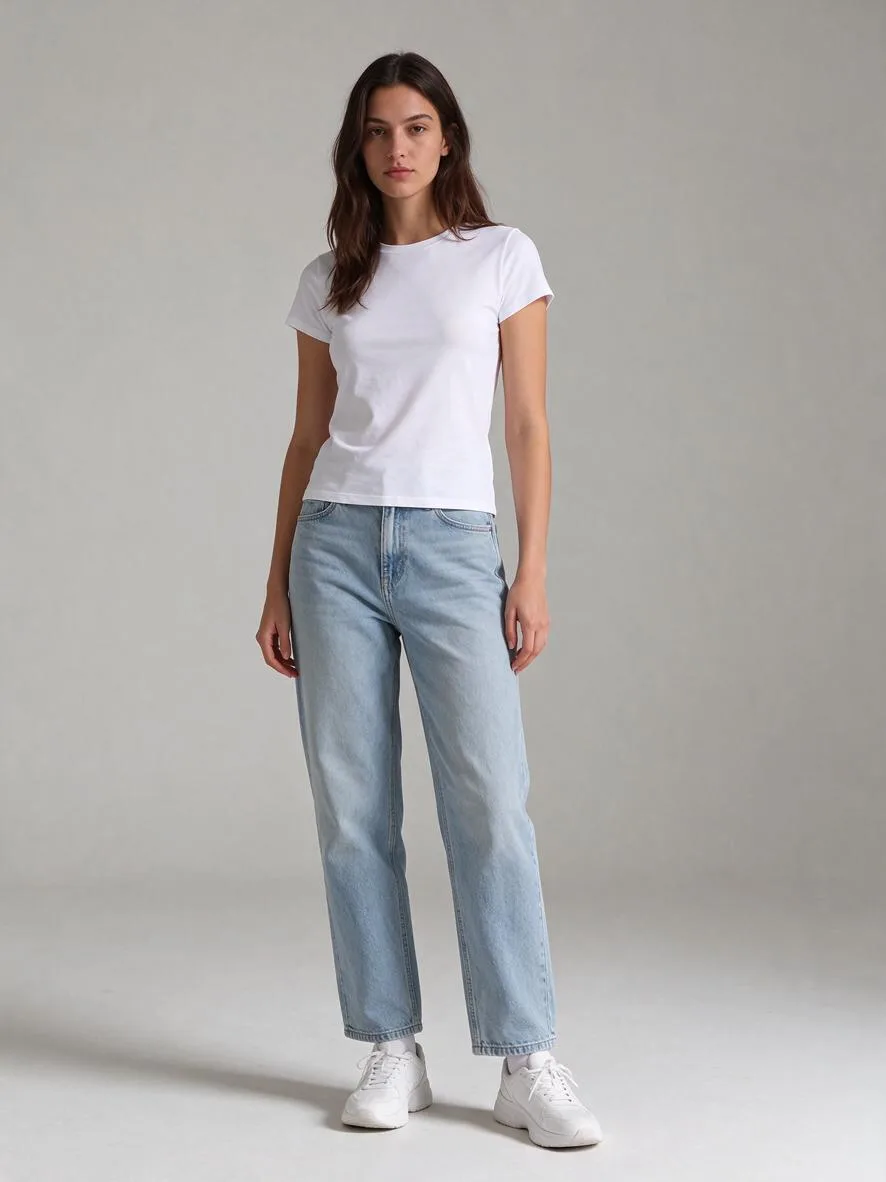
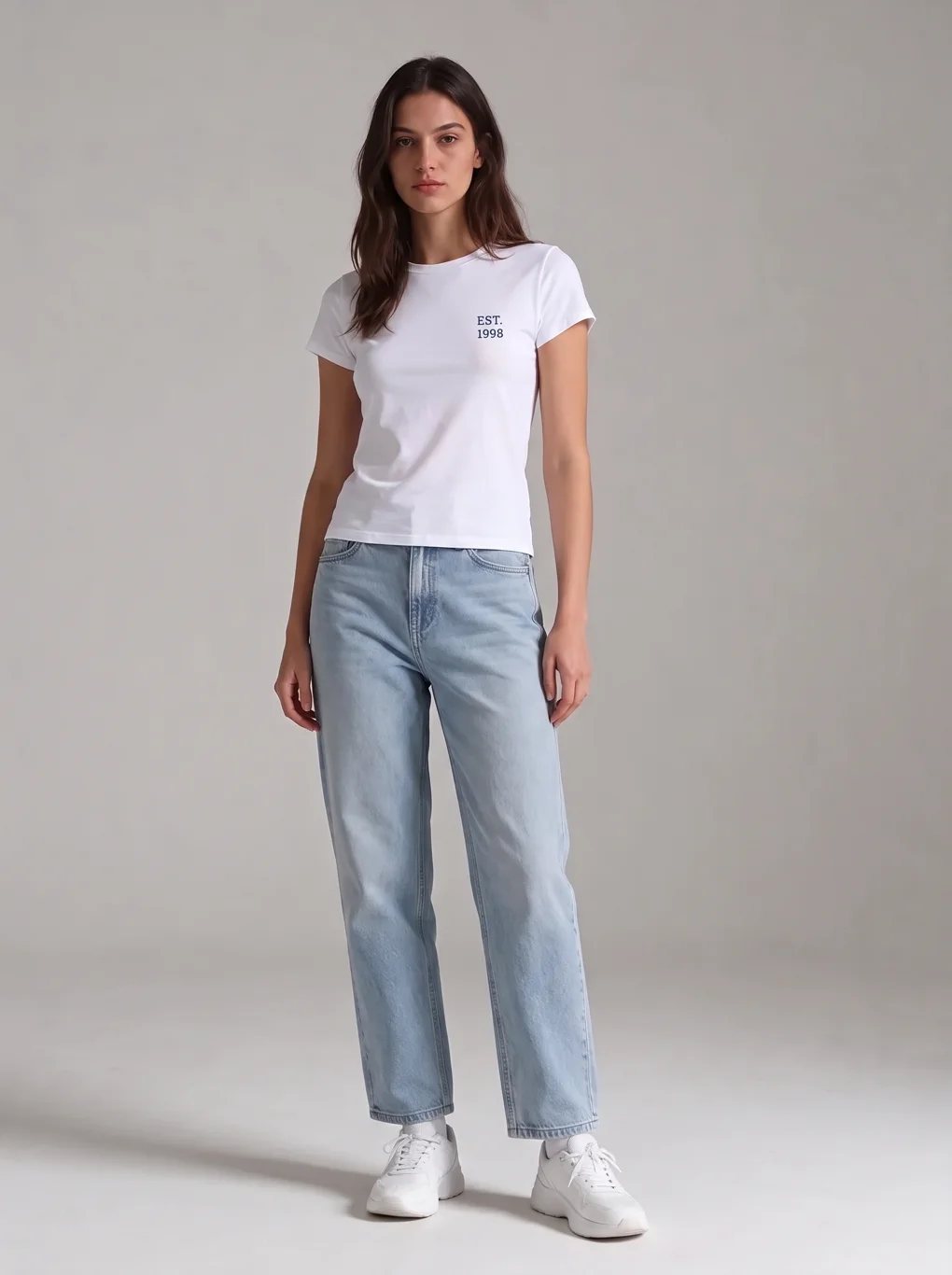
Everything below was generated on November 20, 2026, first outputs kept, no re-rolls. The base photo is the same full-body studio portrait our clothes changer tool page uses: a woman with long dark wavy hair, a plain white t-shirt, light-wash jeans and white sneakers against a grey studio background. The three garment photos were generated for this article with Seedream 5.5 at 2K (6 credits each) — AI product shots, not real store photography, and the rack photo is an AI simulation of a boutique shot. That matters for the rack test: it checks whether the try-on can read a garment out of a messy scene, and a generated messy scene is a fair stand-in for a phone photo of a shop rail.
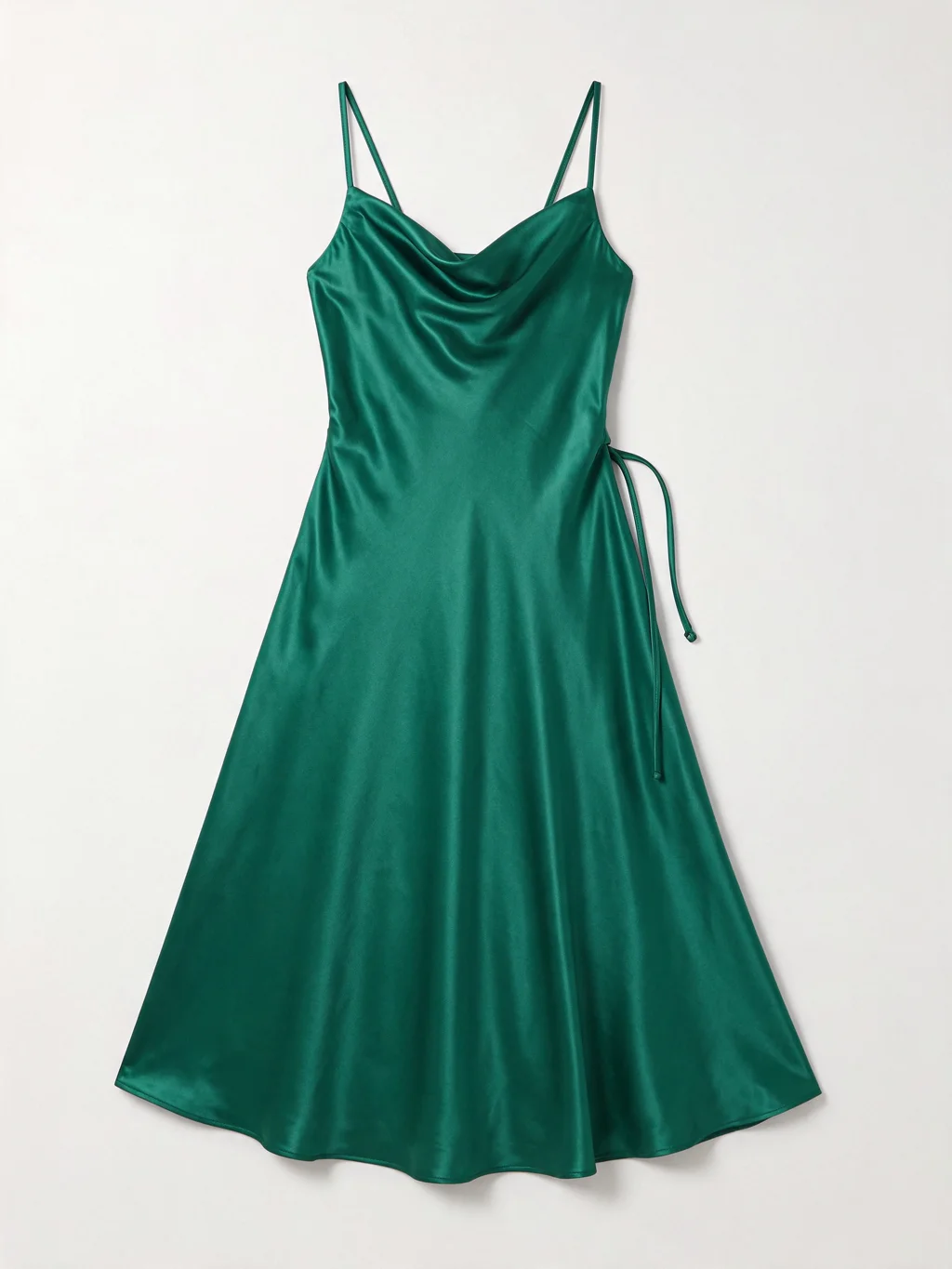
The dress is a deliberately hard case: emerald green satin, a cowl neckline, thin spaghetti straps and a waist tie. Satin shows every mistake in drape and sheen, and a cowl neckline is easy to flatten into a plain scoop. The prompt was identical for all three models:
"Dress the woman in the first image in the emerald green satin slip dress from the second image. Keep her face, hairstyle, pose, body and the background exactly the same; only replace her outfit with the dress, preserving its emerald green color, satin sheen, cowl neckline and thin spaghetti straps. Full-body studio photograph, natural proportions."
Try-ons took 28 to 80 seconds each in our run. All five try-ons and all three garment generations succeeded on the first attempt.
The dress, three ways
All three models put the dress on her, kept her face, hair, pose and the grey background, and rendered the satin with a believable sheen. The differences are in the details the prompt did not ask about — and in the price.
| Nano Banana 2.1 — 12 credits | Dress correct: colour, cowl, straps, waist tie. Face and pose kept. Swapped her white sneakers for black strappy heels. |
| Seedream 5.5 — 10 credits | Dress correct: colour, cowl, straps, waist tie. Face, pose and white sneakers kept. Cleanest match to the brief at the lowest price. |
| GPT Image 2.6 — 41 credits | Dress correct: colour, cowl, straps, waist tie. Face, pose and white sneakers kept. Visually near-identical to Seedream — at four times the price. |
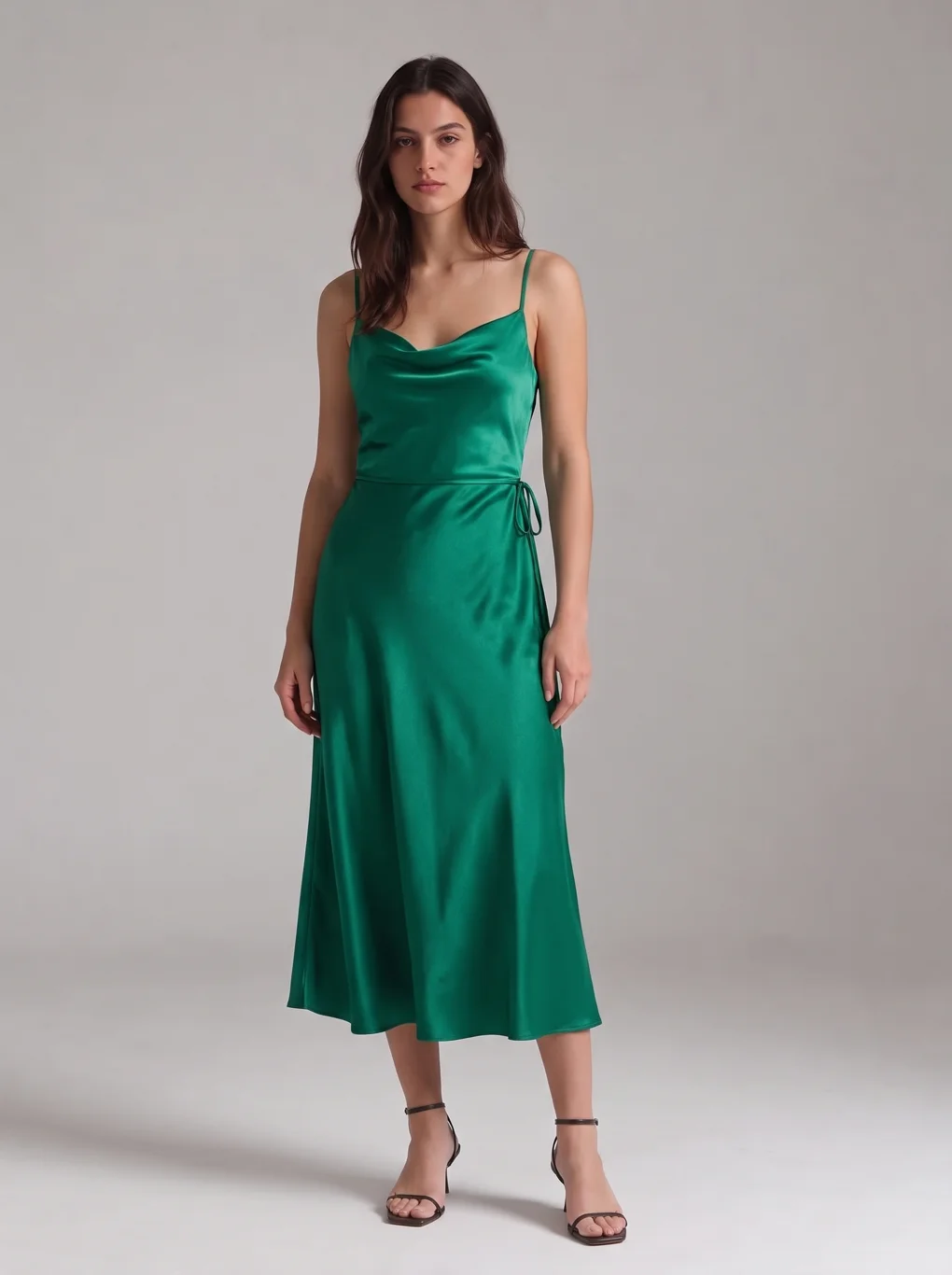
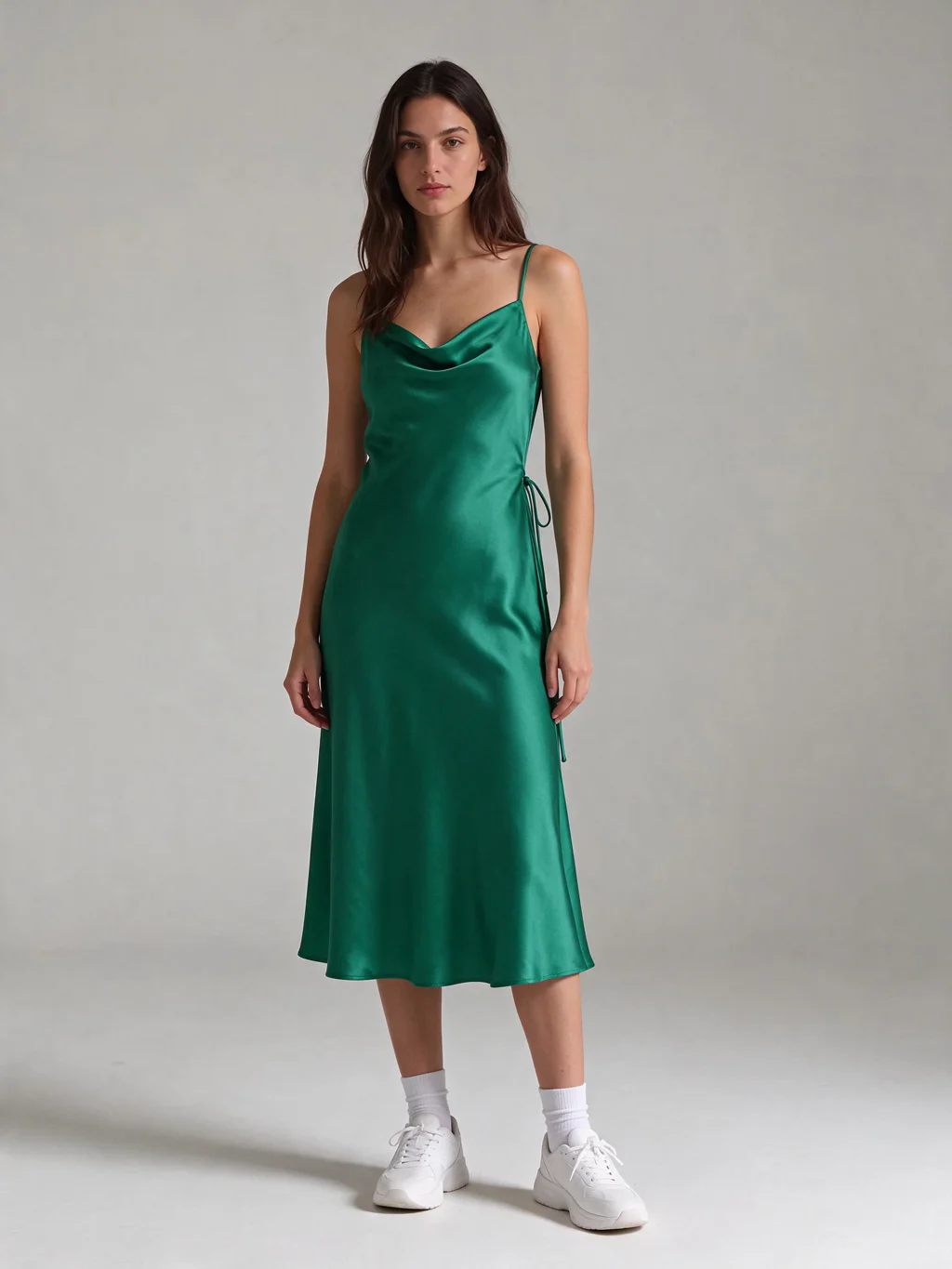
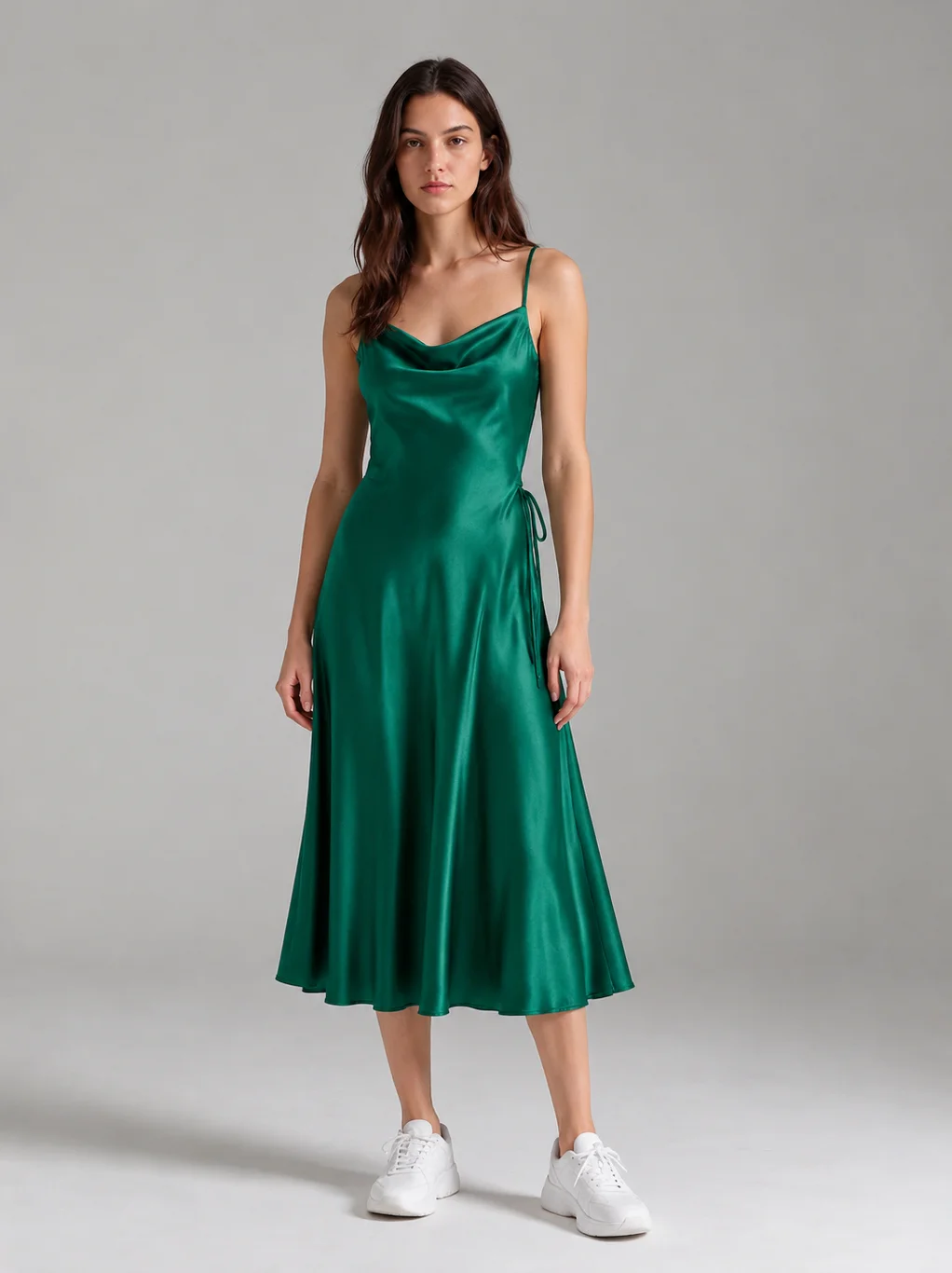
The honest reading: for a single-garment try-on at 2K, Seedream 5.5 is the pick — 10 credits, nothing wrong with the result. Nano Banana 2.1 is the tool's bound model for a reason (it is the strongest all-rounder across the twelve looks on the tool page, and it takes up to 14 reference photos for whole outfits), but here it improvised the footwear. GPT Image 2.6 is the best model in the studio for many jobs; try-on is not the job where its price earns its keep. That is a statement about this test, not a ranking — a different garment could reorder the three.
Test two: the garment is on a shop rack, not a flat-lay
The tool page advises photographing garments flat and well lit, and that advice is still right — a flat-lay is the cleanest input you can give a model. But most garments people want to try on do not come as flat-lays. So we generated a mustard yellow corduroy overshirt hanging on a wooden hanger in a boutique, other garments and shelves blurred behind it, and asked Nano Banana 2.1 to dress her in it, worn open over a plain white top.
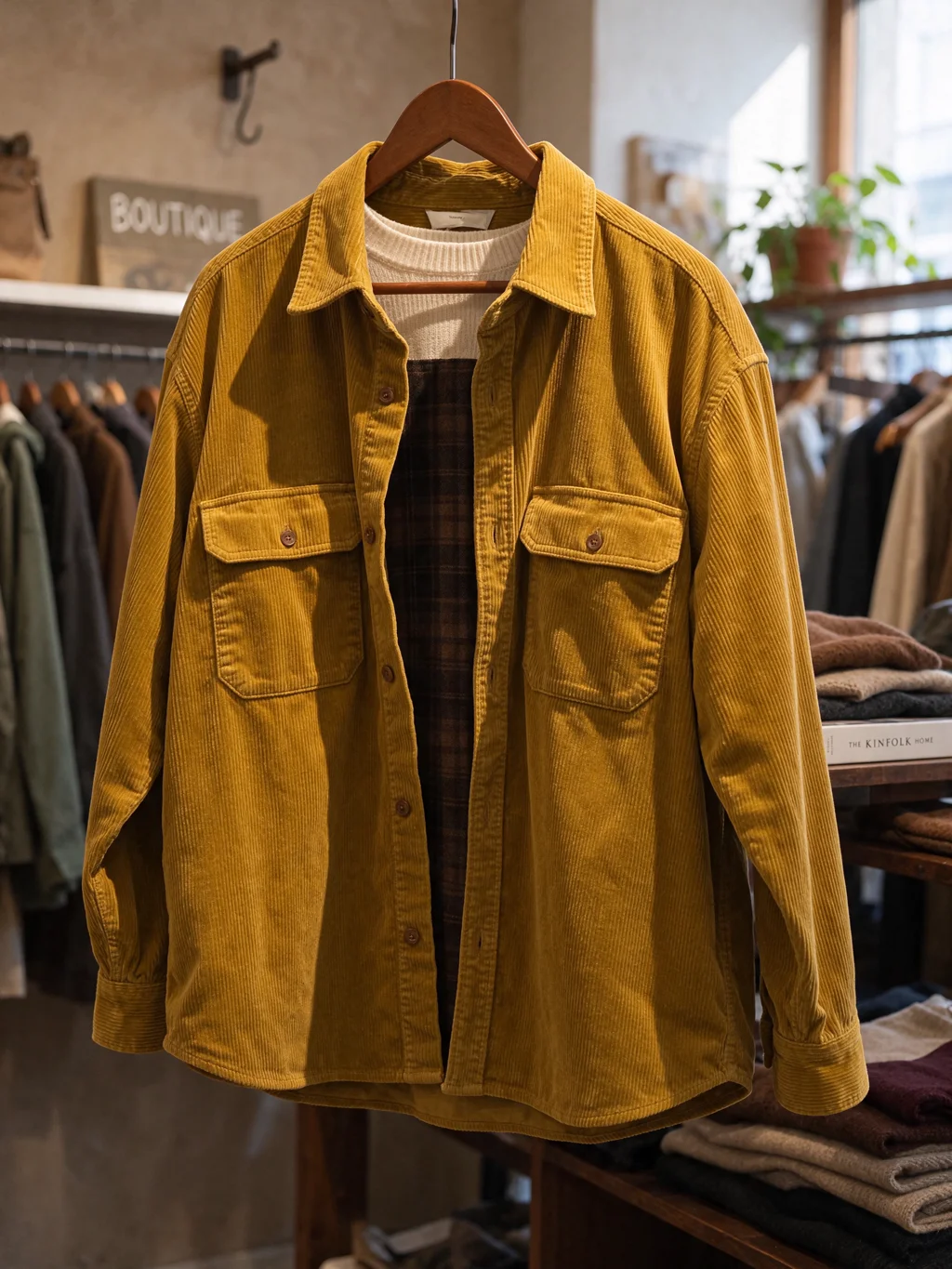
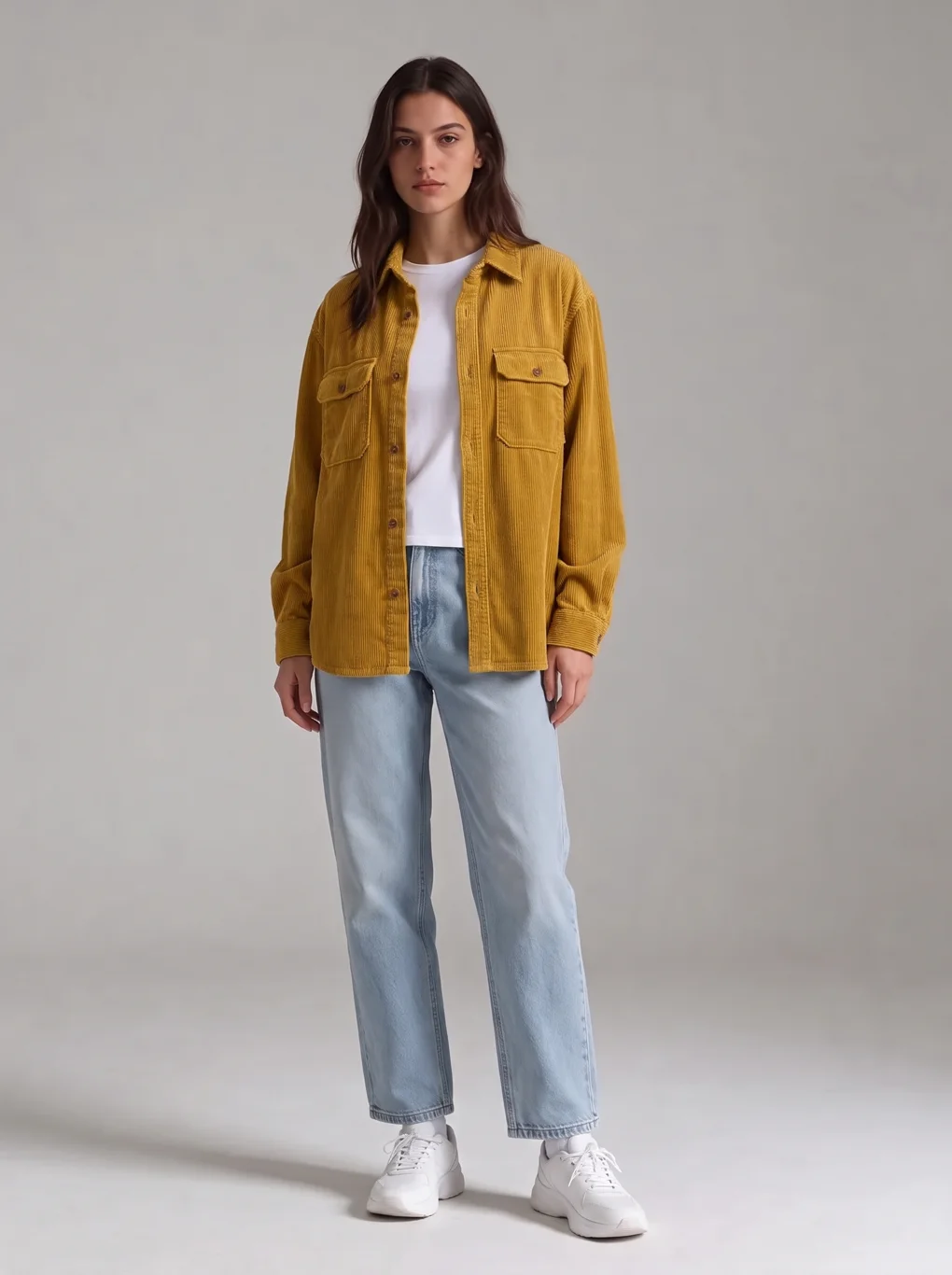
It worked, first attempt. Two things made it work: the garment is large and clearly lit in the source, and the prompt named what to wear it over ("worn open over a plain white top"), so the model did not have to guess what fills the open front. If your source photo has the garment half-hidden behind other clothes, or the garment is small in the frame, expect a worse result — crop the photo to the garment before uploading, and name the layer underneath in the prompt.
Test three: the tiny chest print
The tool page warns that tiny chest prints are the first thing to blur, and that warning came from real validation. So we tested the exact case: a plain white t-shirt with a small "EST. 1998" print in tiny dark navy letters, and asked Nano Banana 2.1 to keep the print exactly as printed, small and in dark navy letters.
It survived. The print reads "EST. 1998", correctly spelled, small on the chest, in the same position as the source. Her jeans, sneakers, face and pose are unchanged. Two caveats: this was at 2K, and the print is high-contrast dark-on-white and legible in the source photo. A print that is already hard to read in the garment photo, a low-contrast print, or a 1K generation will fail more often — the warning on the tool page still stands for those cases. But the boundary is further out than we expected: a small, legible print at 2K is a fair try-on, not a lost cause.
Prompt rules that worked
- Upload order is the prompt. Your photo first, the garment second, and say so in words: "the woman in the first image", "the dress from the second image". Every model in this test follows that order; a vague "put this dress on her" leaves the model guessing which image is which.
- Name what must not change. "Keep her face, hairstyle, pose, body and the background exactly the same" is doing real work — it is the sentence that keeps the sneakers, the jeans and the background in place. The one time a model broke it, it broke the shoes.
- Describe the garment, not just the swap. Colour, fabric, neckline, straps — "emerald green", "satin sheen", "cowl neckline", "thin spaghetti straps". The model has the garment photo, but naming the details tells it which ones matter and stops it smoothing them away.
- State the layer underneath for open garments. "Worn open over a plain white top" decided what fills the open shirt. Without it, the model invents an underlayer — in our source photo it would have had a plaid shirt to copy.
- One garment change per sentence, one idea per clause. The same discipline as our prompt guide — reference editing is a multi-image job, and the prompt is the only place the model learns which image is the person and which is the clothes.
- Whole outfits go in one generation. Upload your photo first, then the items in order — top, bottom, shoes, accessories. Nano Banana 2.1 takes up to 14 reference photos, Seedream 5.5 up to 10, GPT Image 2.6 up to 16.
What it costs
Live studio rates, checked against the manifest before writing. A credit is about $0.01 in pack terms; full pack pricing is on the pricing page.
| Nano Banana 2.1, 2K try-on | 12 credits · ~$0.12 in pack terms |
| Seedream 5.5, 2K try-on | 10 credits · ~$0.10 in pack terms |
| GPT Image 2.6, 2K try-on | 41 credits · ~$0.41 in pack terms |
| Garment photo (Seedream 5.5 text, 2K) | 6 credits · ~$0.06 in pack terms |
The eight generations in this article — three garment photos and five try-ons — cost 105 credits, about $1.05 in pack terms. Your 20 free signup credits cover the first 2K try-on on Nano Banana 2.1 with 8 credits to spare, or two Seedream try-ons exactly. If you are trying on a whole outfit, the reference surcharges matter: a five-photo outfit at 2K is 15 credits on Nano Banana 2.1 (12 + 3), 16 on Seedream 5.5 (10 + 6) and 50 on GPT Image 2.6 (38 + 12) — the gap between the cheapest and the dearest model grows with every extra item.
Where this is limited
It shows how an outfit looks, not whether it fits. That is the tool page's own line and the most important limit here: a try-on cannot tell you if a dress is tight across the shoulders or a jacket pulls at the waist. It renders the garment onto your pose; it does not simulate cloth, tension or your measurements. Models improvise the parts you did not specify. Nano Banana 2.1 swapped sneakers for heels unasked — check the whole frame before you trust a result. GPT Image 2.6 is hard to justify for try-on. At 41 credits it costs four times Seedream for a result we could not tell apart at this size, and the gap widens on multi-item outfits. We did not test sheer fabrics, very oversized fits, shoes-only swaps, or a male base photo with these garments. The tool page's own validation covers more garments (twelve looks, including a suit and a whole outfit) — this article adds three new cases to that record, it does not replace it. The garment photos here are AI-generated. A real store photo has worse light, more wrinkles and a busier background than our simulated boutique shot; the rack test is encouraging, not a guarantee.
Bottom line
AI try-on works for the question it actually answers: does this outfit look good on me. One dress, three models, first attempts: all three dressed her correctly, Seedream 5.5 did it cheapest and most faithfully at 10 credits, Nano Banana 2.1 did it for 12 and changed her shoes, GPT Image 2.6 matched Seedream for 41. A garment shot on a boutique rail worked first try, and a tiny chest print survived at 2K. The workflow is two photos, one sentence, and a full-frame check when it comes back — and the free 20 credits cover the first try-on.